AI document editor
Turn notes, data, and earlier drafts into clear work summaries, reviews, and business reports.
Create a business one-pager
Turn your project or product notes into a brief for a specific audience. Review the facts and page length before sharing.
Try this brief
Create a one-page business brief for [audience] using the project or product information I provide. Summarize the problem, proposed solution, and next step. Use only supplied facts; mark missing details and do not invent metrics, testimonials, or contact information. Format it as a Word document, then check whether it fits on one page.
Give your work a clear account
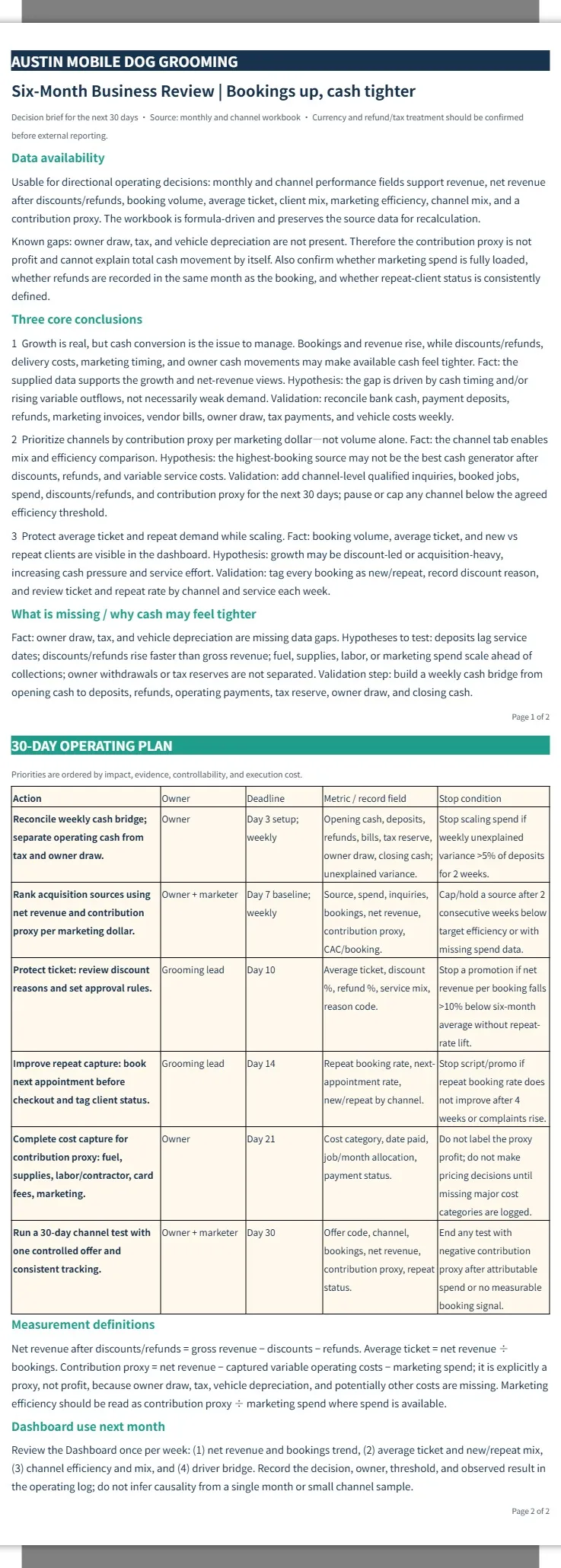
View more examplesPresent business reports and proposals in clearly structured documents.
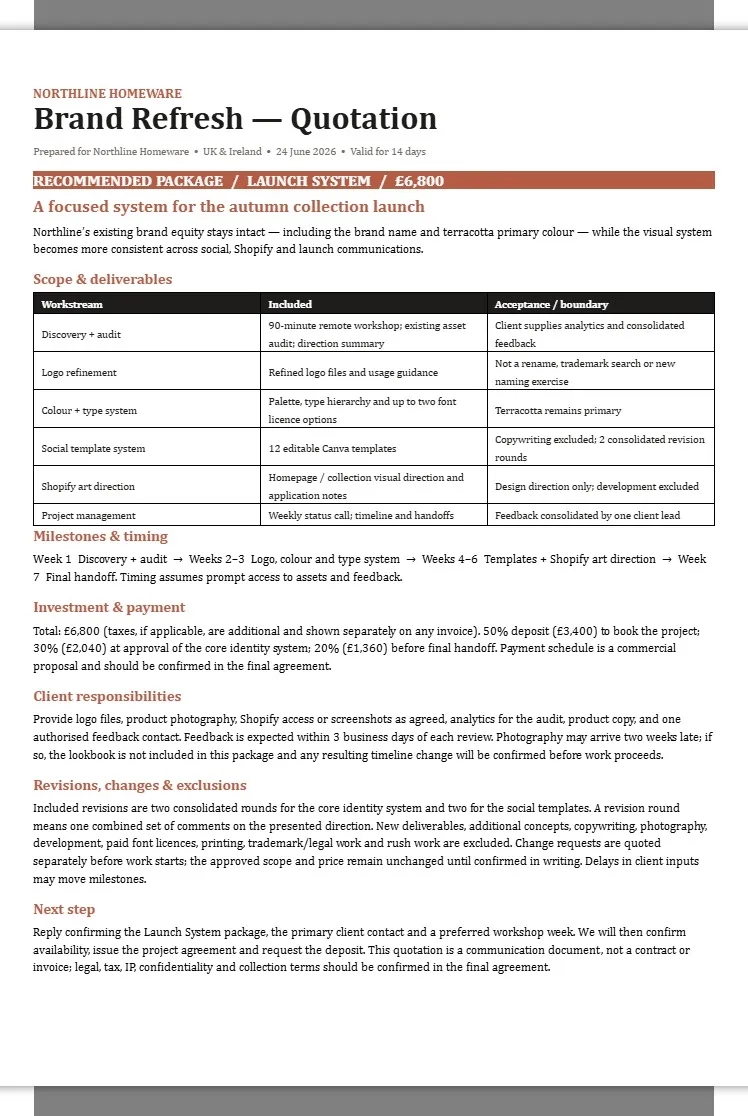
Northline Homeware | Launch System Brand Refresh Quotation
Create a document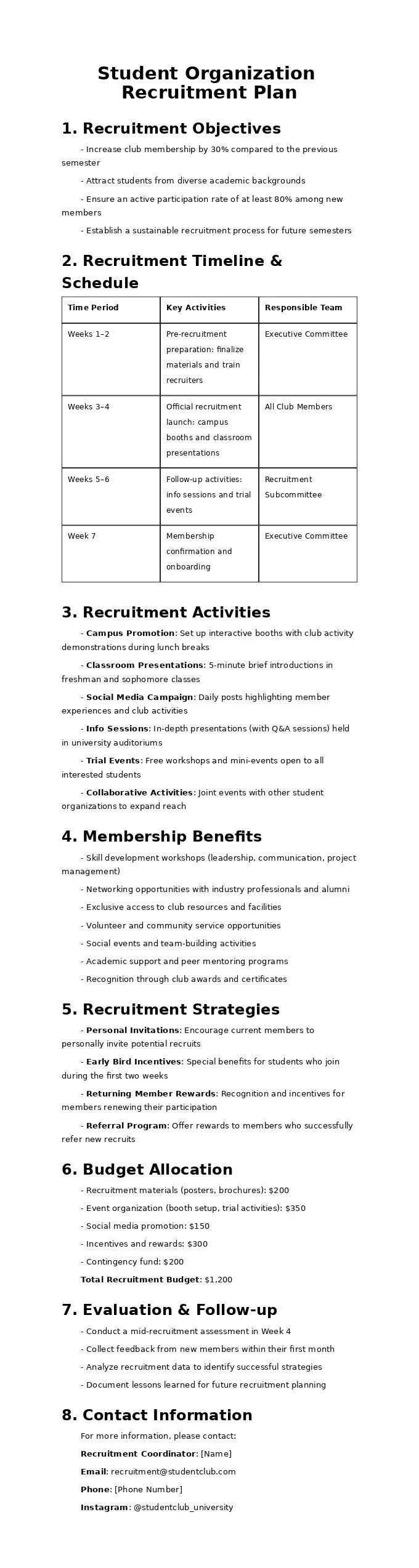
Student Organization Recruitment Plan
Create a documentBuild a structure from your records
Organize data, earlier drafts, and scattered notes into a clear report.
Create an editable document
Combine heading levels, tables, and page layout in a Word document.
Make revisions reviewable
Request tracked changes or comments while retaining content outside the edit scope.
Work Report Assistant

PagePop
From existing material to a complete document
- 1
Share records and drafts
Explain the purpose, audience, and information that must stay.
- 2
Organize the argument
Structure results, issues, and actions; flag evidence that needs clarification.
- 3
Create or edit the document
Develop text, tables, and layout, with revisions recorded as requested.
- 4
Review and refine
Check content and page appearance, download the document, and request adjustments.
Before you get started
What work documents fit?
Work summaries, project reviews, business reports, and performance reports based on your records, data, and drafts.
Can I edit an existing Word document?
Yes. Provide the document, the edit scope, content to preserve, and any layout requirements.
Can I use a PDF as source material?
Readable PDF documents can be extracted. Scans depend on text recognition; blurry pages or complex tables may need clarification.
Will missing performance figures be filled in?
Guesses should not become facts. Missing figures need a note or your confirmation; review numbers and conclusions before submission.
Can I keep tracked changes?
Ask for tracked changes or comments to make edits reviewable. Complex formatting still needs a final document check.
Will I receive Word or presentation slides?
This page focuses on editable Word documents. If you need presentation slides, specify that as a separate output.
Related professional scenarios
AI PDF summarizer
Turn a PDF into a clear summary for your purpose. Keep key facts, numbers, and source references available for review.
Cover letter generator
Turn your experience and a target job description into a cover letter you can review. Connect relevant examples to the role, keep the facts accurate and identify missing details.
Extract text from an image
Copy the wording from a screenshot or scanned page before turning it into a document.
Turn a Word document into HTML
Add a Word document and ask PagePop to prepare HTML for a website or CMS. Choose a body-only fragment or a full page, then check the wording, structure and image paths.
Turn a Word document into a PowerPoint presentation
Turn your Word document into a PowerPoint presentation. Shape the outline, refine the slides in PagePop, and download a PPTX for your next meeting.
Compare text online
Compare two versions of text side by side. Find added and removed lines, copy or download the full comparison, and keep your text in your browser. No sign-in needed.
Count words and characters as you write
Free online word counter with live word, character and paragraph counts. Paste your text, check a word limit, count a selection and download your draft.
Download meeting minutes templates for Word
Two blank templates, a fictional completed example, and source notes with a fact map. No account is needed to download the files.





Turn your records into a structured report
Share your notes or draft and explain what the document needs to achieve.
Create a documentMore ways to make it yours
Explore a more specific task with the same starting point.