
Fictional talking-character video scenes
AI baby podcast generator
Give an original baby character a few lines to say
Create a talking baby podcast video from a character image and script. Choose the dialogue language and see an example with spoken English.
Create my baby podcast sceneWrite an opening line and a short joke. Leave time for speech and expressions.
AI baby podcast example
A short counting-sheep joke for a fictional baby podcast.
The sheep fell asleep first
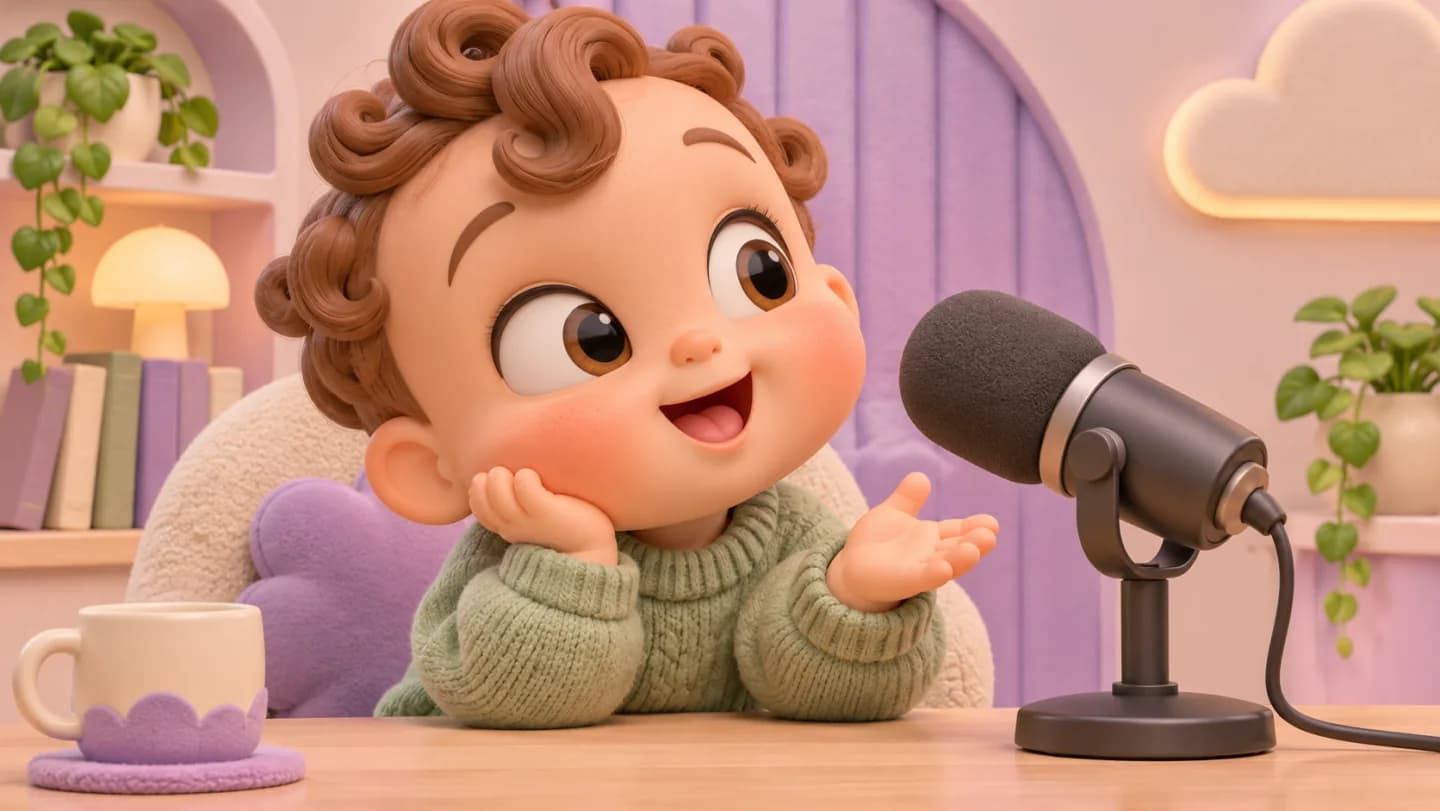
Prompt used for this video
Use the uploaded original cartoon host illustration as the character and studio reference. Generate one 15-second 9:16 podcast comedy clip titled “The sheep fell asleep first.” All spoken dialogue must be in natural English, with clear diction and no additional speech. 0–4 seconds: the host leans toward the microphone and quietly says “Can't sleep? Try counting sheep.” 4–9 seconds: cut slightly closer, the host counts on two fingers and asks “One, two... guess what happened?” 9–15 seconds: the small plush sheep on the desk tips over. The host glances at it and says “I was still awake. The sheep fell asleep first!” then covers their mouth and giggles. Keep the same fictional cartoon host, clothes and recording studio. Match natural mouth movement to the English lines. Use only dialogue and light action sounds, with no captions, on-screen text or background music. Generate once and deliver a playable MP4.
Generated video
In this 15-second vertical clip with English dialogue, the host leans toward the microphone and counts on two fingers. The plush sheep tips over, and the host covers their mouth and laughs.
Fictional talking-character video scenes
What kinds of baby podcast clips can you make?
Choose one host or a two-host exchange to fit the topic. Reuse the character reference for a series.
Single-host clips
Explain one topic with two or three lines and an expression.
Two-host conversations
Give each fictional host distinct lines and pauses so viewers can follow the exchange.
Recurring characters
Reuse the character image and studio setup with new topics for the same host.
A character concept comes first
Match the dialogue, expressions, and shot
Decide who says each line and where they pause. Describe the expressions, camera position, and parts of the studio that should stay the same.
- Character and setProvide an original or permitted reference and describe the host’s appearance, clothing, microphone, framing, and background so the scene has a stable visual identity.
- Dialogue and languageState the dialogue language and write the exact lines. Mark each speaker and add any pauses or reactions.
- Audio and delivery directionDescribe an original tone, pace, and pronunciation. If supplying audio, make sure you can use it and explain its intended role in the task.
This is a concept still. Request the episode, voice direction, captions, and timing separately, then check the actual returned video and audio before using them.
Three beats for the same fictional show
Break one topic into three parts
Write an opening, a question, and a closing line for the same fictional host.
The opening question
Frame the host and introduce the premise in one short line.
The unexpected answer
Build a brief exchange around a clearly fictional character.
The closing smile
End with a gentle payoff and room for the final caption.
How do you make an AI baby podcast?
The page’s current original example is a 12-second storyboard and script. It demonstrates planning material; it is not a playable finished podcast or a measured lip-sync example.
- 01
Define an original host and topic
Describe the fictional character, set, audience, and comic premise. Provide a permitted visual reference if needed and keep the spoken idea narrow enough for one short scene.
- 02
Set the dialogue language and write the lines
Name the language, paste the exact lines, and mark who speaks and where they pause. Keep the script short enough for the clip.
- 03
Watch the clip with sound
Check the words, pronunciation, and mouth movement. To revise the clip, point to the line or timestamp that needs work.
How do you check dialogue and expressions?
Understandable dialogue
Listen without reading the script. Check word accuracy, pronunciation, volume, pauses, and whether the premise makes sense within the scene.
Speech and visible performance
Watch mouth movement, expressions, and turn-taking with sound. Note specific timestamps instead of accepting a lip-sync claim without playback.
Stable fictional identity
Inspect face, clothing, microphone, and set across the clip. Confirm the video uses the original or permitted character direction you intended.
How to revise a baby podcast clip
Find the line, expression, or shot that needs work and specify what to preserve.
| What you see | How to fix it | What to write |
|---|---|---|
| A line is too fast | Shorten it or add a pause before the punch line. | Keep the opening line. Pause for half a second before the last line. |
| A word is hard to hear | Give the exact line and pronunciation, with one speaker at a time. | Say the question clearly in the middle, then pause before the answer. |
| The expression is out of sync | Specify when the mouth or expression should change. | Keep the dialogue and set. Make the character smile after the last line. |
Plan a fictional mini-show
Write the lines for your baby podcast
Add an original character image and paste the dialogue in the language you want. Specify the speakers, tone, and shot.
Add a character image and paste the dialogue. Specify the language, speaker, pauses, tone, and camera direction.
AI baby podcast FAQ
How do I choose the dialogue language?
What does the example actually demonstrate?
Can I use a photo or an existing character?
Can I clone a particular person’s voice?
How do I improve dialogue and mouth movement?
How should I ask for a revision?
Write the first line for your baby podcast
Start with a compact premise, an original character, and a few lines. Develop the script and scene direction, then request the talking clip for review.
Create my baby podcast scene