DeepSeek V4.1 Flash 1017: what's new and 4 creative prompts
Learn what changed in DeepSeek V4.1 Flash 1017, where to use the web app and deepseek-flash API, and how to write four creative project prompts with clear deliverables.
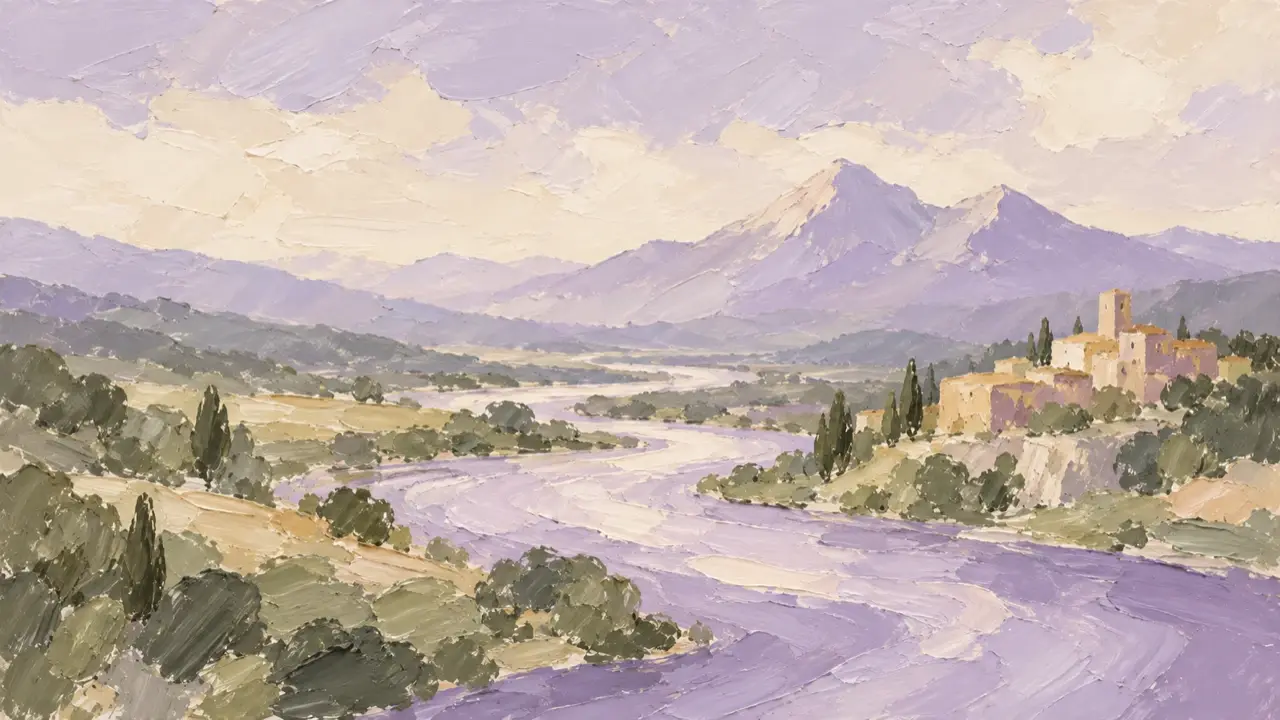
DeepSeek V4.1 Flash 1017 is the October 17, 2026 update officially named DeepSeek-V4.1-Flash-1017. DeepSeek has updated its website, app, and API; the API model name remains deepseek-flash. The release focuses on complete project development, including games and 3D modeling, and opens the Search and Fetch APIs. Official release notes
For a conversation, open the official DeepSeek web app. To connect your own application, use the official API guide. This guide covers the entry points and four official examples, then gives you four original task prompts to adapt.
How to use DeepSeek 1017 and which API model to choose
The web app is a starting point for discussing requirements, making plans, or generating code. API access requires your own DeepSeek API key. The OpenAI-compatible base URL is https://api.deepseek.com; the chat endpoint is https://api.deepseek.com/chat/completions, with deepseek-flash as the model.
Here is an example request body. Configure authentication as described in the official guide; keep your key out of browser code and public files.
{
  "model": "deepseek-flash",
  "messages": [
    {"role": "user", "content": "Turn my creative idea into clear deliverables and list the requirements we need to confirm first."}
  ],
  "thinking": {"type": "enabled"},
  "reasoning_effort": "high",
  "stream": false
}
A code project also needs a suitable runtime. You can save code from a web conversation and run it locally; creating files, installing dependencies, and revising a project requires a configured development environment. The official project demonstrations used DeepSeek Harness, with version 0.2.1-rc.1 or later recommended. A short prompt doesn't supply that setup.
What the four official examples show
| Official example | A useful requirement to borrow |
|---|---|
| A 3D Forbidden City | Establish the central axis, courtyards, and roof hierarchy before adding detail |
| A browser racing game | Define controls, collisions, and the end condition alongside the visuals |
| A Portal 2 recreation in Godot | Describe entrances, exits, and state changes as explicit rules |
| Valley of Ages | Keep the terrain and camera consistent while the settlement changes |
These examples were published by DeepSeek. The prompts below are original examples built around spatial relationships, interaction, and continuity. Specify whether you want a code project, a visual plan, or a storyboard before you start.
Prompt 1: turn an architectural idea into a rotatable scene
Instead of asking for a grand palace, define its spatial relationships and controls. A fictional courtyard keeps the scope clear without presenting an imagined scene as an accurate reconstruction.
Create a simplified browser-based 3D project of a fictional architectural courtyard. Give the file structure, exact dependency versions, and launch instructions, followed by the complete code for every required file.
Include one main hall, two symmetrical side halls, one entrance, and one courtyard. Align the entrance and main hall on a central axis. Use red walls, golden roofs, and early-morning side light. Do not add more buildings.
Support drag-to-orbit, zoom, and a reset-view button. Limit the camera and zoom so the viewer cannot pass inside a building or below the ground. Include brief controls and adapt the page to phones and desktop screens.
Do not use external photographs or model assets that haven't been provided. Treat the architecture as an original illustration, without real dimensions or claims of historical accuracy. Do not omit files or substitute pseudocode for working functions.
Check the deliverable: count the buildings and inspect their symmetry; try orbit, zoom, and reset; follow the dependency and launch instructions.
If zoom passes through a roof, ask: “Keep the buildings, lighting, and initial composition. Fix only the camera-distance limits and collision constraints, and list the changed files.”
Prompt 2: turn a coastal track into a restartable game
A coastal track needs a clear visual brief. A playable game also needs controls, timing, and state. Start with a small playable scope before expanding the track or artwork.
Build an original Coastal Courier Car game with native Canvas and JavaScript. Output one complete HTML file that runs offline, without external dependencies or assets.
The player moves a blue car left and right with arrow keys or on-screen buttons, collects parcels, and avoids roadblocks. A round lasts 60 seconds. Each parcel adds 10 points; each collision subtracts 5. Give the car one second of protection after a collision to prevent repeated deductions.
Provide start, pause/resume, and restart buttons. Display score, time remaining, and parcels collected. Pause must stop movement, timing, and collision updates. Restart must clear the previous round's state.
Use a visible initial seed of 1017 and restore the same initial layout on restart. Show a simple coastal road, guardrails, and a distant lighthouse, keeping the car, parcels, and roadblocks easy to distinguish. Support 390px and 1440px viewports.
Check the deliverable: try both control methods; confirm that pause stops timing and collisions; restart and check that score and parcel count reset; verify that protection prevents repeated deductions during one collision.
If the score changes while paused, ask: “Prevent all game-state updates during pause. Keep the visuals and controls, and fix only timing, collisions, and resume behavior.”
Prompt 3: turn a portal mechanism into an original three-shot plan
The useful idea behind a portal is cause and effect. Use your own object and locations, then describe the object's state in each shot.
Write a three-shot production plan for an original 12-second short film. Do not output game code or generate images.
A red suitcase slides into a circular glowing portal on a café wall, exits through a matching portal in a seaside cabin, and finally stops on a beach.
Each shot lasts four seconds. Specify shot size, camera position, the object's start and end positions, movement direction, lighting, and the connection to the following shot. Keep the suitcase's yellow round sticker, black handle, and dimensions consistent. Both portals must retain matching edge details.
Add a standalone keyframe prompt for an image tool for each shot, followed by a shared list of subject and scene conditions that must remain consistent. Do not add people, dialogue, or extra locations.
Check the deliverable: confirm a total of 12 seconds; compare suitcase and sticker descriptions; check that entrances, exits, and movement directions connect.
If the exit direction is reversed, ask: “Change only the suitcase's orientation and exit movement in shot two. Keep its identifying details, lighting, and the other two shots unchanged.” Point to the affected shot and the details to preserve.
Prompt 4: move a river bend through four eras without moving the terrain
A civilization sequence is a useful exercise in separating changes from constants. This storyboard illustration shows the composition and landmarks to retain.
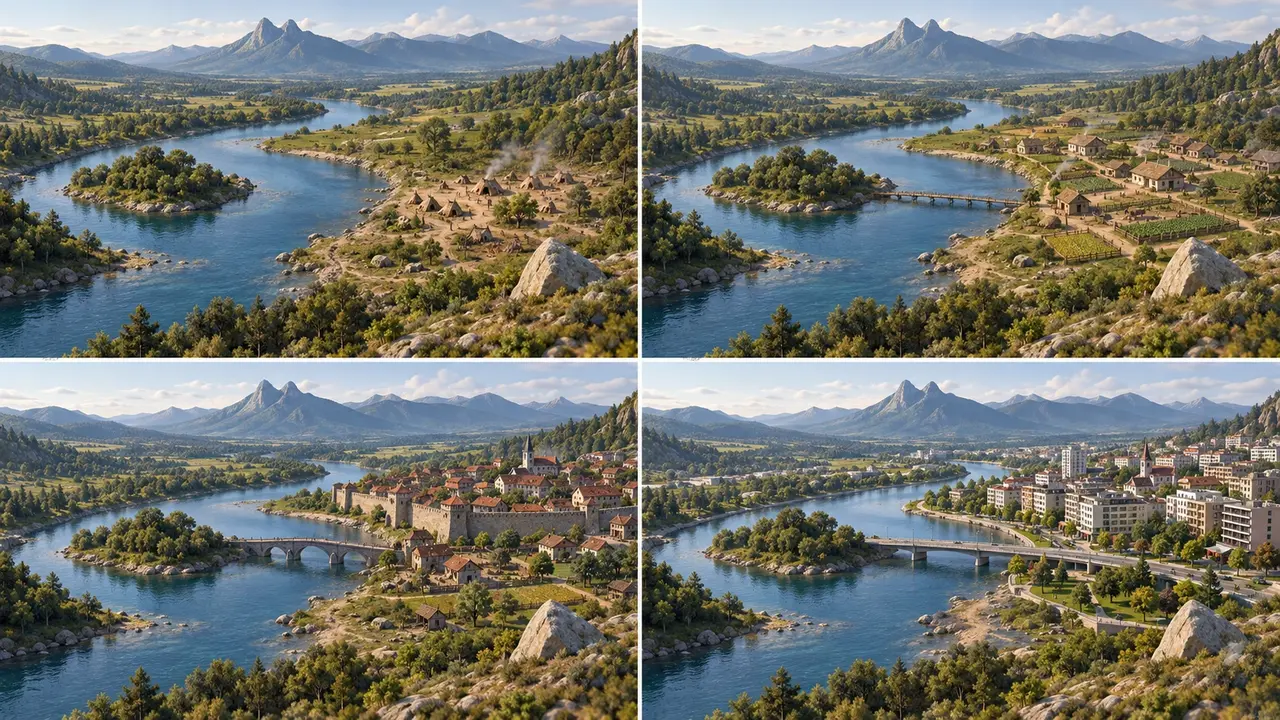
Create an interactive Four Eras of One River Bend illustration as a complete HTML file with inline SVG. Use no external dependencies or images.
Provide buttons for camp, farming village, traditional town, and modern city. Keep the same canvas bounds and elevated viewpoint. The ridge, river course, island, and lower-right boulder must retain identical coordinates in all four stages. Keep the settlement on the right bank.
The camp has no bridge. Add a wooden bridge at a specified crossing in the farming stage, then replace it with stone and modern bridges at that same crossing. Keep lighting, season, and the legend consistent. Stage changes must affect only the settlement and bridge.
Support phone and desktop screens, keyboard operation, and visible focus. Output the full code and saving/opening instructions. Do not describe an SVG illustration as a 3D model.
Check the deliverable: switch through all stages and watch the fixed landmarks; confirm the bridge first appears in stage two at the same crossing; check the riverbank and keyboard controls.
If the bridge shifts in stage three, ask: “Restore only stage three's bridge to the coordinates of stage two's crossing while keeping its stone design. Leave the other stages and terrain unchanged.”
Revise the result in a useful order
Save your starting prompt and each revised file. First check whether the files open and the functions run. Then check counts, coordinates, duration, and interaction rules. Adjust visual hierarchy, lighting, and detail after those conditions are satisfied. For a code error, provide the complete error and steps that triggered it; for a visual mismatch, name the affected object and what should stay unchanged.
If your deliverable is a concept image, storyboard, or video, define the subject, camera, movement, and continuity before passing the brief to the appropriate creative tool. A picture that explains an idea and an interactive program are different production tasks.