Claude Opus 5.5 use cases: 8 creative projects and how they were made
What can Claude Opus 5.5 do? Explore 8 creative projects, from handwriting fonts and 3D worlds to games, with original links and practical production methods.
What can Claude Opus 5.5 do? Public projects from creators show uses ranging from handwriting fonts and 3D worlds to story-driven games, city explainers, historical scenes, and independent games. Alongside the finished work, there's plenty to learn from how creators prepare material, divide tasks, and connect code with other tools in a production workflow.
Here are 8 creative projects, with links to the work, tutorials, and open-source repositories. For more effects and reference prompts, explore PagePop's Claude Opus 5.5 case collection.
1. Handwritten notes into a font: keeping your own handwriting
Harshpreet turned his college computer networking notes into a font he could type with. According to his account, the input was 120 pages of notes and the process took about an hour. Personal details, such as slightly uneven crossbars and small loops in the letters, remained in the result.
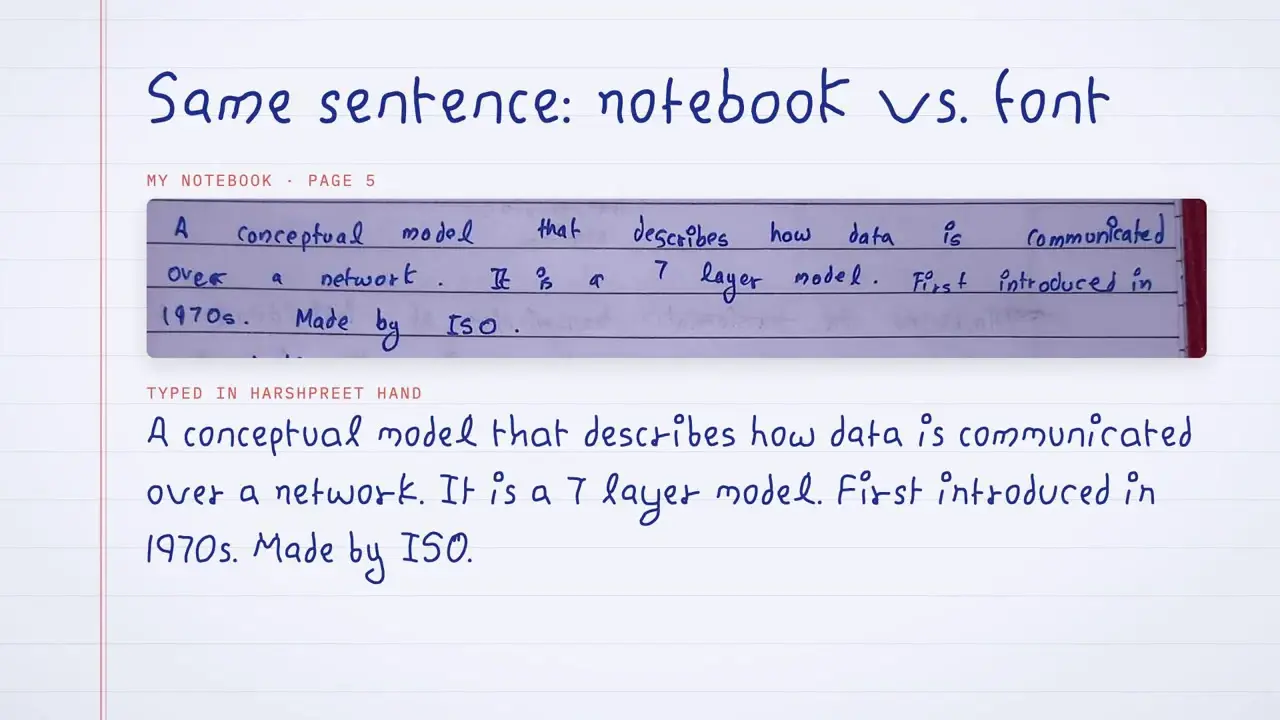
The key to this project was extracting letterforms. The writing in the photos was small, so the process needed to separate ink from paper, trace strokes, and organize reusable glyphs. To make a personal font, handwritten headings, or brand lettering, start with clear samples that cover a broad range of characters. Then check for missing glyphs, spacing, and consistency.
View the font project · See the stroke extraction process · See the handwriting details
2. An ancient Greek 3D world: a Three.js scene guided by reference images
Leon Lin (@LexnLin) asked Opus 5.5 to build an ancient Greek world in Three.js from reference images. The architecture, terrain, water, and vegetation were made with code. The project's repository includes the implementation and reference material.
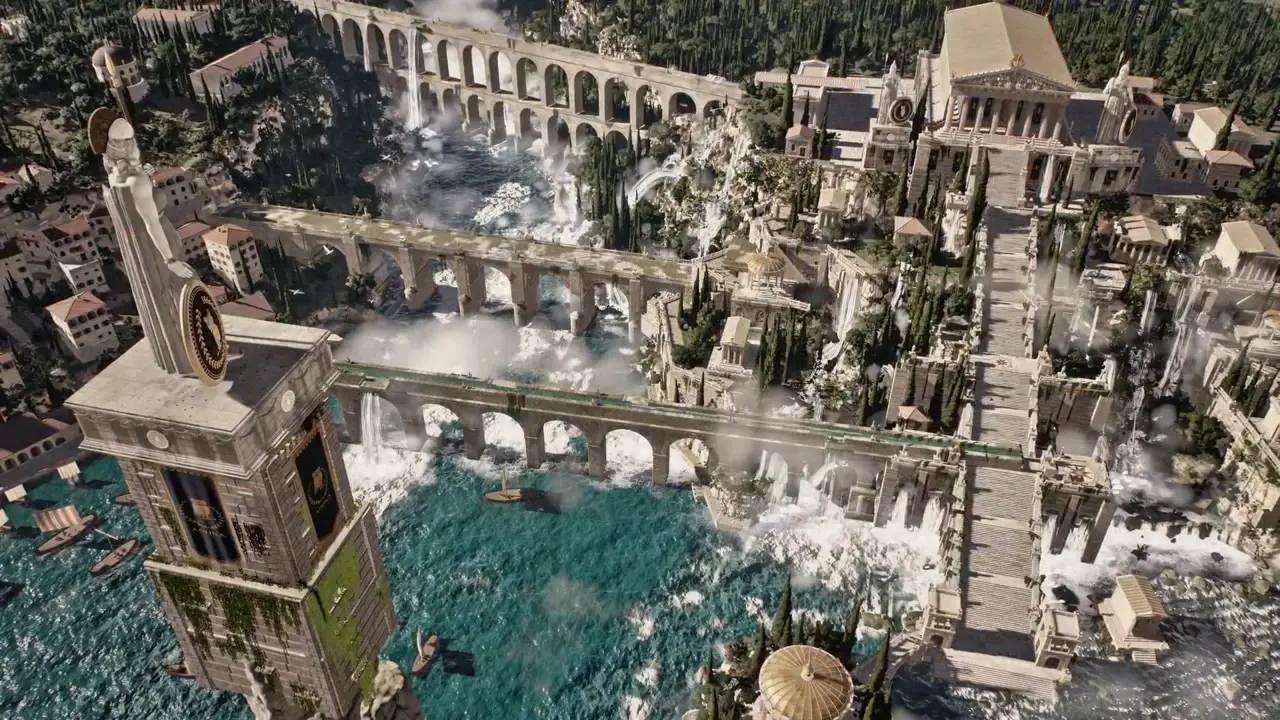
His prompt set specific constraints: stay close to the references, use no external models or textures, review still renders first, and then create a camera tour. The creator recorded about 45 hours for the entire process, including collaboration between agents and lengthy rendering. A useful way to approach this is to separate scene building, still-frame review, and camera movement, so the composition and materials are settled before adding motion.
View the ancient Greek world · Read the production and prompt notes · Explore the Athenaion open-source project
For a related scene, see the Mount Olympus garden Three.js animation in PagePop's collection. Compare how the subject, environmental details, and camera requirements are described in the prompt.
3. A 3D story game based on The Little Prince: connecting narrative and interaction
@Saccc_c used Opus 5.5, Tripo, and Blender to make a 3D story game based on The Little Prince, and shared both a playable version and a production tutorial. The creator reported a development time of 16 days.
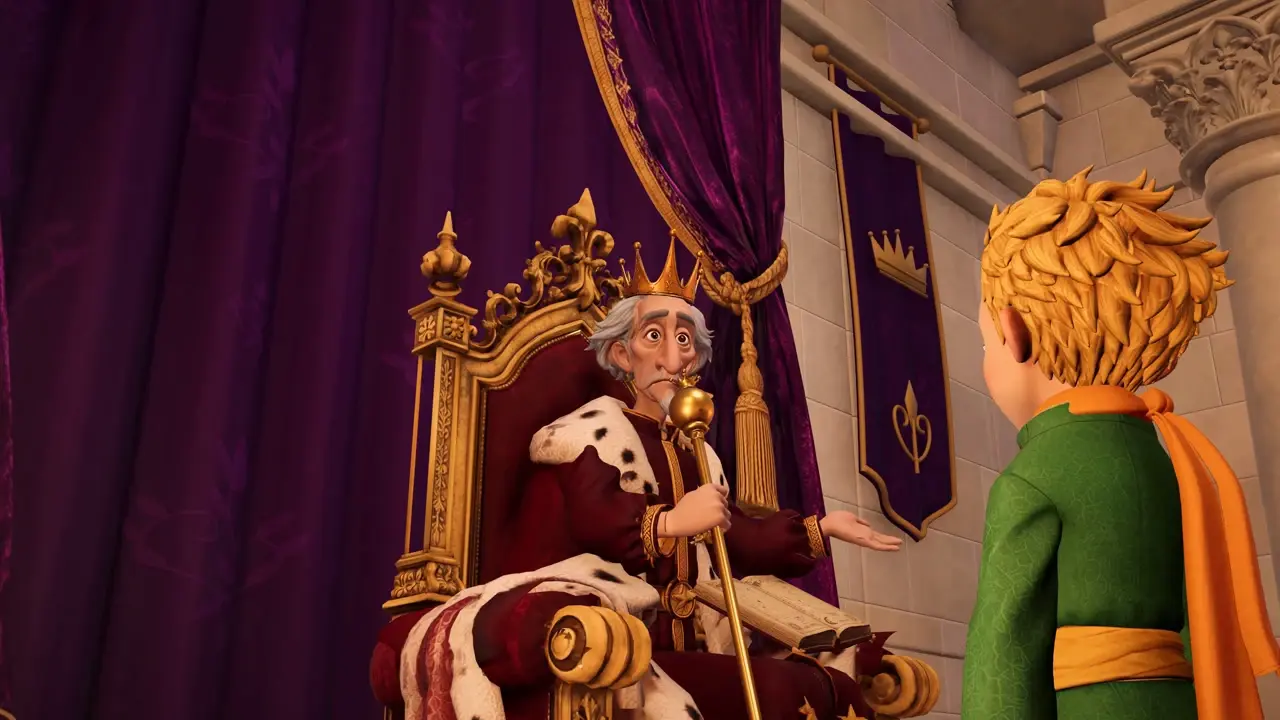
What matters here is the whole experience: how characters appear, how the player moves forward, when dialogue begins, and how the visuals support the story. For your own narrative prototype, start with one place, one relationship, and one interaction the player can complete. Then gradually add models, lighting, and staging.
View the game demo · Play The Little Prince · Read the production tutorial
4. A city's growth rings: turning urban data into an animated explainer
@EianLu rendered Chengdu's history with code, organizing buildings and changes over time into an animated explainer. The creator's listed data sources include Tsinghua University's Chinese Multi-Attribute Building dataset (CMAB) and OpenStreetMap.
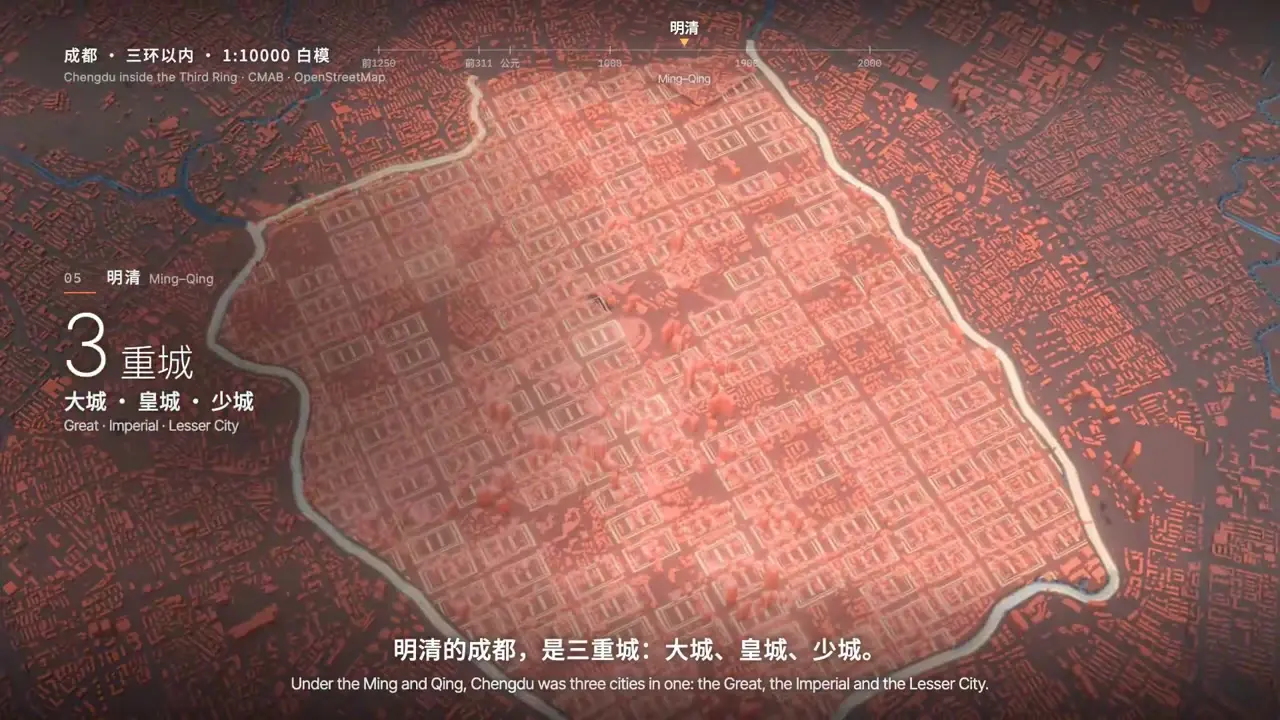
This approach suits city introductions, museum displays, and explanations of regional development. Gather maps, building data, key dates, and sources first. Decide what each period should show, then plan the camera, labels, and narration. Check the data and the narrative separately, especially the distinction between verifiable building information and visual interpretations used to tell the history.
View the city history animation
To start with a single building, see PagePop's Temple of Heaven 3D animation case. Use its descriptions of the building, spatial layers, and camera views to help structure your own brief.
5. Reconstructing the Old Summer Palace: reusing a production workflow for a new subject
Andy L showed an animation that moves from the ruins of the Old Summer Palace back to its historical setting. Scattered components return to place, buildings and water features emerge, and narration explains the spatial relationships.
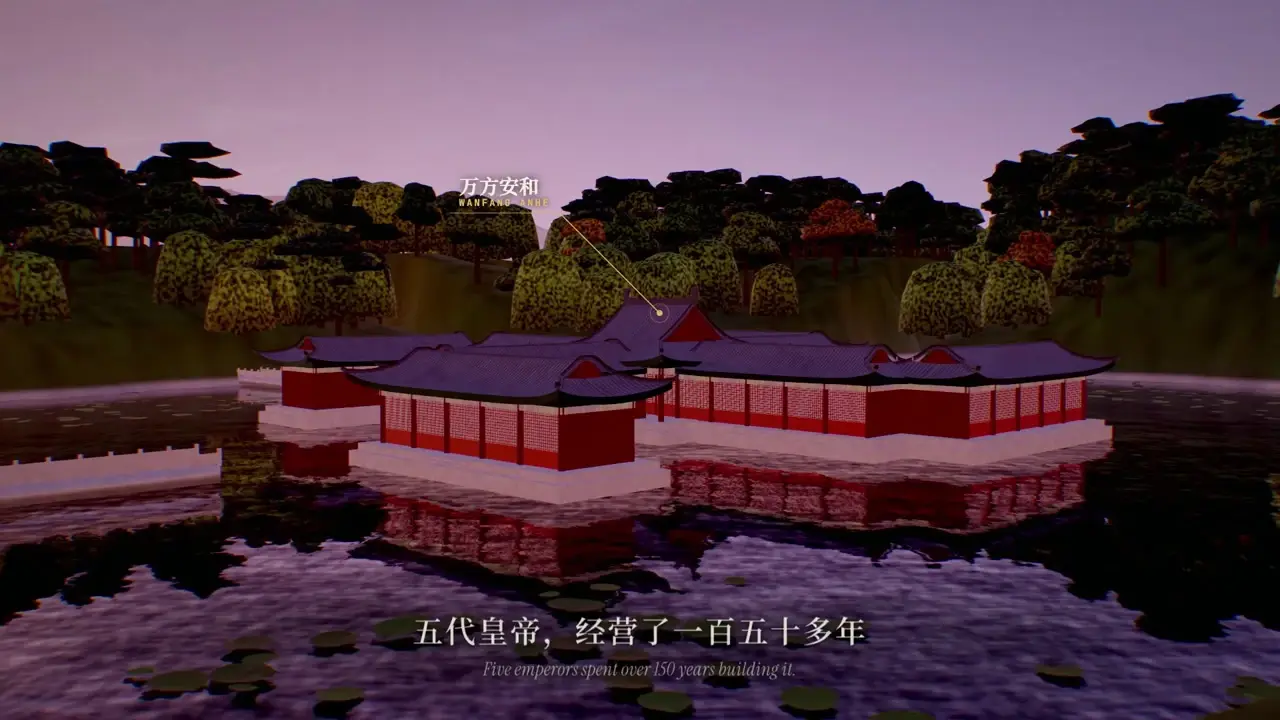
The creator explained that this work reused rendering engines and production processes developed earlier. The “one-instruction” result had an existing technical foundation behind it. For ongoing creative work, the more useful lesson is to organize scenes, cameras, subtitles, and sound into reusable parts. You can carry those production steps into the next subject, while still gathering the references needed for any historical reconstruction.
View the Old Summer Palace animation · Read the creator's production notes
For another architectural subject, explore the Hall of Supreme Harmony code animation case. Start with the prompt's descriptions of structure, materials, and camera movement to break down your own scene requirements.
6. The Lord of the Rings and Xuanzang's westward journey: dividing the work on story films
Kevin Ngo's short film based on The Lord of the Rings brings characters, backgrounds, and shots together into a complete narrative. According to the creator, Opus 5.5 drew the characters, Haiku 5.5 drew the backgrounds, and JavaScript rendered every frame.
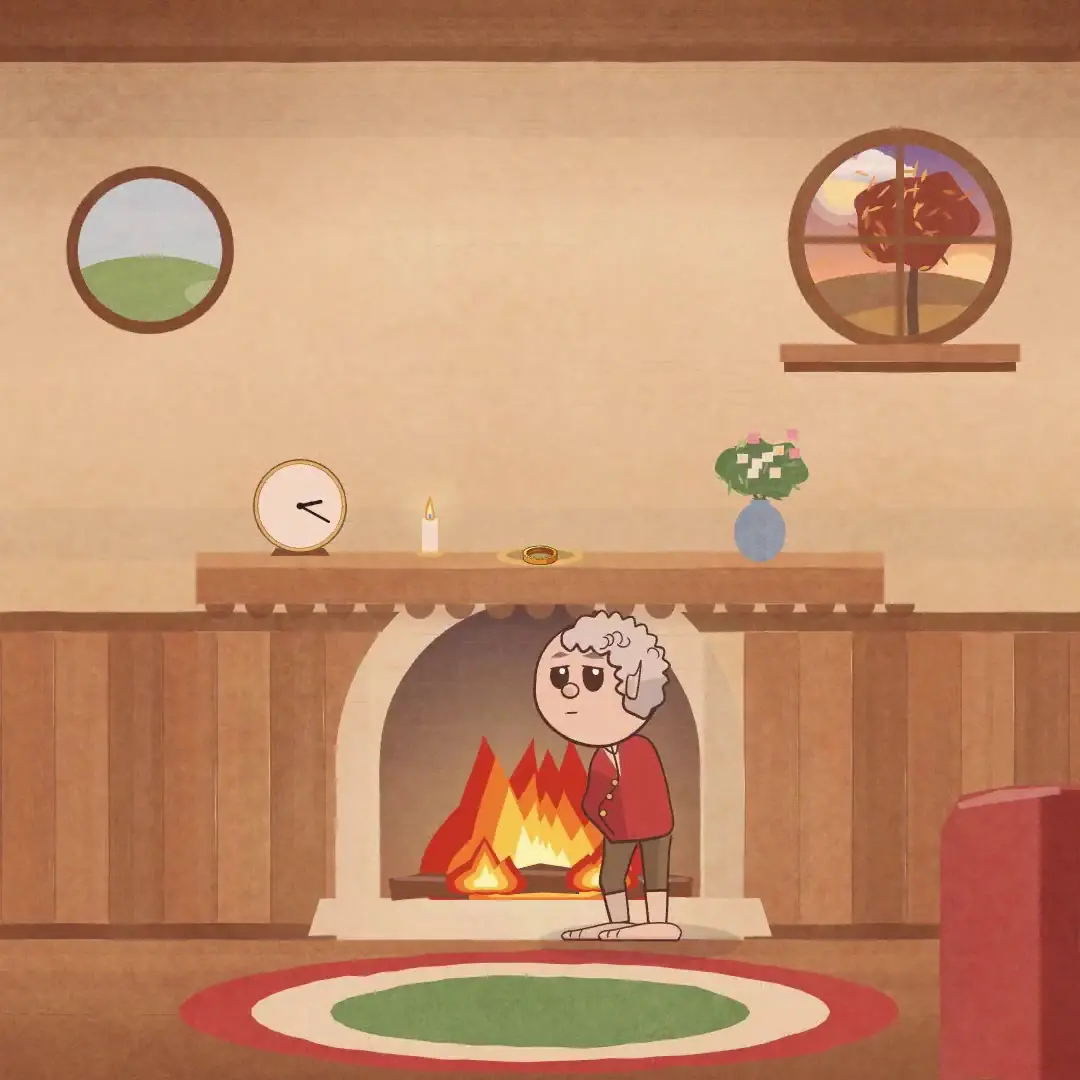
Andy L's film about Xuanzang's westward journey offers another story subject. Both examples are useful for studying how to condense a story: choose the key events, then plan character entrances, scene changes, and subtitle timing. For your own short film, begin with a storyboard table listing the characters, actions, background, and duration of each shot. Then produce the assets each one needs.
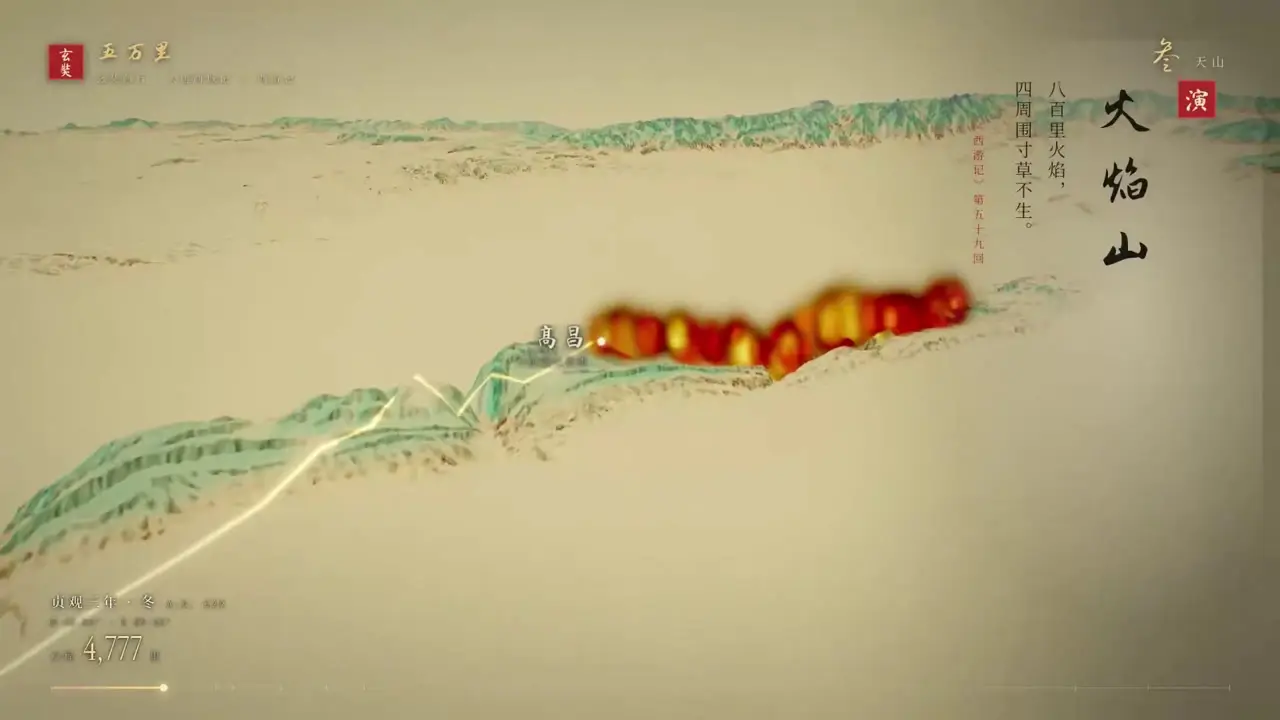
View the Lord of the Rings short film · Watch the Xuanzang demonstration video
7. Opus 5.5 + REA: from a TV makeover to an interface prototype
Codila showed a process in which Claude identifies a TV from a photo, then guides connection, authorization, and interface changes. He also shared REA-related reverse-engineering explorations, turning frustrating everyday experiences into specific requests for improvement.
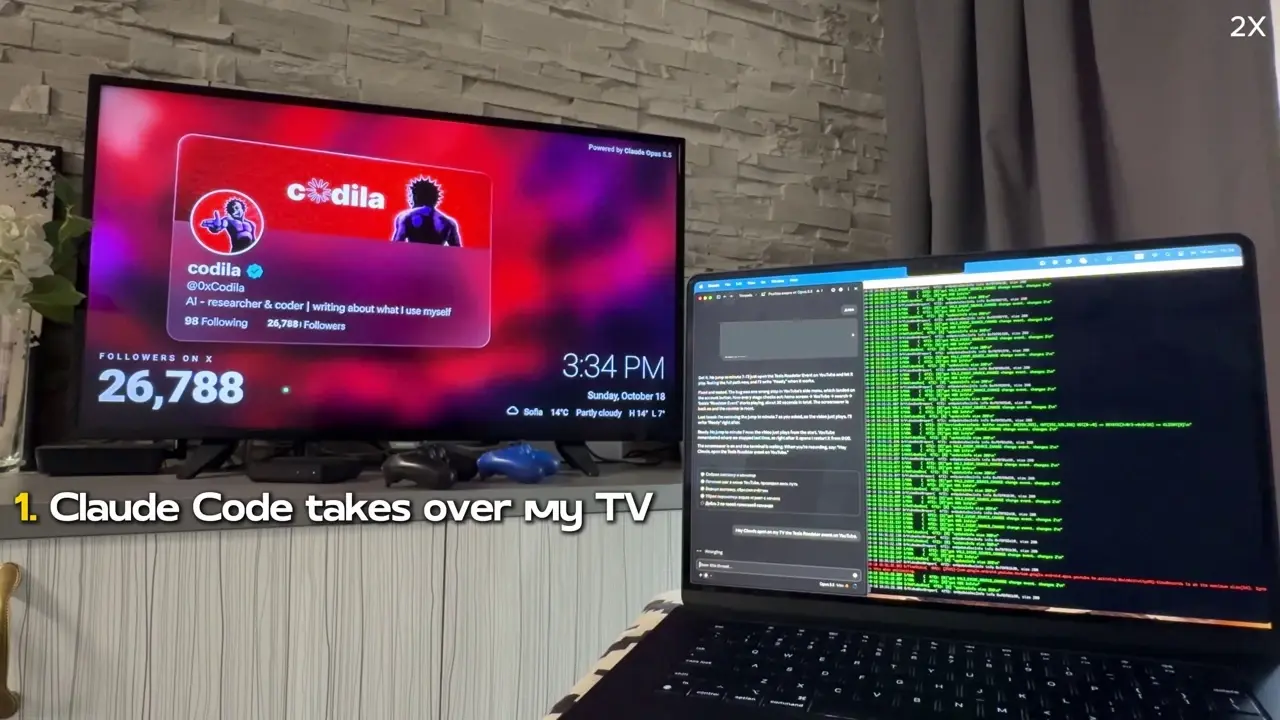
For creators, the useful starting point is how to define the need: which functions matter most, why existing controls are hard to find, and which sections an ideal home screen should include. Sketch the interface and describe the controls and feedback first. An interactive prototype or demonstration video can then turn a vague “it's hard to use” into a design task people can discuss and revise.
See the TV modification process · Read the creator's REA article · See the follow-up notes
8. “群侠传:幸存者”: bringing AI tools together in a game production workflow
Nenly's game 群侠传:幸存者 is available on Steam. The developer's disclosed tool roles include Claude and Codex for code, GPT-Image-2 and Nano Banana for art assets, Seedance for animation, Suno for music, and ElevenLabs for audio production.
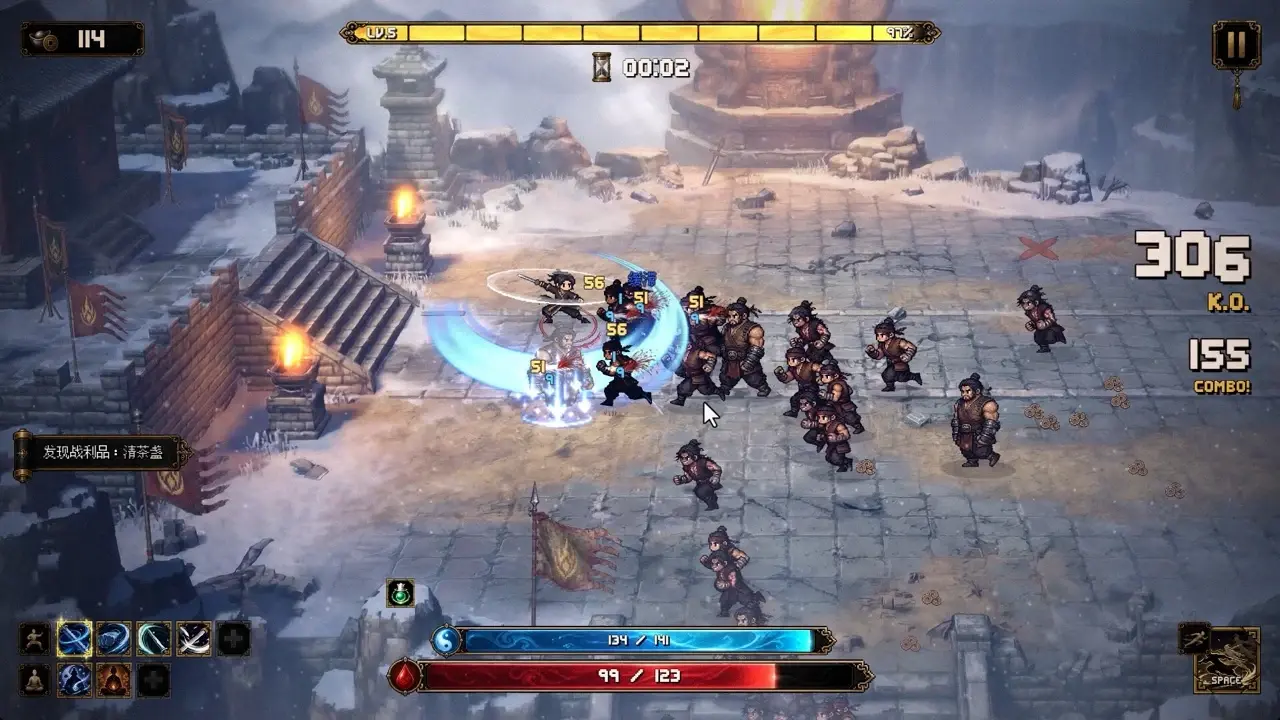
This project shows the path from individual assets to a complete work. Characters, environments, interfaces, animation, and sound need to support the same gameplay. The creator also has to keep designing, playtesting, balancing, and updating the game. To take inspiration from it, start with a smaller deliverable, such as a character design, a battle scene, or a promotional video. Define the style and acceptance criteria before connecting it to the larger project.
View the Steam game page · Watch Nenly's development process
How to start your own project from these examples
Choose a specific finished work first, then organize your references and production steps. For 3D scenes, settle composition and still frames first. For story films, begin with a storyboard. For games, get a small playable sequence working. The prompts in these examples are useful because they define the inputs, constraints, outputs, and review process together.
Explore more effects and reference prompts in PagePop's Opus 5.5 case collection. Choose an example close to your goal, then adapt the subject, characters, setting, and deliverable to your own needs. That makes it easier to move from “what can this model do?” to “what will I make first?”