
Find the information hierarchy
Turn notes, explanations and figures into a headline, key points and supporting details for the audience you choose.
Turn text, notes and data into a complete infographic. Choose a process, comparison, timeline or statistics layout, then refine the wording and visual hierarchy with PagePop.
Choose a starting brief, paste your text and name your audience. Add the layout, size or visual style you want, then create and refine your infographic.
Explore a source-to-infographic exampleFollow one fictional brief from plain text to a four-step structure and a complete readable visual. Compare the source facts with the final headings and labels, then use the same approach with your own material.
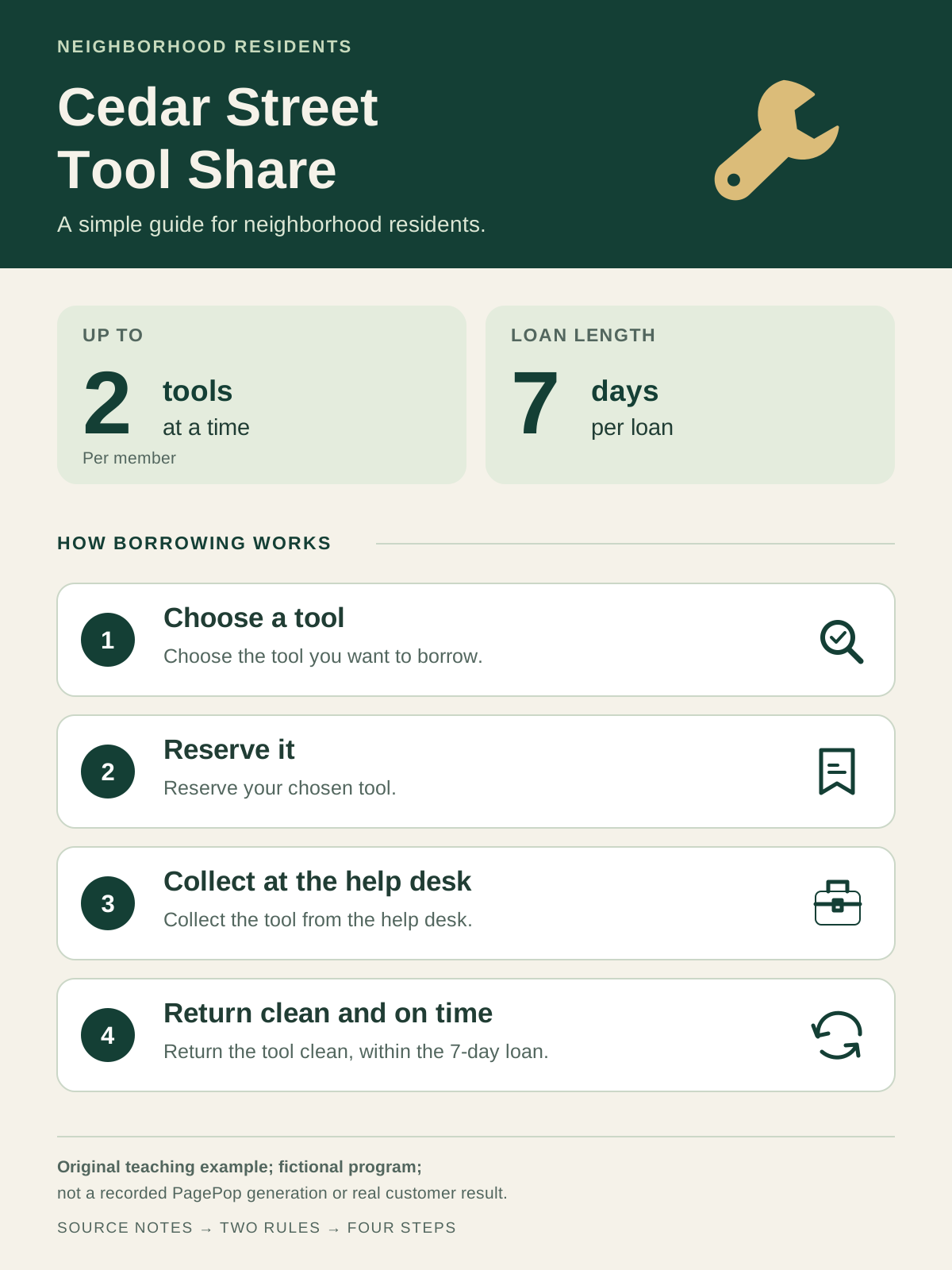
Original teaching example for a fictional community program, prepared outside PagePop. It is not a recorded PagePop generation or a real customer result.
Original teaching example; fictional program; not a recorded PagePop generation or real customer result.

The program is called Cedar Street Tool Share.
This guide is for neighborhood residents.
Members may borrow at most 2 tools at a time.
Each loan lasts 7 days.
First, choose a tool.
Next, reserve it.
Then, collect it at the help desk.
Finally, return it clean and on time.
Download source text · TXT
Choose a tool
Choose the tool you want to borrow.
Reserve it
Reserve your chosen tool.
Collect at the help desk
Collect the tool from the help desk.
Return clean and on time
Return the tool clean, within the 7-day loan.
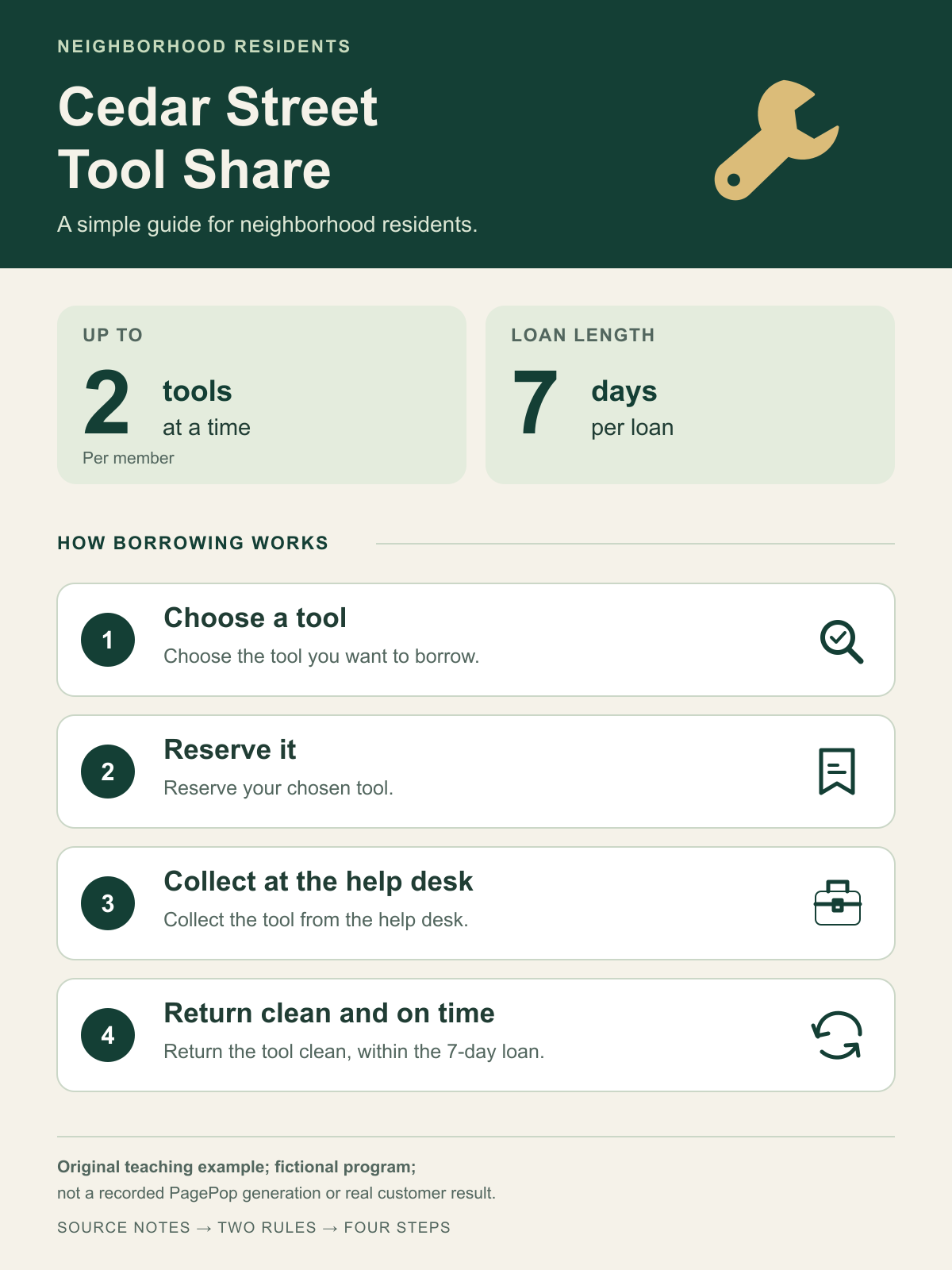
Create a portrait infographic for neighborhood residents using the eight fictional source facts below. Use the program name as the main heading, give the two loan rules clear visual emphasis, then show the four borrowing steps in their original order. Use a readable green-and-cream design with simple original tool icons and clear spacing. Preserve every supplied rule and step. Use only this footer text: "Fictional teaching example".

The program is called Cedar Street Tool Share.
This guide is for neighborhood residents.
Members may borrow at most 2 tools at a time.
Each loan lasts 7 days.
First, choose a tool.
Next, reserve it.
Then, collect it at the help desk.
Finally, return it clean and on time.
Turn notes, explanations and figures into a headline, key points and supporting details for the audience you choose.
Explain a process, compare options, show a timeline or highlight statistics with a structure that makes the relationship clear.
Ask for a clearer heading, a different visual flow or a focused style change while keeping the confirmed facts consistent.
Keep the source, message and finished composition connected throughout the task.
Bring your notes, report excerpt or data. State the audience and what the reader should understand or do.
Organize the facts into sections and choose a process, comparison, timeline or statistics layout.
Build a complete visual with clear headings, readable labels and a consistent hierarchy.
Refine the wording, layout, colors or one section in the same conversation, keeping the other confirmed details.
Paste your text, explain the audience and choose the result you want to communicate. PagePop helps organize the information, select a layout and create the complete infographic. You can then request changes to the visual or wording.
Yes. Bring the relevant notes, report content or supporting material and identify the main point. Include the figures and facts you want retained, along with the intended audience and format.
Use a process for ordered steps, a comparison for matching criteria, a timeline for events or a statistics layout for labeled figures. Describe a different structure or ask PagePop to recommend one for your source.
Yes. Name the section, wording, color or layout you want to change and the details you want to keep. Continue in the same conversation to refine the result.
Include each figure with its label, unit, time period and source when available. Tell PagePop which figures matter most and check the final labels against your original material.
The source text, information structure and visual are an original teaching example for a fictional community program. They were prepared outside PagePop to make the transformation easy to inspect, and are not a recorded product generation or real customer result.
Edit text in an image, replace backgrounds, or remove objects with AI. Upload your image, describe the change, then review and refine the result.
Create event, product launch, and promotional posters with AI. Add copy and references, then refine text, colors, and layout in the same chat.
Bring the text, notes or figures you want to turn into a complete infographic.
Create an infographic