
What can Claude Fable 5.2 make? 6 videos, animations, and games
See six Claude Fable 5.2 projects, from a Blender short and a HyperFrames trailer to a 3D cell and browser games. Find ideas for your own prompts.

What can Claude Fable 5.2 make? People have used it to create a 13-shot Blender short, a browser game where you row through eight dream worlds, and a product trailer with sound. In all three projects, Claude wrote code for the scenes, movement, and interactions, which the browser, Blender, or HyperFrames then rendered.
Anthropic released Claude Fable 5.2 on November 9, 2026. It accepts text and image inputs and produces text, including code for projects like these. The six public examples below show what that code can make. Anthropic release announcement · Claude Fable 5.2 model documentation
Turn an animation into a browser game with eight dream worlds
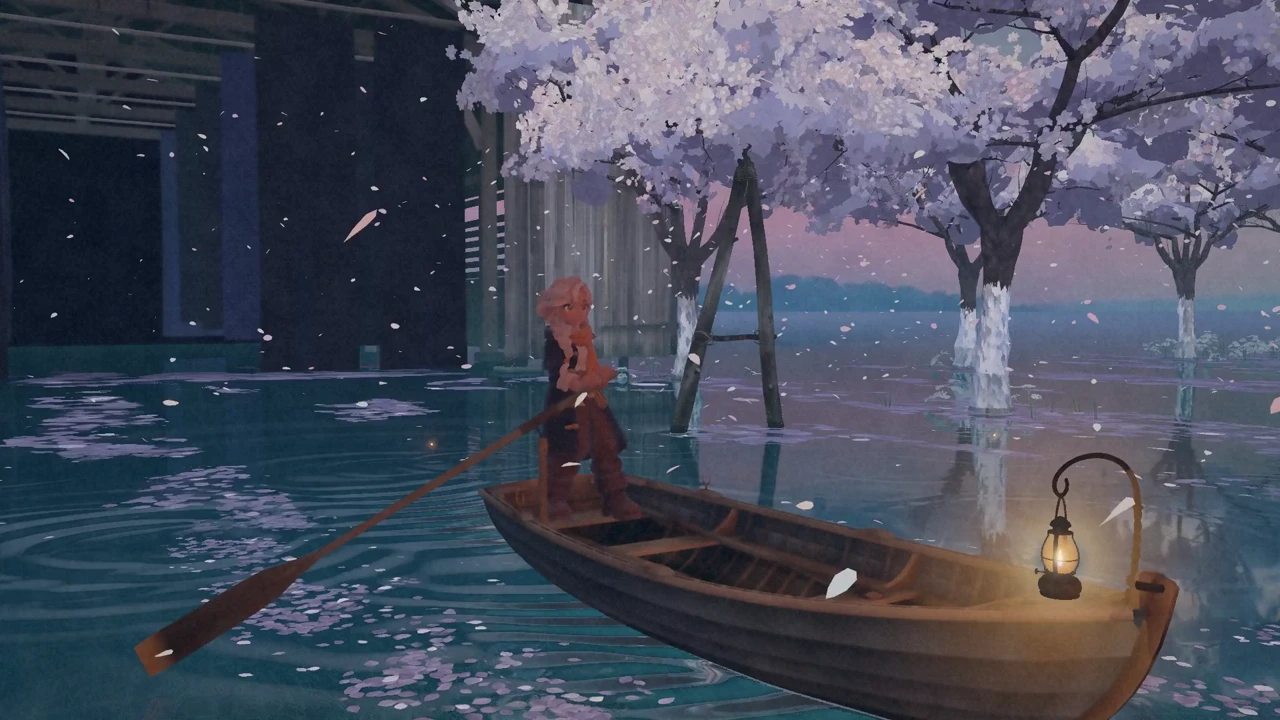
Screenshot from What the Water Keeps by Kevin Ngo.
You sit in a small boat with a lantern and follow the water into the next world. Kevin Ngo built the journey for the browser, where players can move at their own pace and the scenery changes with their route. According to Ngo, Fable 5.2 wrote the code, Tripo 3D helped create the character models, and Suno provided the in-game music.
To make something similar, decide how players move and where a scene should change. Build two scenes and one transition first so you can tell whether the controls feel natural and the transition interrupts exploration.
Film a Blender short that runs from dusk to sunrise
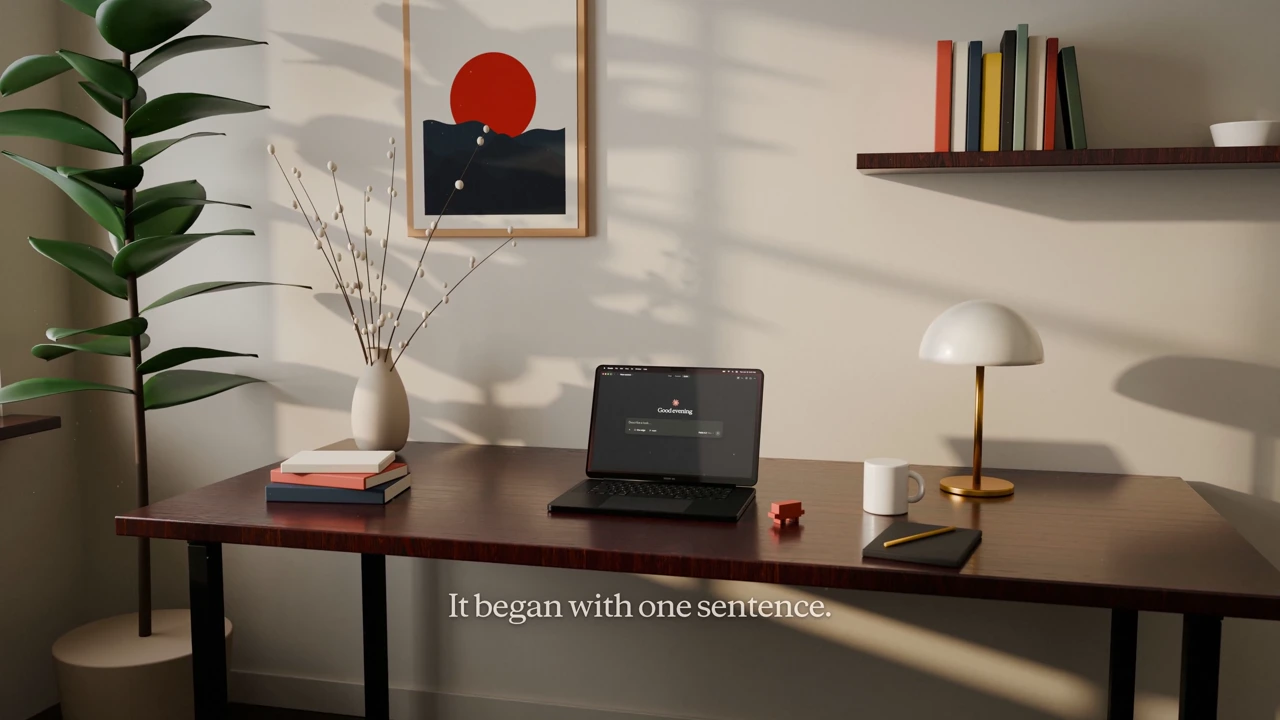
Screenshot from The Edge by Riley Brown.
The Edge follows a desk, a computer, and a character in one room as the light outside shifts from dusk to late night and back to sunrise. Riley Brown asked Fable 5.2 to write the Blender scene and animation code for 13 shots. RunPod handled cloud rendering, and ElevenLabs was used for music and sound effects.
Try planning a wide shot, a close-up of an action, and a shot that shows time passing, all in the same scene. Give each shot a job. Establish the room, show which key the character presses, then use the light through the window to show how much time has passed.
Make a product trailer with sound from an existing project
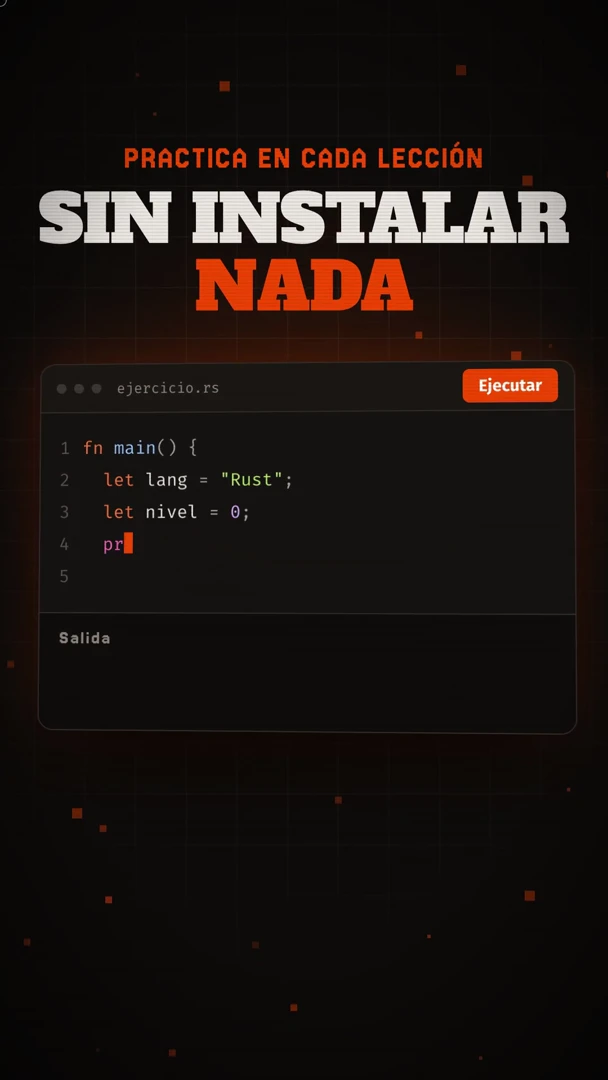
Screenshot from Miguel Ángel Durán’s product trailer.
Developer Miguel Ángel Durán gave Fable 5.2 his project and used HyperFrames to make an animated trailer for social media. He reported spending about 10 minutes on it. His prompt explained the project, named social media as the destination, and asked for sound and animation.
For your own trailer, focus on one feature. Open with a problem the user faces, show the interface as they complete the action, and end with a clear next step. Start with product screenshots, a screen recording of the workflow, and your brand colors.
Explain a cell or a concept with animation written in code
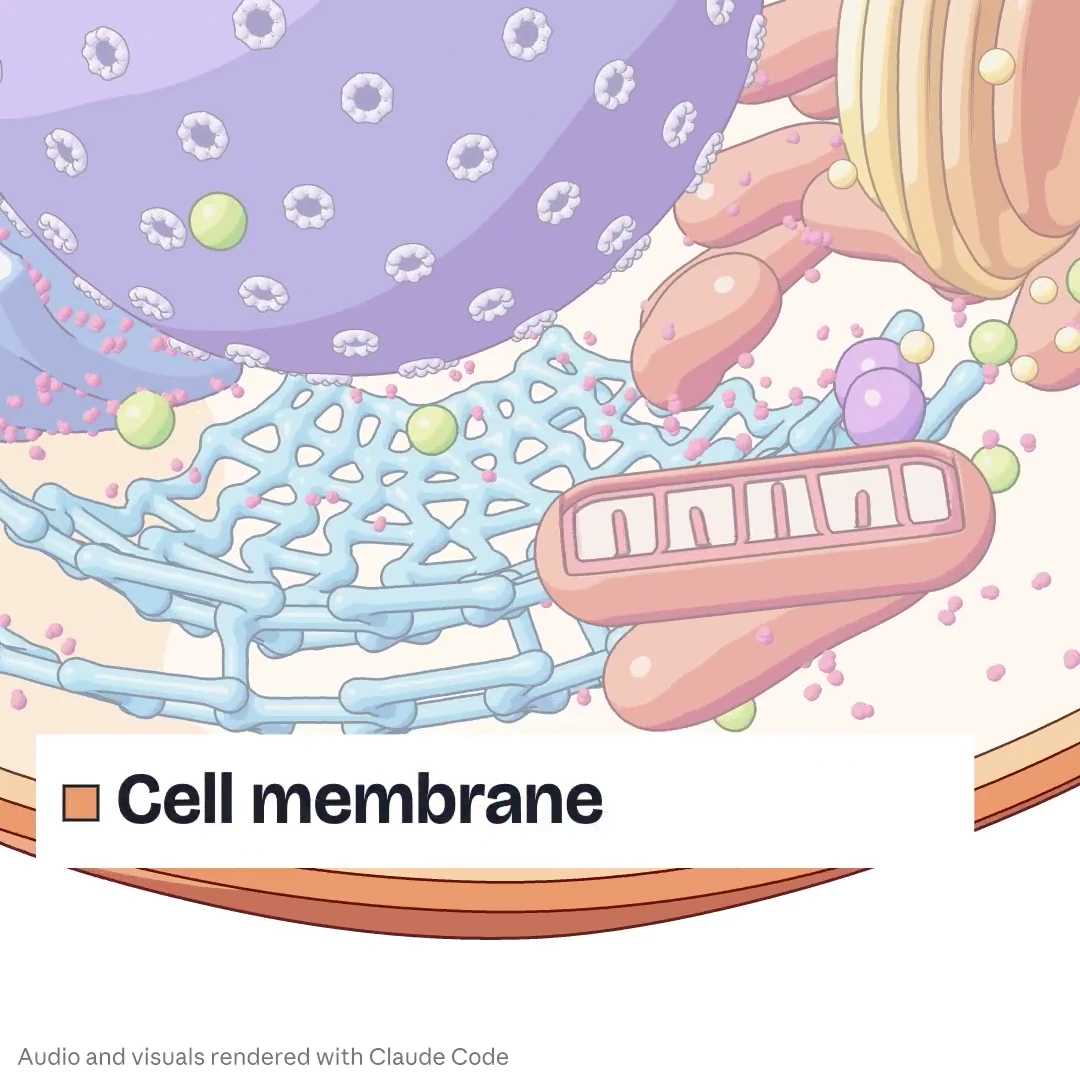
Screenshot of Kevin Ngo’s 3D cell, featured by Claude.
Claude showcased Kevin Ngo’s 3D cell, which reveals its internal structure one organelle at a time. The same set of experiments included an explanation drawn step by step on a blackboard. A 3D view can show how parts fit together in space, while a blackboard animation can walk readers through a derivation in order.
If you’re explaining how something works or how to carry out a procedure, break the material into steps connected by cause and effect. Add one structure or action at each step, then ask someone who knows the subject to check the terminology, labels, and sequence.
Build a browser game level from one initial prompt
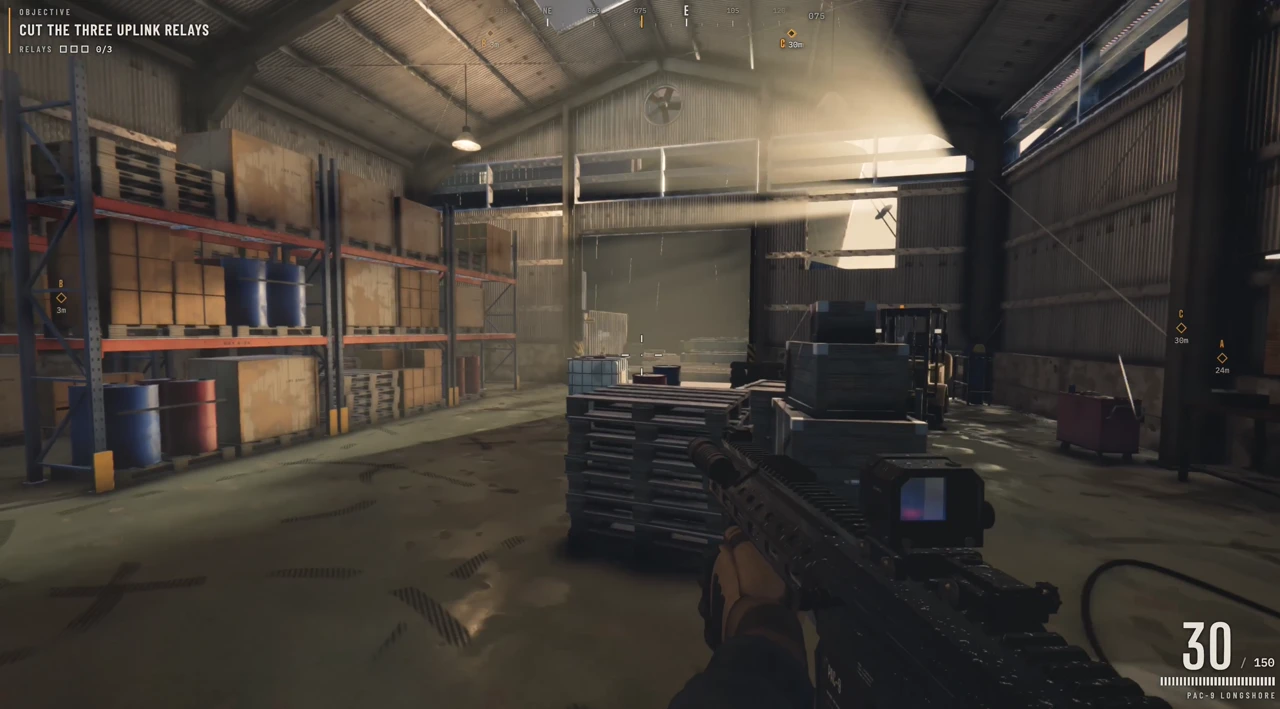
Screenshot from Saltline by Felix Rieseberg.
Anthropic engineer Felix Rieseberg started with one prompt asking Fable 5.2 to make a small first-person game level. According to Rieseberg, the models, sound effects, and textures were created during the task. The process took about eight hours, with an estimated cost of US$550 at API rates.
If you want to make a small game, start with one level, one main action, and one condition for finishing. Play it through to see whether you can find where to start, whether the game responds promptly, and whether you can reach the end.
Compare two ice-sea expedition scenes made with the same prompt
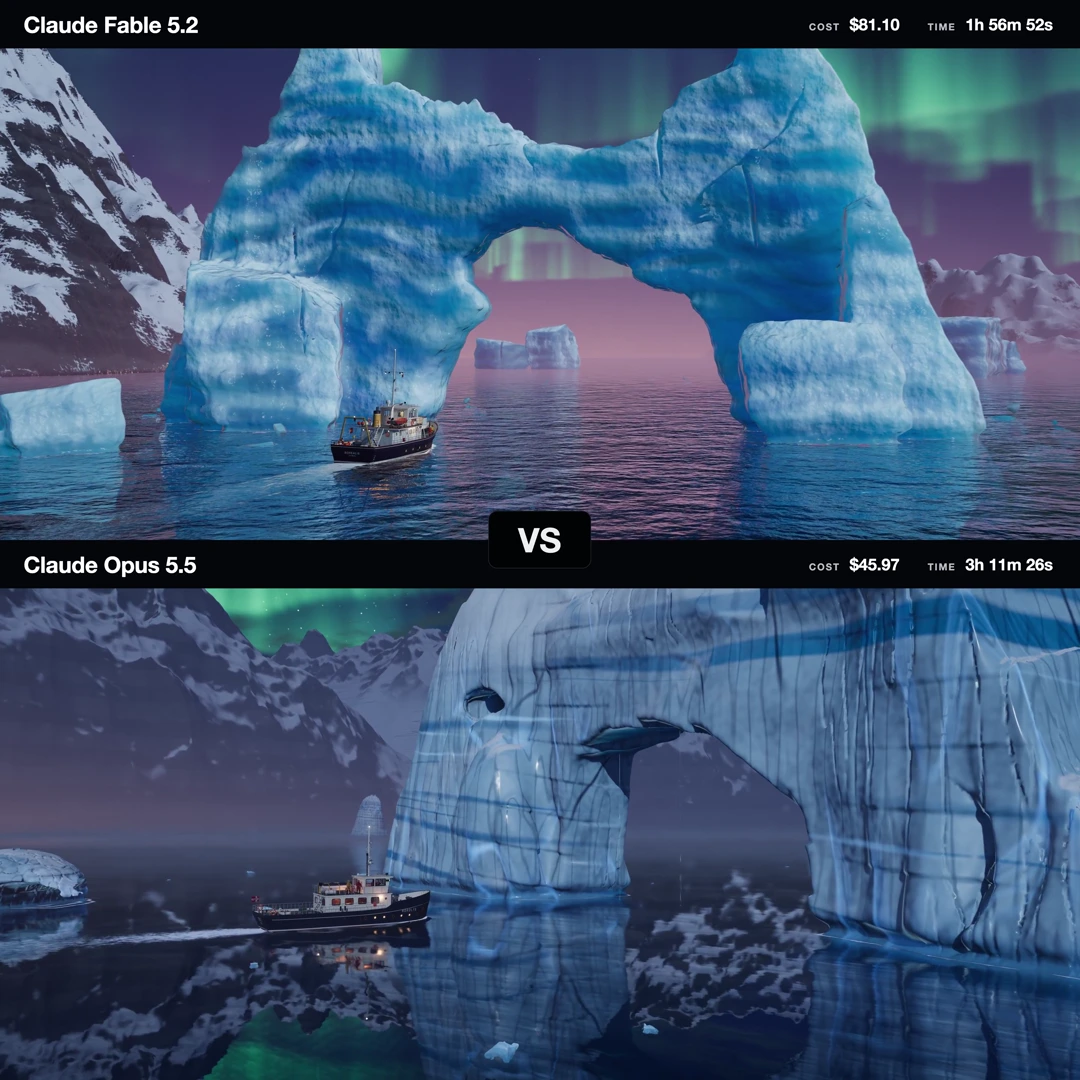
Screenshot of EnvolDev’s comparison of Claude Fable 5.2 and Claude Opus 5.5 using the same prompt.
EnvolDev gave both models the same prompt for an expedition ship in icy waters, then played the two Three.js scenes side by side. This makes it easier to see whether the ship stands out from the background, whether the camera movement feels continuous, and whether changes in light draw your eye to what matters. Other creators have also run popular ideas involving a forest robot, a sailboat, and stick figures through Fable 5.2 to see what different shot choices come from the same request.
Adapt an idea to your own project
To make a product short of your own, specify who the product is for, the one action you want to show, the target length, and where you plan to publish it. Share any screenshots or reference images with PagePop along with the brief, then use the first draft to refine the opening, pacing, and on-screen text.
Explore more Claude Fable 5.2 examples and prompts · Start creating in PagePop