How to make AI animated comic shorts: from character design to episode one
Build a first episode around an original clock-shop story: create reusable character sheets, keep characters and props consistent, plan four keyframes and dialogue, and save assets for the next episode. Includes images and prompts.
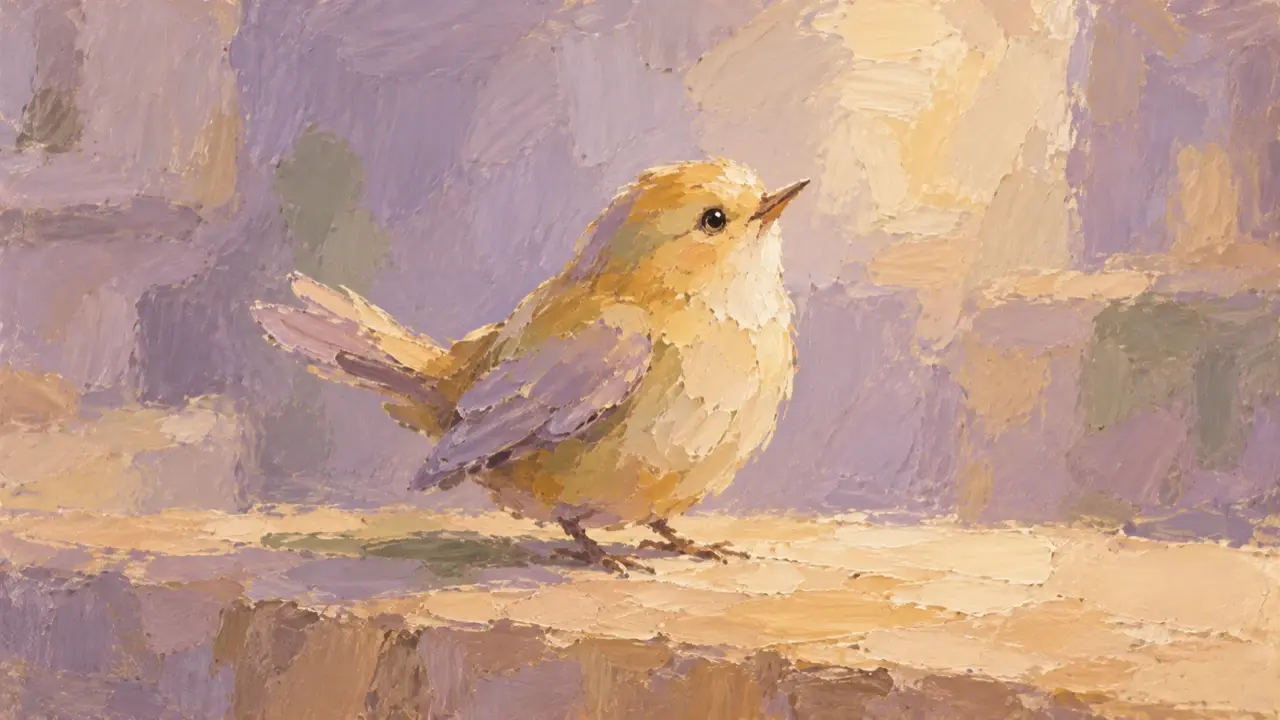
To make an AI animated comic series, start with one short episode: establish the characters and setting, create the keyframes, then add movement, dialogue, and editing. The first episode should make the story clear while leaving you with character references you can reuse, instead of redesigning everyone for every shot.
Our original example, The Bird in the Clock Shop, follows a clock repairer who fixes a mechanical bird that cannot sing. When its song returns, it wakes the old clocks on the wall.
Start with a character sheet and decide what stays the same
A character sheet doesn't need to become an extensive design bible. Establish the main character's silhouette, clothes, colors, and usual expressions, then keep a clear image of each important prop.
Our repairer is an adult woman with a short black bob, round copper-rimmed glasses, moss-green work clothes, and an apricot-colored apron. The mechanical bird has a brass body and teal-blue wings. These details make the characters recognizable across shots; fixing the bird shouldn't suddenly turn it into a different design.
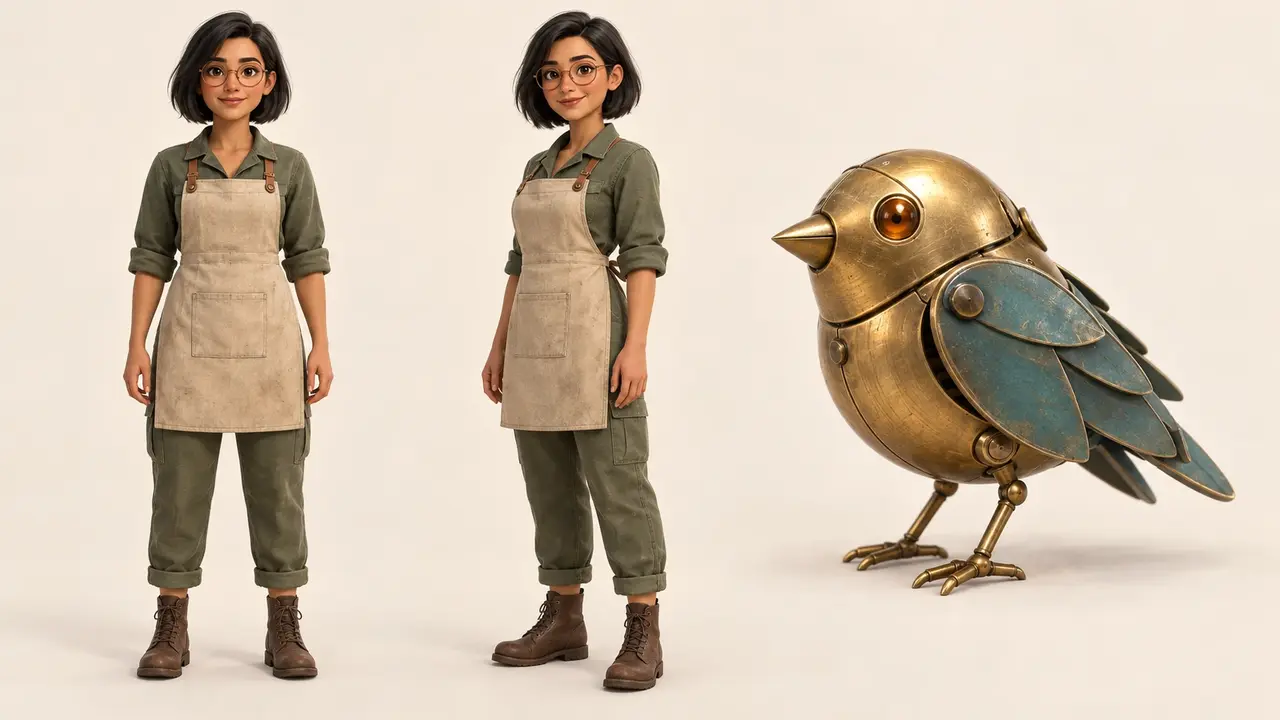
Design a character sheet for an original 3D animated comic short with a warm tone.
The main character is an adult female clock repairer with a short black bob, round copper-rimmed glasses, moss-green work clothes, and an apricot-colored apron. Show full-body front and three-quarter views, keeping her clothes and facial features consistent.
Her companion is a small mechanical bird with a brass body and teal-blue wings. Make its silhouette and wing structure clear.
Use consistent 3D materials, shading, and colors for the character and bird. Add no text or logos. Keep these designs in subsequent shots.
Once you've chosen a version, use it as the reference for later images. Describe any correction precisely: “The glasses became square in shot three; restore the round copper frames.” That gives clearer direction than “make the character more consistent.”
Give the first episode one small change to complete
This episode only needs to show “the bird can't sing—it gets repaired—it wakes the old clocks.” Leave out new customers, chases, and the bird's backstory. Break the story into four images, each with a clear purpose.
| Shot | Keyframe content | Dialogue and sound |
|---|---|---|
| 1: Landing on the table | The mechanical bird lands on the workbench, and the repairer leans over to inspect it. | A light metallic sound; “Easy now. Let me take a look.” |
| 2: The repair | Her hands and a small tool are close to the bird's body; her sleeves and apron remain recognizable. | Quiet tool sounds, without a long explanatory speech. |
| 3: The song | The bird raises its head and opens its teal-blue wings; the repairer stops working. | A clear birdsong, followed by ticking. |
| 4: The response | The repairer looks toward the row of old clocks whose pendulums are moving again. | “So you were waking them up.” |
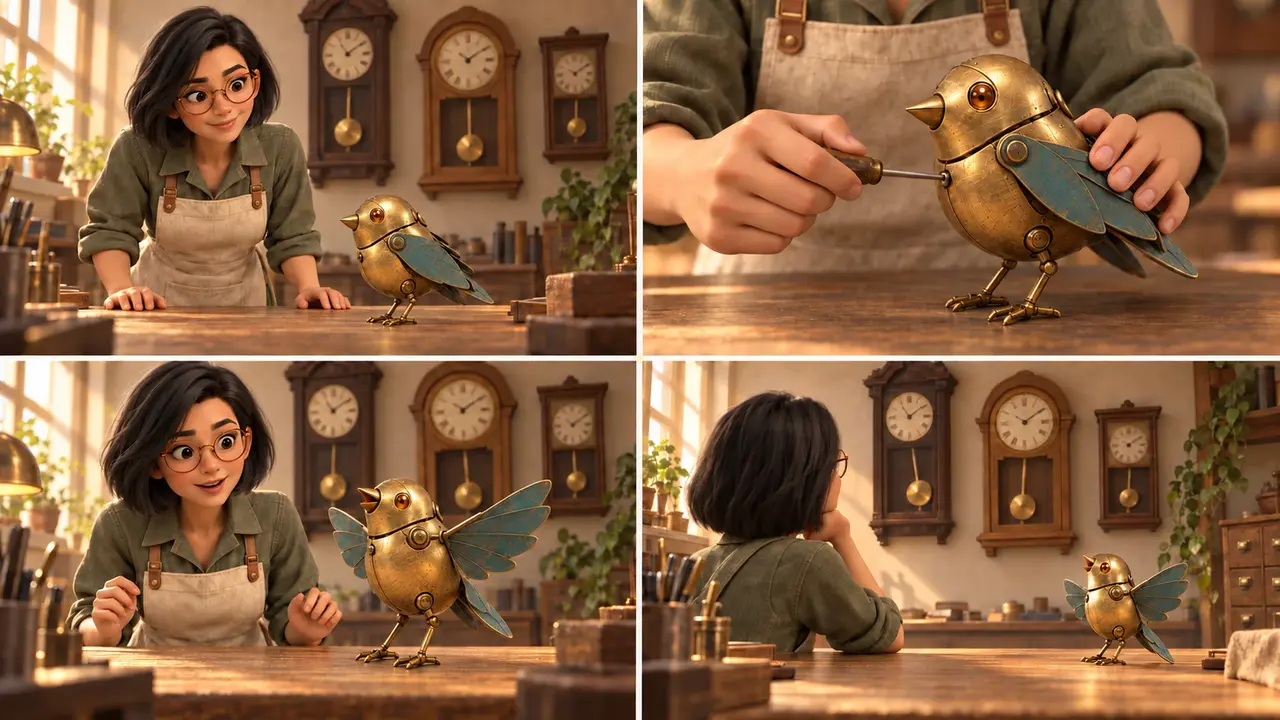
Use these keyframes to check the characters, composition, and story order first. Once each image reads clearly, move on to making the animated clips.
Generate keyframes from the same set of references
Alongside the character sheet, establish a reference image of the clock shop: where the workbench sits, which wall holds the clocks, and where the main light comes from. Framing can change between shots, but the furniture layout and lighting direction should still connect.
Using the approved character sheet for the repairer and mechanical bird, along with the clock-shop setting reference, create four separate keyframes for episode one.
Show, in order: the mechanical bird landing on the workbench; a close-up of the repairer working on it; the bird opening its wings and singing; and a medium shot of the repairer looking at the old wall clocks.
Preserve the round copper-rimmed glasses, moss-green work clothes, apricot apron, and the bird's brass body and teal-blue wings. Keep the same aspect ratio, visual style, and direction of warm light across all four images.
Each image should capture one moment, without combining several actions. Add no new characters or speech-bubble text. Leave room for subtitles added later.
The repair shot doesn't need to be packed with intricate parts. Bringing a tool close and pausing the hand can communicate the work; complicated disassembly makes object structure and hand continuity harder to check.
Set the dialogue rhythm before deciding how long each shot moves
Read the two lines aloud, leaving time for pauses and reactions. Around half a minute to a minute is enough for a first version. Adjust the timing to the dialogue and actions rather than making all four shots equally long.
Start with one main movement per clip: the bird lands in shot one, the hand makes a small adjustment in shot two, the bird raises its head and spreads its wings in shot three, and the pendulums start in shot four. The camera can stay steady so viewers can follow the change.
Not every line needs a front-facing speaking shot. Play the first line over the bird's landing, and use a rear three-quarter view of the repairer looking at the clocks for the last line. When a shot does show her speaking from the front, check lip movement, voice, and expression together.
After editing the clips together, listen without watching: the clock sounds should begin after the bird sings. Then watch without sound and check that the repairer and bird remain recognizable. Add subtitles last, keeping them clear of the hand movements and mechanical bird.
Keep a starting point for the next episode
Save the chosen character sheet, clock-shop reference, keyframes, and dialogue script. You can change who faces which problem next time while keeping the main character's appearance, recurring voice, and shop layout. Don't turn a frame with a distorted character into the new design reference.
To develop these ideas into characters, a script, storyboards, and video clips, you can work with the PagePop Short Drama Director. Confirm the first episode's designs and shots, then make the clips one at a time.