Robot wave


Motion prompt
Make the toy robot lift one arm and wave, take a step to the side, then return to its starting pose. Keep the camera still and make the motion loop.
Upload one still image and describe how it should move. Create a downloadable animated GIF in seconds.
Motion prompt
Make the toy robot lift one arm and wave, take a step to the side, then return to its starting pose. Keep the camera still and make the motion loop.
Compare a pet’s full-body dance with a moving highlight on a product.


Motion prompt
Animate the Pomeranian taking two playful dance steps. Keep the camera fixed and return to the opening pose. Preserve the dog’s face, fur and skirt.


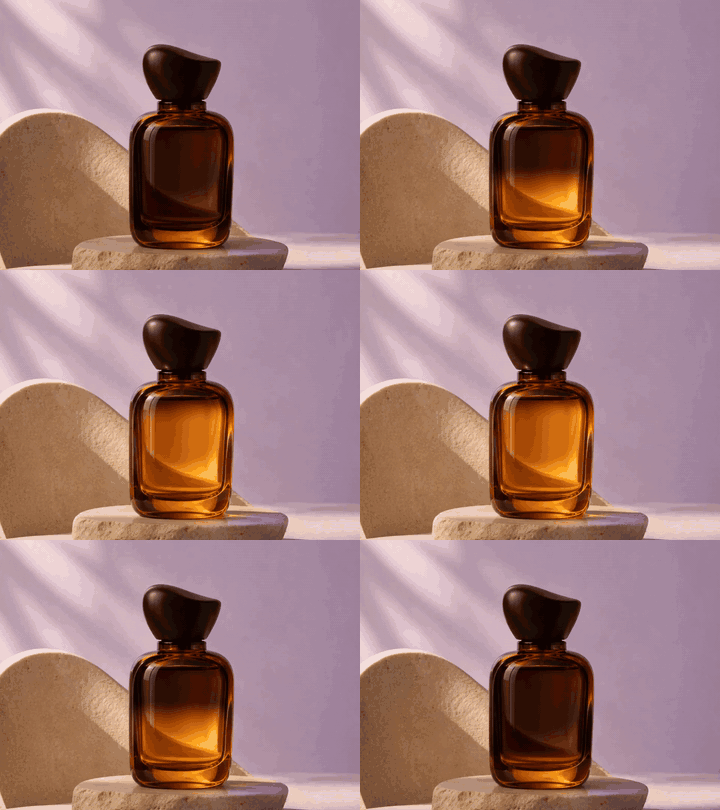
Motion prompt
Sweep a narrow golden highlight across the amber perfume bottle, then bring it back to the starting point. Keep the camera still and preserve the cap, bottle shape and stone base.
Use a single photo, illustration or product image.
Attach your image in the PagePop workspace.
Say what should move and what should stay still, then send the image and prompt together.
Preview the animation in your task and download the looping .gif file.
Pick a small jump, a wave or a moving highlight. Say which part should move and which details should stay still.
Ask the subject to return to its opening pose. Keep the camera steady to make the loop smoother.
Choose one brief action that reads clearly each time the GIF repeats.
Yes. Attach one photo and describe the motion in words. The PagePop task produces a looping GIF you can download.
Sign in to generate a GIF in PagePop. Generation may use credits. You can download the examples on this page without signing in.
Ask for a short action that ends in the opening pose. Keeping the camera and background still can make the transition less noticeable.
Choose an image with a clear subject and enough space for the motion you want. A simple background can make the movement easier to see.
Animated GIFs play silently. Use a motion that makes sense without sound, such as a wave or a shift in light.
You can ask for a revision in the same conversation. Say what should change, such as a smaller movement or a steadier camera.
Edit text in an image, replace backgrounds, or remove objects with AI. Upload your image, describe the change, then review and refine the result.
Animate a still image or describe a scene in text. Specify what should move, then watch two ribbons form a butterfly and see the prompt.
Explore the image case library, including the PagePop mascot and Pomeranian.
Choose a motion to try and download the GIF when your task is ready.
Start with an image