
Interactive Turbofan Engine
An interactive 3D model of a turbofan engine built with Claude Opus 5.5 and Three.js, allowing users to take apart the engine and see labeled stages of suck, squeeze, bang, blow.
The creative result
Reference prompt
An edited reference based on this example. Adapt it to your subject; the creator’s post is linked in the source panel.
“Build an interactive Three.js turbofan that can be taken apart in the browser. Label the airflow stages from intake and compression through combustion and exhaust. Show the fan's bypass flow, the compressor's pressure increase, the hot combustion section, and the cooling and coatings that protect the turbine blades. Include the two concentric shafts rotating at different speeds. Let the viewer expand the engine into an exploded arrangement to inspect each stage.”
How to create in PagePop
Choose an assistant, describe your needs, and let PagePop create with you. Refine the work through conversation, then download it.
Choose the right assistant
Explore professional assistants across industries, or find inspiration in the extensive case library.
Describe what you need
Tell your assistant whether you need images, videos, PPT presentations, documents, or web pages. Add reference images or materials as needed.
Let PagePop select models and create
PagePop selects suitable models and tools for your goal to create your work.
Refine and download
Keep adjusting the content and look in the same conversation. Download your work when you are happy with it.








Start with your own words
Use this real prompt as a starting point, change anything you want, and let PagePop choose the best way to create it.
Frequently asked questions
How can I adapt this Video example to my own project?
Start with the reference prompt for “Interactive Turbofan Engine”. Replace the subject, style, and aspect ratio, and add your reference images or supporting materials. Keep the structure you want to explore, remove requirements that do not apply, and refine the result.
Is browsing and copying prompts free?
Browsing the collection and copying prompts is 100% free. You can also use PagePop for free. See the pricing page for current prices and credit rules.
What is PagePop, and what can it do?
PagePop is a conversational AI creation platform. Describe what you need in natural language to create images, videos, presentations, documents, and web pages. PagePop selects suitable models and tools, and you can keep refining the work in the same conversation.
More real prompt examples

Apple Evolution Motion Graphics Prompt
“Design a 30-second motion graphics film following Apple's evolution from the Steve Jobs era in 1976 to 2026. Begin with a nostalgic visual treatment and develop it toward contemporary digital imagery. Use connected tran…”
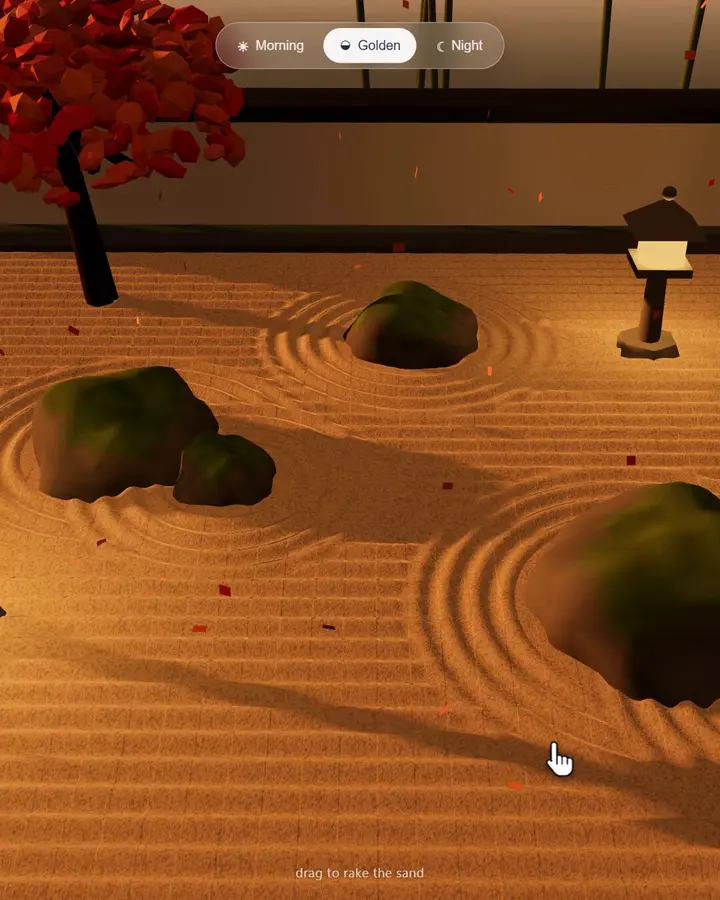
Interactive Zen Garden HTML Animation
“Make a rakeable zen garden in one HTML file. Use a 1536-pixel sand heightmap over a 440×440 grid, updating it as the cursor draws five grooves and six ridges along each stroke. Arrange five moss-covered rocks, two stone…”

WebGPU Ocean Scene in HTML
“Build an ocean scene that runs in the browser as a single HTML file using WebGPU. Drive the sea surface with FFT waves, add whitecaps, and place it under a realistic sky. Include WASD movement so the viewer can explore…”