Tesla-inspired flying-car AI video: prompts, shots and fixes
Create a fictional Tesla Roadster-style flying-car AI video from a car photo. Copy the prompt, plan shots, frame a Reel, and fix vehicle drift or rough landings.
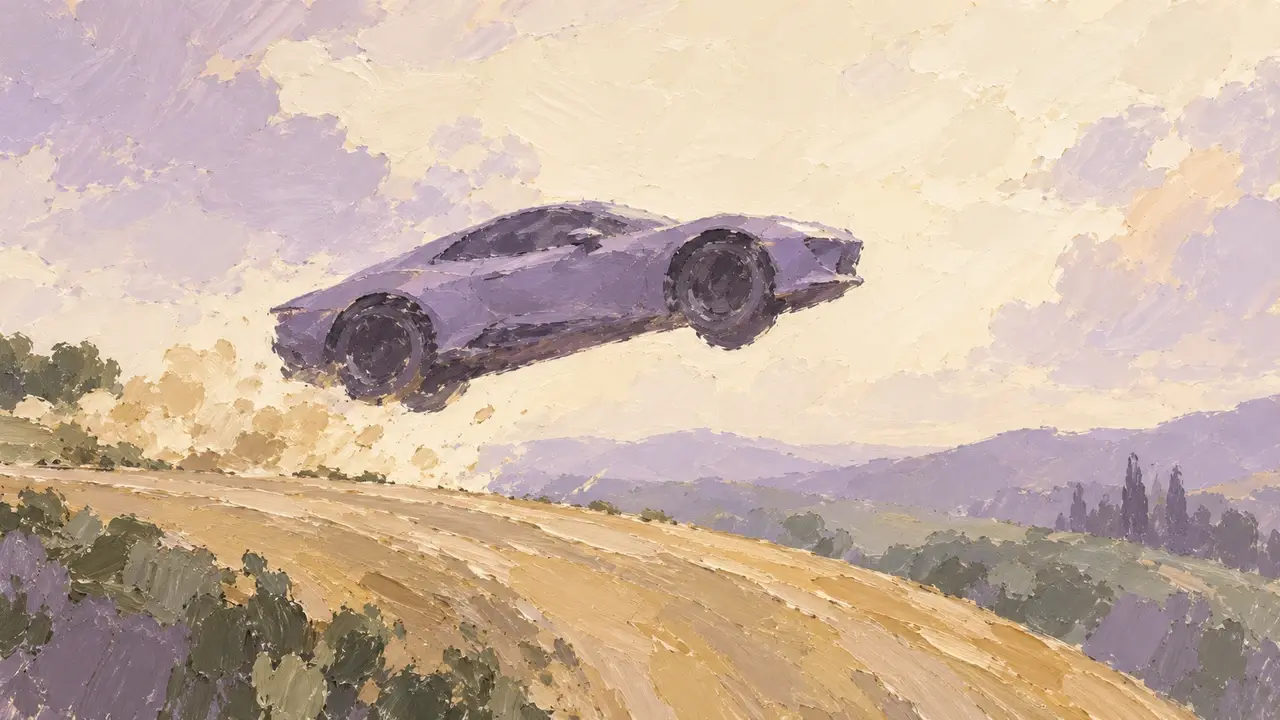
To make a flying-car AI video, start with one clear photo of the whole car, describe the stunt in order, and review the takeoff and landing as carefully as the airborne moment. Use the prompt below to plan a 10-second sequence, then adapt the composition if you want a vertical Reel.
A car drives up a curved ramp until it is upside down, leaves the ramp, rights itself in midair, and lands firmly on the ground. At first glance, it looks like an AI video with imagination turned all the way up.
Tesla’s Roadster page describes cold-gas thrusters and an airborne Rocket version that is not approved for public-road use. For your own creative version, use the ramp sequence below as a visual reference: approach, climb, lift off, rotate, and land.
Your remake is a fictional AI concept. Keep the action in one clearly defined test-course setting so viewers can follow the car, the ramp, and the landing point.
The key is making an outrageous move feel weighty
What makes this video compelling is the complete progression of its action. The car accelerates along the ground, changes orientation as it follows the ramp, remains clearly visible as it lifts off, and brings the sequence to a close with a landing.
To create a similar AI video, focus on three details:
- Let viewers recognize the car first. Keep its paint, lights, wheels, and proportions consistent so the surprise feels like “my car is flying, too.”
- Connect the actions. Driving onto the ramp, hanging upside down, leaving it, righting itself, and landing should each have a progression. Avoid a car that is on the ground one second and suddenly in the air the next.
- Keep a live-action feel. Nighttime spotlights, red light strips along the ramp, shadows beneath the car, brief bursts of white air, and suspension compression on landing keep the reference sequence’s restrained look better than a screen full of flames.
Plan the reference image and shots before generating motion
Start with a photo that includes the complete vehicle and its wheels, with enough space around the bumpers to read its outline. Avoid an overlapping second car or a reflection that hides the body shape. If the background obscures the subject, prepare a clearer reference with the AI image editor before adding motion. Keep the car’s original appearance as your reference throughout.
Write the frame shape in the brief: landscape 16:9 for the wide ramp sequence, or portrait 9:16 for a Reel. Then establish the grounded opening, the airborne position, and the grounded ending as storyboard references. Review the same paint, wheel design, lights, travel direction, and ramp geometry in each. The AI short drama workflow explains how to review storyboard keyframes before producing clips.
Use this shot plan to check what the prompt is asking for. The time ranges organize the story; inspect the resulting footage to see whether each transition is actually visible.
| Beat | Frame to establish | Continuity check |
|---|---|---|
| 0–2 seconds: approach | Car and ramp visible together, tires on the road | One vehicle, consistent side of the ramp, room to move forward |
| 2–5 seconds: climb | Tires follow the curved surface as the car turns | The body stays rigid and the ramp remains fixed |
| 5–8 seconds: airborne turn | A visible gap opens between car and ramp | The car separates before rotating; wheels remain attached |
| 8–10 seconds: landing | Car upright above a visible landing area | The descent reaches the ground before suspension compression and dust |
Use your own car photo to make a 10-second flying-car short
Prepare a photo showing the entire car with clearly visible tires. A front or rear three-quarter angle works. Make the car in the photo the main subject, then specify the scene, action sequence, and camera requirements.
You can copy the prompt below and replace “the car in the reference photo” with a description of the model you want to film.
Use the car in the reference photo as the only main subject in a realistic 10-second, 16:9 automotive short. Keep the same paint, lights, wheels, and body proportions throughout. Do not deform the car in motion or add wings or other parts.

Set the scene at a closed automotive test facility at night. Thin red light strips run along both sides of a huge curved ramp. Spotlights illuminate the car, with a restrained background and the overall look of live demonstration footage from a real automotive launch.

Action sequence: 0–2 seconds, the car drives from the ground toward the ramp; 2–5 seconds, it drives up the curved surface and gradually turns upside down along the ramp; 5–8 seconds, it leaves the ramp and rights itself in midair, with brief bursts of white air near the chassis; 8–10 seconds, all four wheels touch down, the suspension compresses slightly, white air and a small amount of ground dust disperse, and the car continues forward.

Use a wide-angle tracking shot from the side, keeping the spatial relationship between the ramp, car, and landing point clear. Maintain a continuous direction of movement and the correct number and position of wheels. As the car lifts off, its ground shadow should change naturally with its distance from the ground, and the landing should feel weighty. Retain realistic metallic reflections and moderate motion blur. Do not add exaggerated flames, captions, or watermarks.
First, check for body deformation, a coherent righting motion, and skipped frames on landing. If the action does not flow, split the ascent, flight, and landing into three short shots, refine each separately, then connect them. Reuse the same reference photo and appearance description every time.
Adapt the flying-car prompt for a vertical Reel
For a portrait version, change the prompt’s opening frame shape from 16:9 to 9:16 and ask for a composition that leaves space above the car for the lift. Keep both the starting road and landing area visible. Use a wider, steadier view during the airborne turn rather than combining a tight crop with a fast camera orbit.
Check the portrait framing at the storyboard stage. Simply cropping a finished wide shot can remove the top of the ramp, the car’s wheels, or the landing. Keep essential details away from the extreme edges, then inspect the actual Reel preview before posting. Add any caption or audio during editing after the vehicle motion works.
Fix the failed motion without rebuilding the whole scene
Review the clip at normal speed, then pause at takeoff, the middle of the turn, and first tire contact. Describe the failed moment and the smallest change you need; keep the approved reference and camera direction.
| What goes wrong | What to change in the next request |
|---|---|
| Paint, headlights, or wheels change | Reuse the same reference photo and list the few visible details to preserve. Reduce camera movement so the car does not need to be reinterpreted from several angles. |
| The car jumps from the road into the air | Separate the approach from the airborne action. Show the ramp exit and a visible gap before the turn begins. |
| The rotation becomes a morph or the landing is backwards | Simplify the turn and specify the upright ending pose. Split the action into separate clips if the transition remains unclear. |
| The car floats instead of landing | Keep the ground in frame and ask for a readable descent, tire contact, then a small suspension movement. Reduce smoke that hides the contact point. |
When generating separate shots, use matching travel direction, car appearance, lighting, and start/end poses. Connect the accepted clips in your video editor, and review the joins as carefully as the clips themselves. A sharp final frame does not fix a distorted car halfway through a shot.
Before sharing, check that the full vehicle remains readable in the chosen frame, the opening leads into the stunt, and the ending resolves it. Present your remake as an AI-created concept so it is understood as your creative sequence.
To give your own car this “takeoff,” bring its photo and this prompt to the PagePop Short Drama Director. Create the storyboard and video together, make a first short, then refine the action and camera work until you are happy with it.