How to make a double-exposure travel portrait with a clear face
Blend one portrait with a travel landscape while keeping the person recognizable. Learn how to choose photos, place the overlap, and refine the result, with a prompt you can adapt.
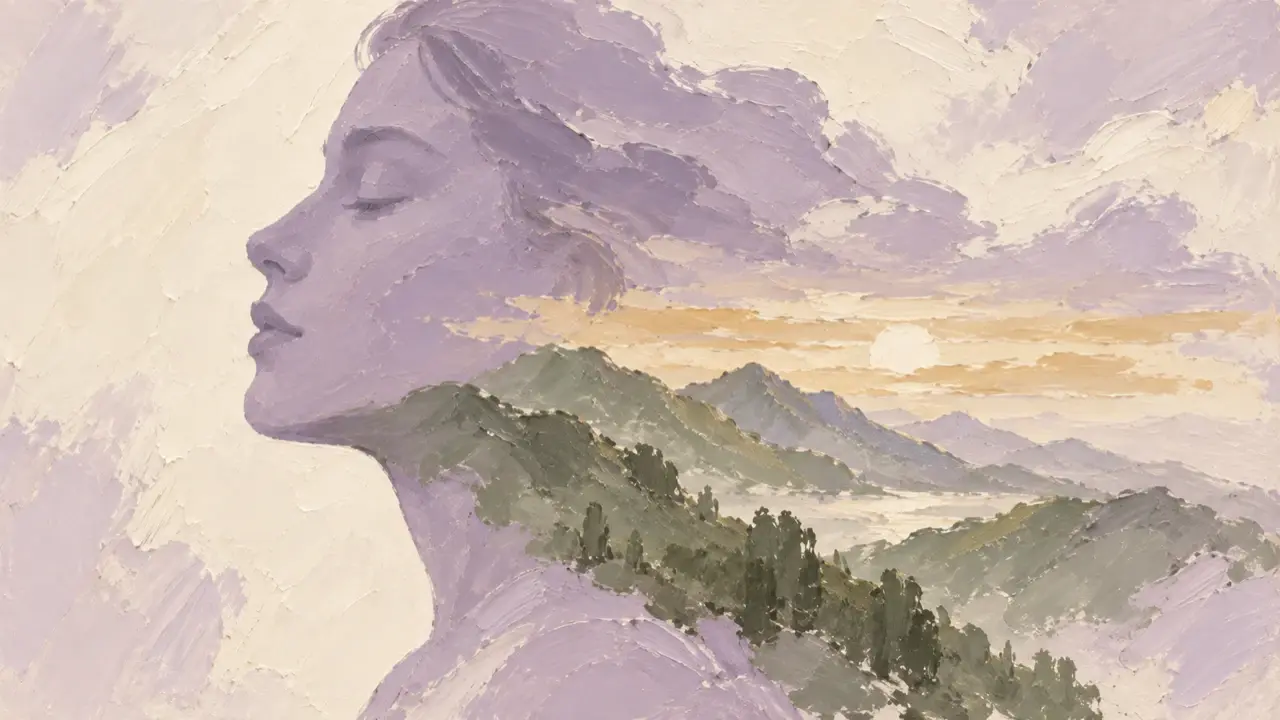
A double-exposure travel portrait can use one photo for the person's silhouette and another to blend scenery into their hair, shoulders, or clothing. Deciding what should overlap and what should stay visible makes the subject clearer than simply blending both photos across the entire frame.
To keep both your identity and the travel destination recognizable, make the face the focal point and let a skyline or mountain range form a second layer inside the silhouette. Here's how to work with one portrait and one landscape photo.
Give each photo a clear role
The portrait supplies the person's identity, pose, and outer outline. Choose a photo with a clear face, uncropped hair and shoulders, and a relatively simple background. A profile or three-quarter view often creates a clear silhouette, but don't use a portrait you dislike just to achieve the effect.
The landscape supplies the second layer. It might show a ridge, the sea, a street, or city buildings you've photographed, preferably with one clear focal point. If a particular landmark needs to remain recognizable, provide its photo instead of naming a city and letting the image invent buildings.
| What your source photos look like | What to do first |
|---|---|
| A busy portrait background blends hair with branches | Choose a simpler background, or ask to simplify it while preserving the person |
| The landscape contains buildings, signs, pedestrians, and vehicles | Select one area for the second layer instead of including every detail |
| Both photos are very dark | Choose a source with clearer light and shadow so the blend doesn't become a dark mass |
| A wide landmark needs to fit inside a narrow silhouette | Use the shoulders and upper body as the main blend area instead of squeezing it into the face |
Use photos you've taken or have permission to edit. If someone else appears in the portrait, confirm that they're comfortable with this kind of editing and sharing.
Choose the overlap area before the color treatment
For a first attempt, try a clear face with scenery blended into the shoulders. Keep the eyes, nose bridge, and mouth visible, and place the landscape toward the back of the hair, across the shoulders, and in the clothing. Even with a detailed second layer, the portrait will retain a stable focal point.
For a more abstract result, gradually extend the scenery into part of the cheek. Don't ask for the entire face to be filled with scenery while also requiring every facial feature to remain unobstructed. Decide which matters more.
Place the landscape deliberately, too. A ridge can follow the shoulders, buildings can sit across the chest, and water can fill a larger area of clothing. Avoid a strong horizon cutting across the eyes or a tall building sitting directly over the nose bridge.
Keep the background simple at first. The silhouette already contains a landscape; adding a full city, text, and decorations outside it can make the visual hierarchy disappear.
Explain what comes from the portrait and what comes from the scenery
Provide both original photos and identify which is the portrait and which is the landscape. If both contain tourists or buildings, be especially clear about the part each should contribute.
Here's an example request you can adapt to your photos:
Create a double-exposure-style travel portrait using the two photos I've uploaded.
Image A is the portrait reference; image B is the travel landscape reference.

Preserve the person's recognizable facial features, hairstyle, pose, and shoulder outline from image A.
Do not add a second face, duplicate facial features, or extra limbs.
Blend the main scenery from image B into the back portion of the hair, shoulders, and clothing.
Make the transitions soft while keeping the person's outer outline clear.
Keep the eyes, nose bridge, and mouth visible. Do not let buildings or the horizon cross the eyes.

Keep the recognizable shapes of the main scenery in image B. Do not add landmarks absent from the photo.
Choose one focal point for the second layer instead of mixing in every pedestrian, sign, and detail.
Use a simple, light background with open space, muted colors, and clear layers.
Do not add text, logos, or decorative borders.
Make the first version with a clear face and scenery concentrated around the shoulders.
If the landscape's focal point is on the right, add: “Use the ridge on the right of image B, not the buildings on the left.” If you'd rather show the traveler from behind, change the portrait-preservation instructions accordingly instead of still asking for visible frontal features.
Refine the overlap without reinventing the style
When the first draft arrives, check whether the person and scenery each have their own space before deciding on a warmer, cooler, or more film-like look. You can address these common problems by naming a specific area.
| Problem you notice | A useful revision request |
|---|---|
| Buildings cover the eyes and obscure the face | “Keep the rest of the layout, move the buildings near the eyes to the shoulders, and restore clear eyes and eyebrows.” |
| The landscape looks like a rectangular photo pasted onto the person | “Soften the landscape's rectangular edges and blend it along the clothing and shoulders. Keep the outer background unchanged.” |
| The blend is so busy that the destination is unclear | “Keep only the main ridge in the landscape, remove secondary branches and small buildings, and reduce the density of textures.” |
| The portrait becomes two overlapping faces | “Return to the single person in image A and remove duplicate features. The landscape must not form a second face.” |
| The face looks noticeably different from the original | “Use original image A as the portrait reference, restore the facial features first, then reduce the area covered by scenery.” |
If the person is already distorted, supplying the original portrait again is clearer than repeatedly asking a distorted version to “look more like me.” Keep the original landscape available for the same reason.
Check the person, scenery, and whole image before sharing
First, reduce the finished image to its normal viewing size on a phone. Can you recognize the person's outline at a glance? Then zoom into the face and look for extra eyes or teeth, stray hair edges, or unnatural joins between facial features.
Finally, inspect the landscape layer on its own. Have the ridge or buildings you wanted to preserve become distorted? Has a landmark from another city appeared? Are there harsh rectangular edges at the overlap? If you plan to add a place name, confirm it yourself before adding it.
Once the face, scenery, and transitions all look clear, save the result together with both original photos. Next time you want a different destination, you can specify the scenery area to replace while retaining the portrait composition you already like.