Interactive websites with Opus 5.5: 7 ideas for 3D galleries, stories, and games
Explore seven interactive web projects with Opus 5.5, from spatial portfolios and online galleries to playable games, with asset preparation, sample briefs, and delivery checks.

Interactive web projects with Opus 5.5 now extend beyond an animated page to spatial portfolios, online galleries, and playable games. It writes HTML, CSS, JavaScript, or 3D scene code, which the browser displays and makes responsive to input. As you prepare text and images, also decide what visitors will click and what changes they should see.
Here are seven directions organized by creative purpose, each with a brief you can adapt. The images are static composition concepts for the corresponding ideas.
1. Spatial portfolio: turn projects into places to visit
This suits designers, photographers, and independent creators. Make each project a planet, room, or display stand, then reveal images, responsibilities, and process when visitors click.
Prepare covers, short introductions, and details for five projects. The more unusual the navigation, the clearer the way back needs to be. Keep a conventional project index for visitors who want a quick overview.
Create a spatial portfolio with five projects represented by five floating islands. Clicking an island opens its images and introduction; closing it returns to the previous position. Keep a project list and a clear way back. On phones, allow direct selection without relying on hover.
2. 3D gallery: plan a viewing route for a collection
This works for group exhibitions, photography series, and brand visual displays. In addition to images, specify grouping, size proportions, and viewing order. Make the works easy to see before adding atmosphere to the space.
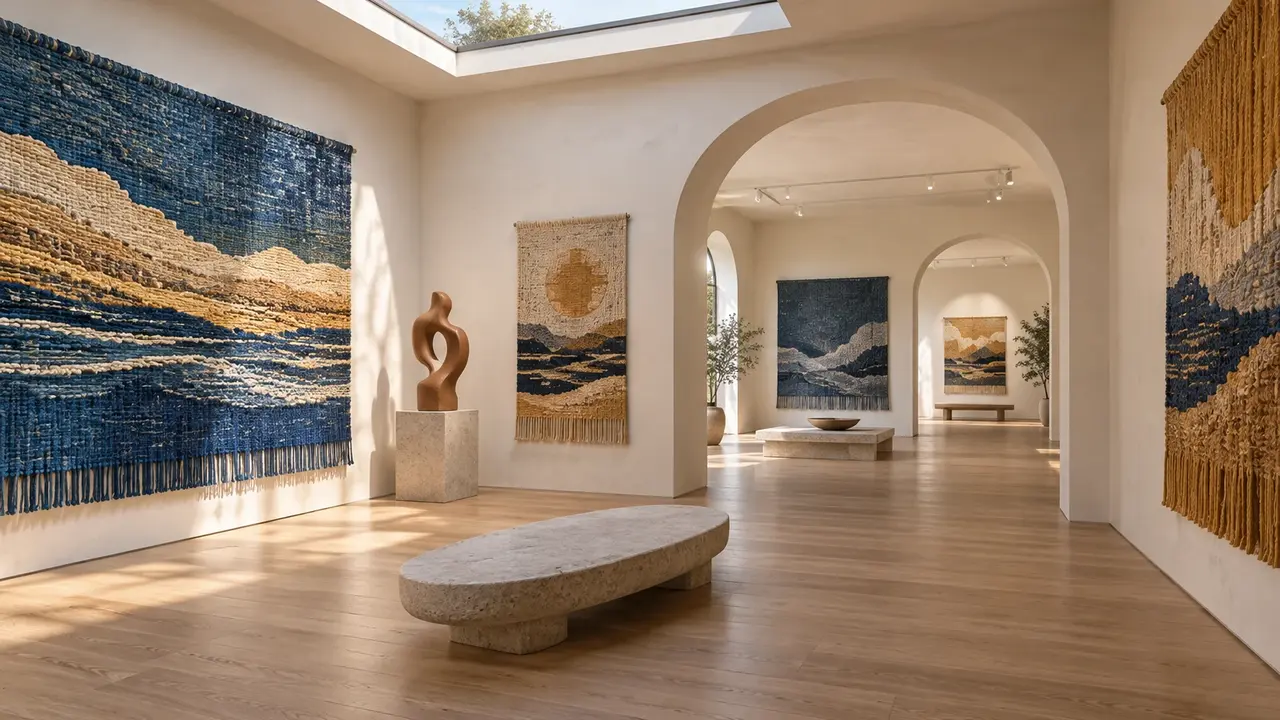
Start with three small connected galleries. Once the wall arrangements and walking route are settled, add work details, an exhibition index, and touch controls. Visitors should be able to find the content inside the beautiful rooms.
Use my twelve textile works to create three connected online galleries, grouped by landscapes, cities, and plants. Clicking a work shows a large image, title, and materials. Include view dragging, a next-gallery button, and a work index that can be browsed without roaming.
3. Scrolling story: use page rhythm to tell a complete story
This suits travel journals, brand origins, and product design processes. Let scrolling gradually reveal scenes, text, and details, so readers control how long they stay.
Prepare three to five ordered sections and assign one central visual to each. Match the text to the scene. Readers should be able to retell the story afterward without guessing what the animation means.
Turn this coastal restoration record into a four-part scrolling story: problem, action, change, and next steps. As readers scroll, move the camera slowly from the shore underwater, with each passage appearing in the relevant place. Keep a conventional reading mode so all content remains accessible with reduced motion.
4. Product launch page: use motion to explain one selling point
This suits physical products, digital works, and events. Start with your own product material.
Choose one change worth demonstrating, such as folded versus unfolded, color selection, or a component breakdown. Use confirmed images, dimensions, and feature descriptions, and specify where each button leads.
Use my folding desk lamp images to create a product introduction page. Show the whole product first, then explain unfolding and storage size in three scroll-driven steps. Use only the dimensions and features in the supplied materials. Retain static image explanations and link the preorder button to the specified form for now.
5. Single-mechanic game: make one play session work first
Collection, racing, and puzzle ideas all suit small prototypes.
Choose just one core action for the first version. Prepare the character's appearance, objective, loss conditions, and win conditions. Check that start, pause, end, and restart connect properly. The concept can be original, but the rules need to be specific.

Make an original mountain village cycling game where the rider collects paper pinwheels. Use the arrow keys for control, slow down on hitting a rock, and calculate the result from the number collected after one minute. Finish one track, a start screen, and restart first. Add touch controls, then refine lighting and decoration.
6. Explorable world: give visitors details worth staying for
The more complex the scene, the more important it is to add content and refine the experience in stages. Browser graphics capabilities, assets, and loading time also affect the result.
Start with one area visitors can move through. Prepare atmosphere references and a few interactive destinations. Make exploration the first deliverable, then gradually add characters, sound, and mechanics.
Create a walkable mountain botanical garden with three locations: an entrance, a greenhouse, and a lookout. First implement movement, a clear minimap, and plant information cards. After confirming that the route works, add leaves moving in the wind and dusk lighting. Include a one-click return to the entrance.
7. Interactive explanation: let readers change a parameter
Explanatory content can become a small experiment. In a typography lesson, for example, readers can adjust font size, line spacing, and column width and immediately see the same text change. This creative idea extends the interactive web approach: decide which relationship you want to explain before choosing the controls.
Make a typography experiment page where readers can change the font size, line spacing, and column width of the same article, with current settings shown alongside. Add three presets for comparison and a reset to defaults. Explain what each parameter affects. Keep the text readable and prevent mobile controls from covering the preview.
Turn an idea into a deliverable brief
Describe the assets, visuals, and interactions together. Supply the body text, images, and usage permissions first, then describe the atmosphere and list the three most important interactions. Agree on runnable web files or a complete static project, with opening instructions. If forms, accounts, or payments are needed, separately explain how data and services should connect.
After the first version, click through the main flow and check mobile, keyboard, and reduced-motion use. Feedback such as “Returning from work details loses the original position” gives a specific problem to fix and is more actionable than “Make it more polished.”