12 creative ways to use GPT-Image 2.5: photo edits, travel ideas, and English prompts
Explore 12 GPT-Image 2.5 photo ideas, from removing tourists and retouching portraits to Polaroid figurines, travel collages, concert shots, food explosions, and lettering, with examples and English prompts.
12 creative ways to use GPT-Image 2.5: photo edits, travel ideas, and English prompts
What can you try with GPT-Image 2.5? From removing tourists, adjusting light, and retouching portraits to Polaroid figurines, travel posters, and concert photos, here are 12 photo ideas, each with a visual example and an English prompt. Start with your own photos and replace the people, places, and text in each prompt as needed.
1. Remove tourists from the background
Use this when the main subject looks great but the background is crowded. Upload the original and specify who to keep and who to remove. Railings, paving, and the coastline should connect naturally after the edit.
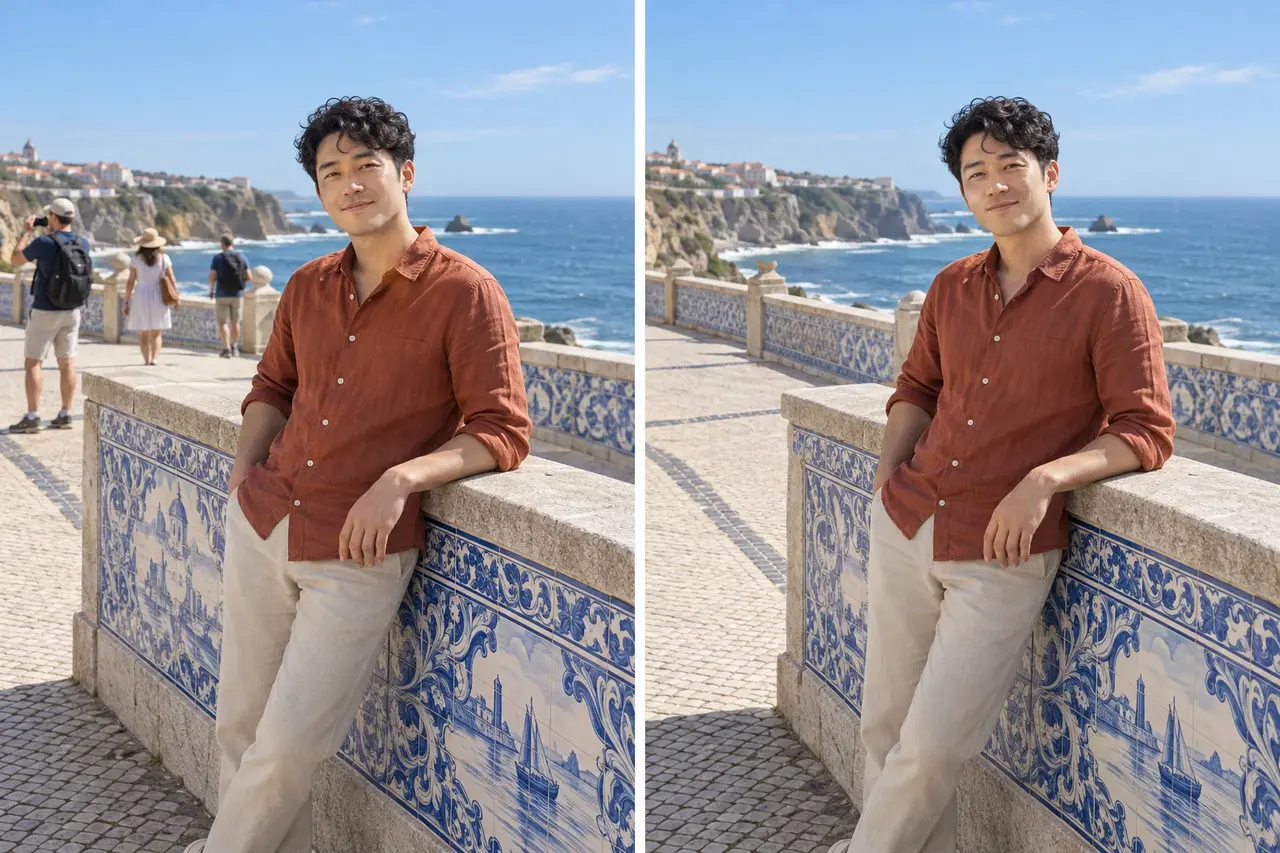
Preserve the foreground subject’s facial features, expression, clothing, and pose. Remove the other tourists in the background and reconstruct the tiled railing, walkway, and sea view to match the surroundings. Keep the original composition, lighting, and photographic texture without changing the main subject.
2. Adjust lighting automatically
Night portraits often have dark faces, bright lights, and unwanted skin-tone casts. Adjust the person and surroundings separately to preserve detail in vehicle lights, shop windows, and the sky, instead of brightening the whole image at once.
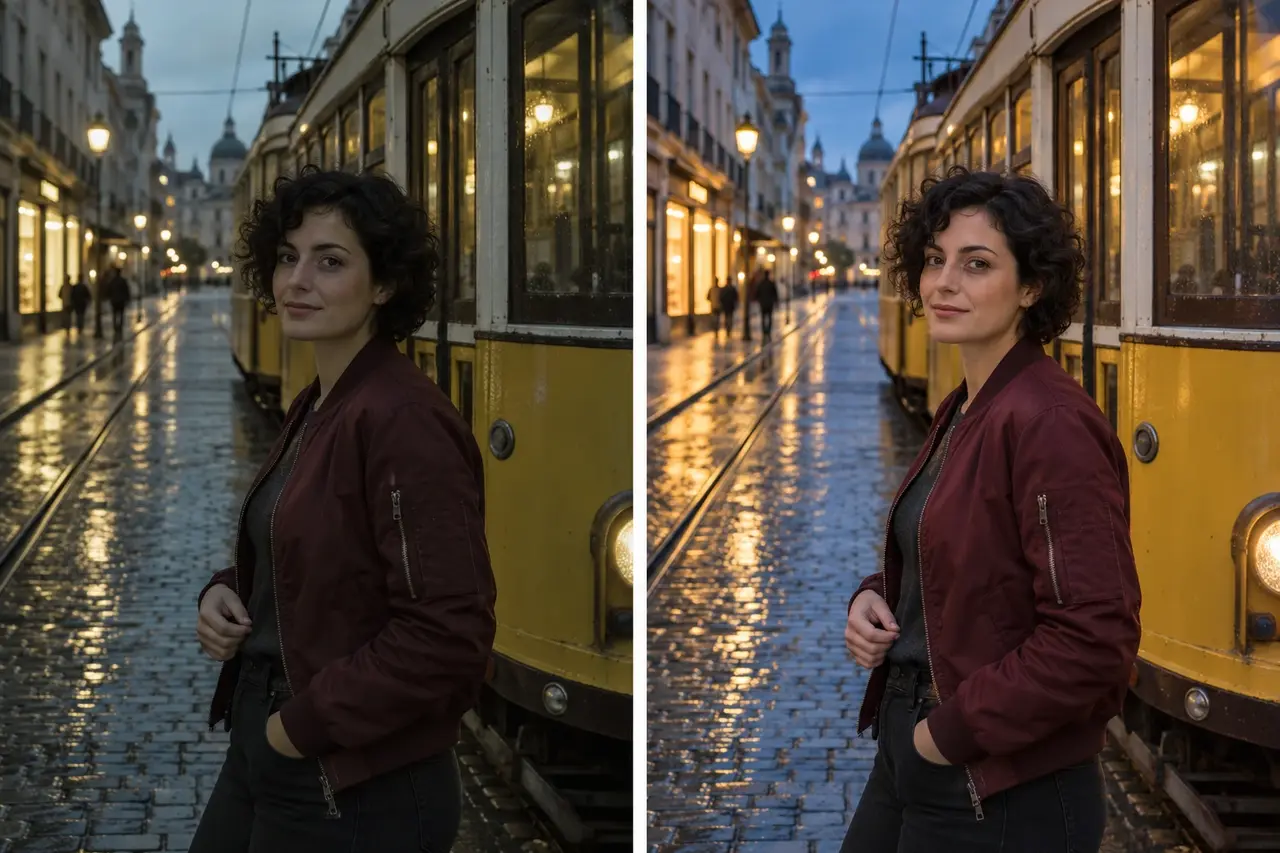
Relight this night portrait: brighten the face and correct the green cast on the skin. Control highlights from the vehicle lights and shop windows, give the sky a clear blue tone, and retain warm light along the street. Preserve the person, tram, and composition, with detailed shadows and a natural, clear look.
3. Retouch portraits naturally
Specifying hair, complexion, and skin condition is clearer than simply asking to “look better.” Aim for a fresh, natural result that still looks like the same person. Check the hairline and facial details especially closely.
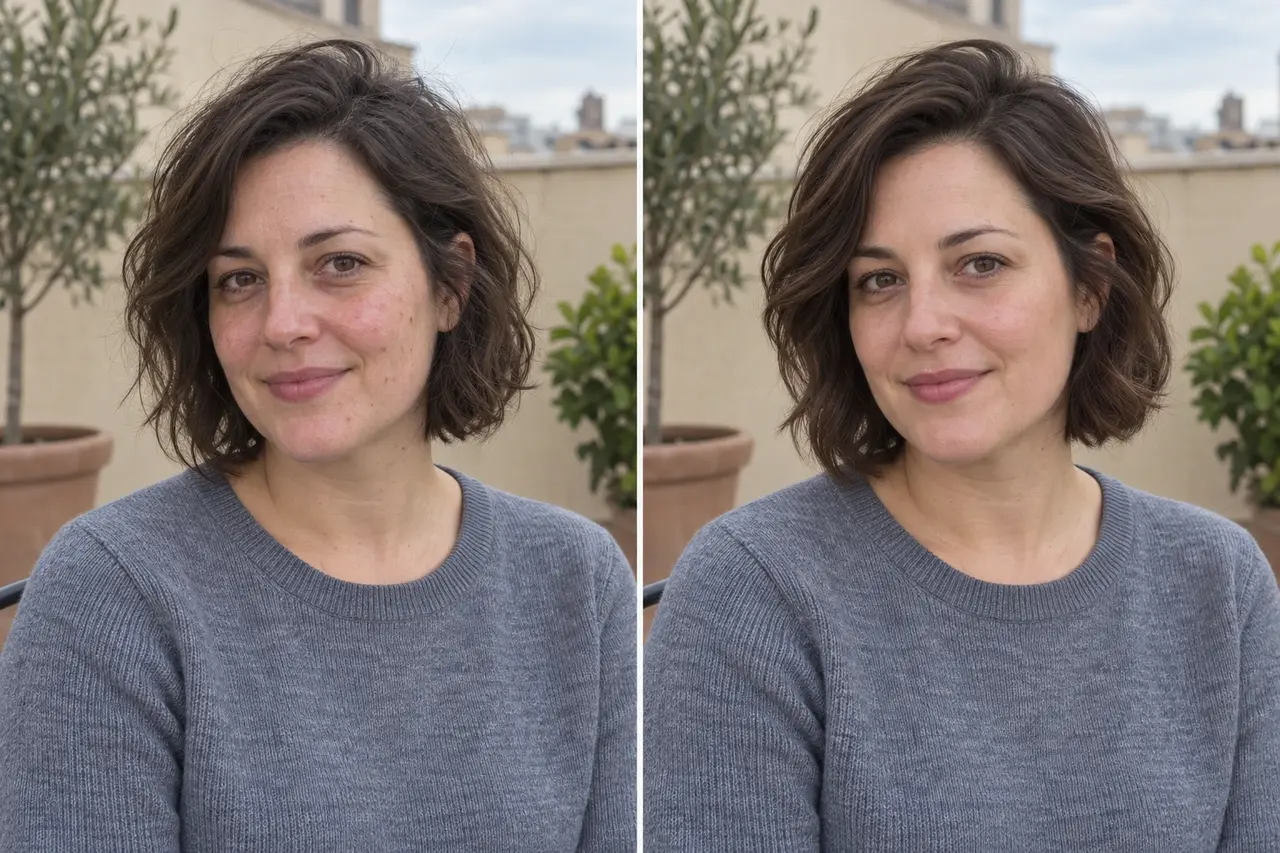
Preserve the person’s facial proportions, face shape, and expression. Tidy the hairstyle, adding volume at the crown and definition to individual strands. Improve dullness and small blemishes, reduce tiredness under the eyes, and retain pores and realistic skin texture. Keep the clothing, pose, and background unchanged, without exaggerated face slimming.
4. Create a 3D figurine that pops out of a Polaroid
Upload a photo of yourself at a landmark and turn yourself into a cute figurine stepping out of an instant photo. The effect depends on the figure extending beyond the white border, with clear depth between its legs and body.
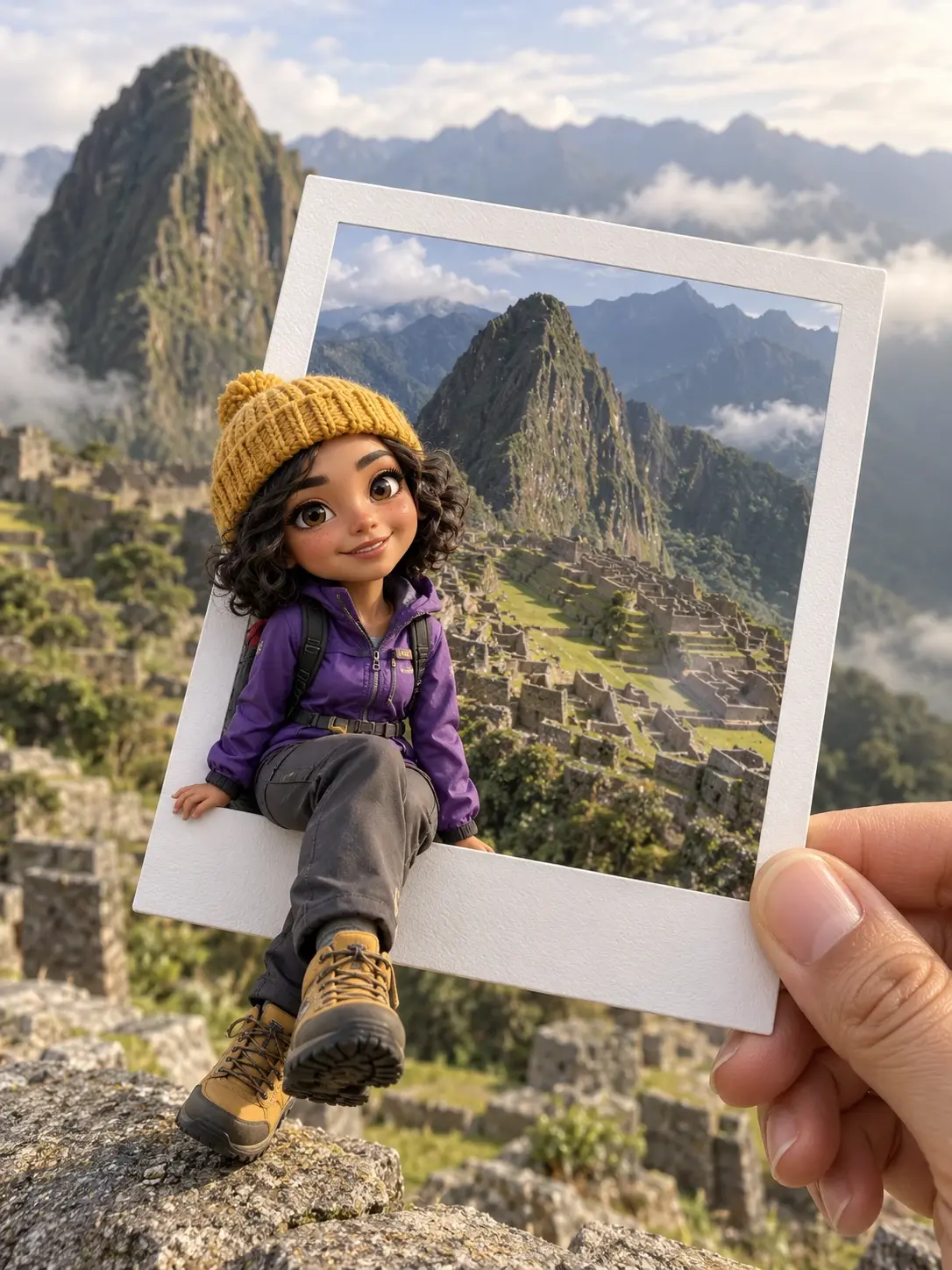
Turn the person in the photo into a detailed, cute chibi-style 3D figurine while preserving their hairstyle, clothing, and expression. Seat the figure on the lower-left edge of a handheld white-bordered Polaroid, with both legs extending outside the frame. Continue the same mountain ruins inside and outside the photo, soften the background slightly, and keep the fingers, border, and shadows realistic and consistent.
5. Make a destination postcard
A cityscape can become a travel-journal postcard with a title, color swatches, and generous space. Put the place name in the prompt and check its spelling afterward.
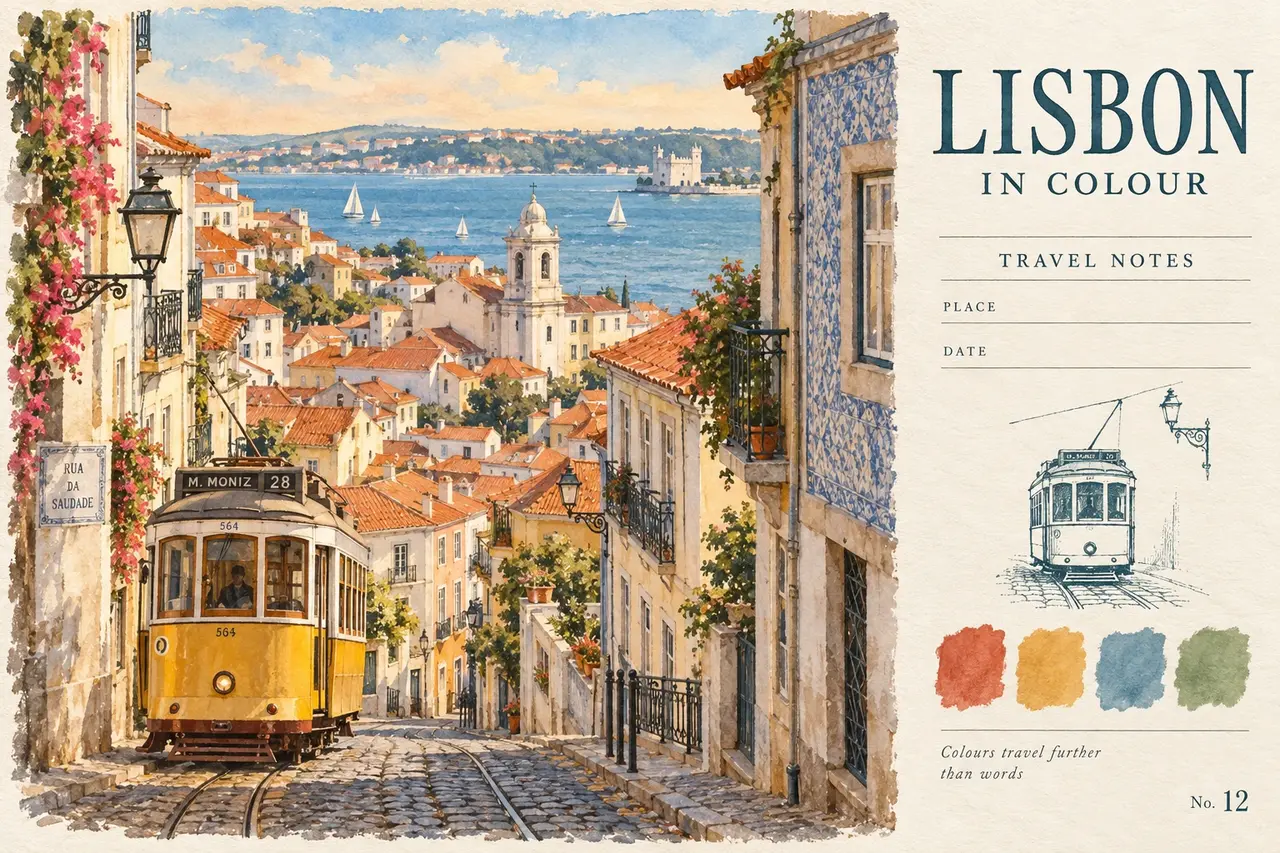
Turn this Lisbon street scene into a landscape-format vintage postcard. On the left, create a watercolor illustration that preserves the yellow tram, red rooftops, and river view, with softly bleeding edges. On the right, set the serif title “LISBON IN COLOUR” above space for the location and date. Add four color swatches sampled from the scene below. Use textured off-white paper, an airy layout, and refined details.
6. Turn the main subject into a sticker
Draw just a building, animal, or small object as a white-bordered sticker while leaving the rest photographic. That contrast creates the effect. A subject with a clear outline makes the transformation easier to see.
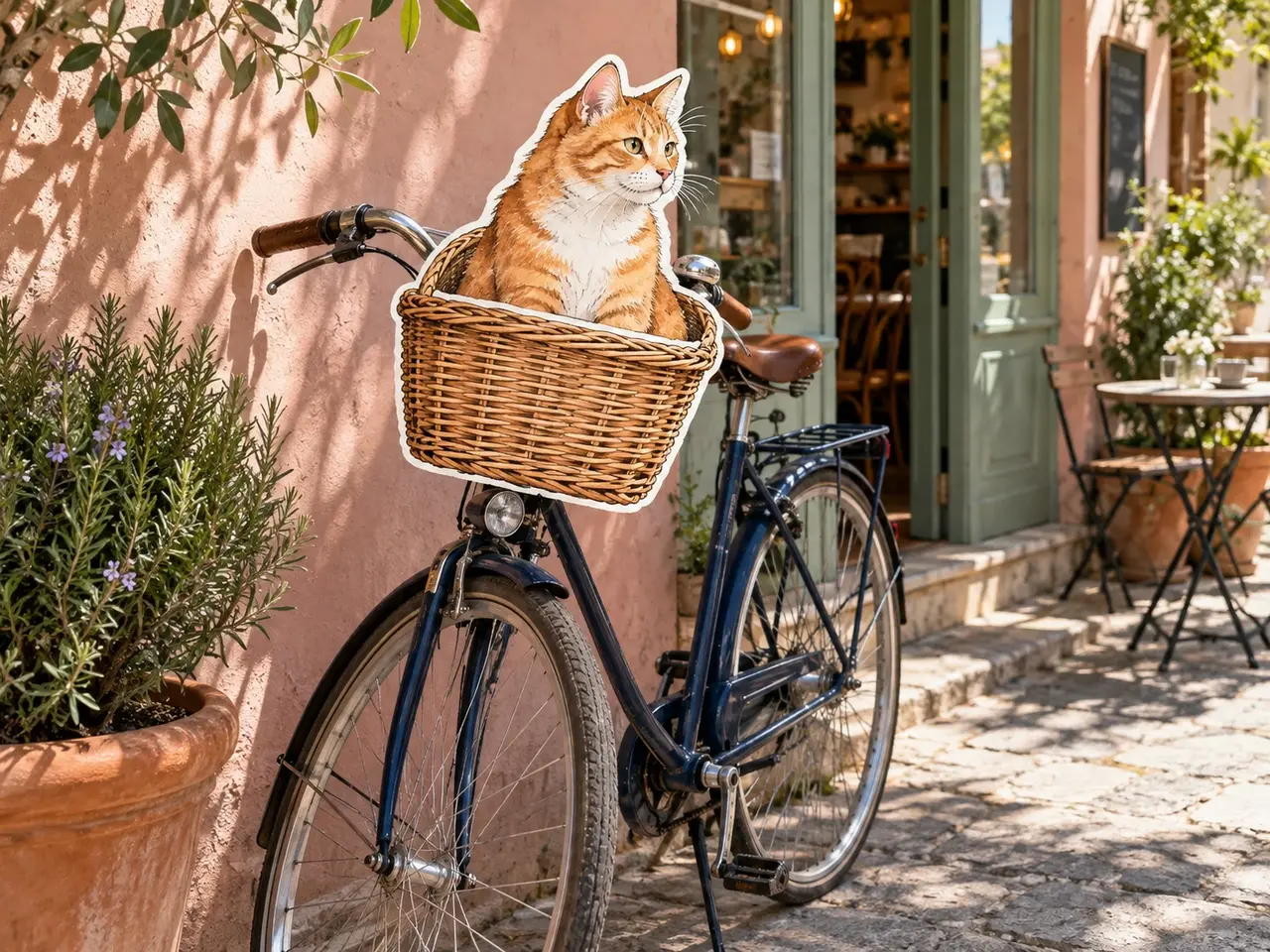
Turn only the orange cat and wicker basket in the photo into hand-drawn stickers. Preserve their outlines, colors, size, and position, adding a clear white border and subtle paper texture. Keep the surroundings photorealistic. Do not illustrate the entire image or add extra copies of the objects.
7. Pack travel memories into a suitcase collage
Use several photos to bring a whole trip together: landmarks, streets, food, the seaside, and ticket stubs can all become stickers. List the places and elements first so the rich composition doesn’t mix in unrelated cities.
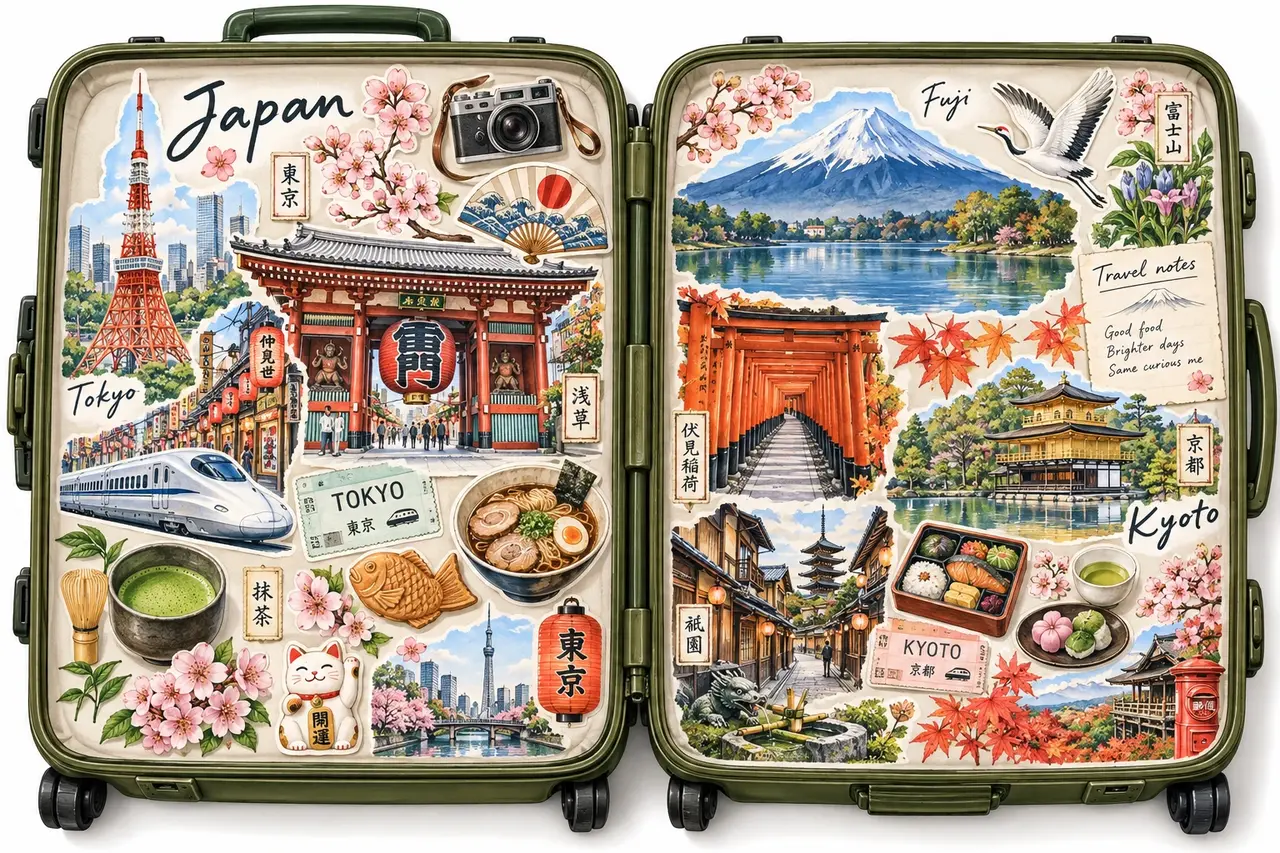
Turn the supplied travel materials into delicate watercolor stickers with white borders. Arrange them across both halves of an olive-green suitcase opened horizontally, keeping the central hinge visible. Make Tokyo Tower and Mount Fuji the focal points, interspersed with street scenes, food, trains, flowers, trees, tickets, and handwritten place names. Vary the sizes and overlap them moderately. Keep the composition rich but clearly grouped, like a carefully collected suitcase of travel memories.
8. Design a travel poster around a portrait
The person takes the lead, while the city name, landmarks, food, and maps tell the story of the trip. Upload a clear portrait and add destination references to create a magazine-style travel collage.
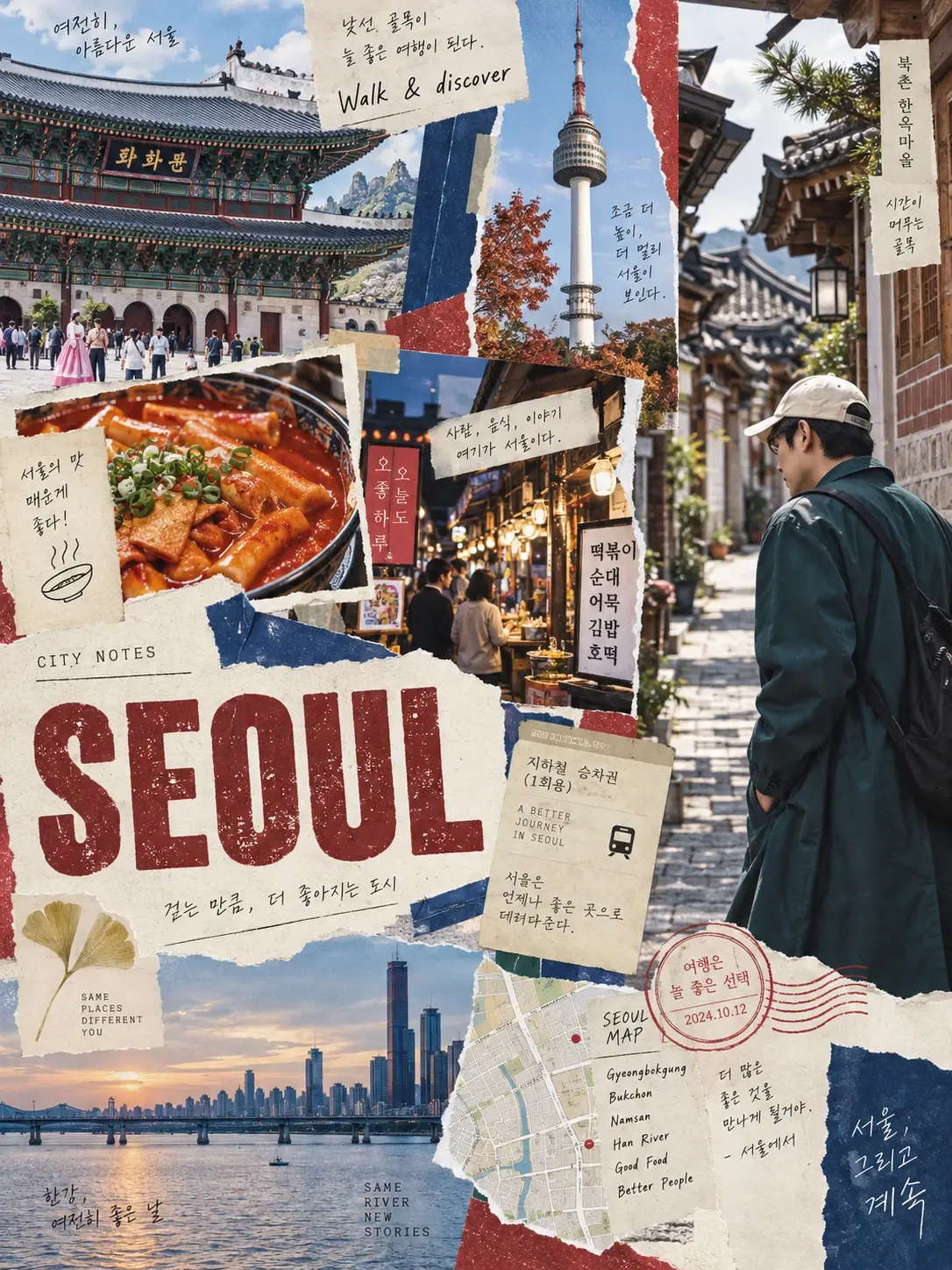
Create a vintage travel collage poster. Place a cutout of the person on the right, preserving their appearance and clothing. Put “SEOUL” in bold, distressed lettering at the lower left. Surround it with Seoul landmarks, food, maps, and tickets, adding torn-paper edges and a few handwritten notes. Use off-white paper texture with brick-red and indigo accents. Build rich layers without covering the face.
9. Create an atmospheric concert photo
Prepare a portrait and a concert reference image to place the person among stage lights, streamers, and confetti. The ambient lighting should affect the face and clothing as well as the background.
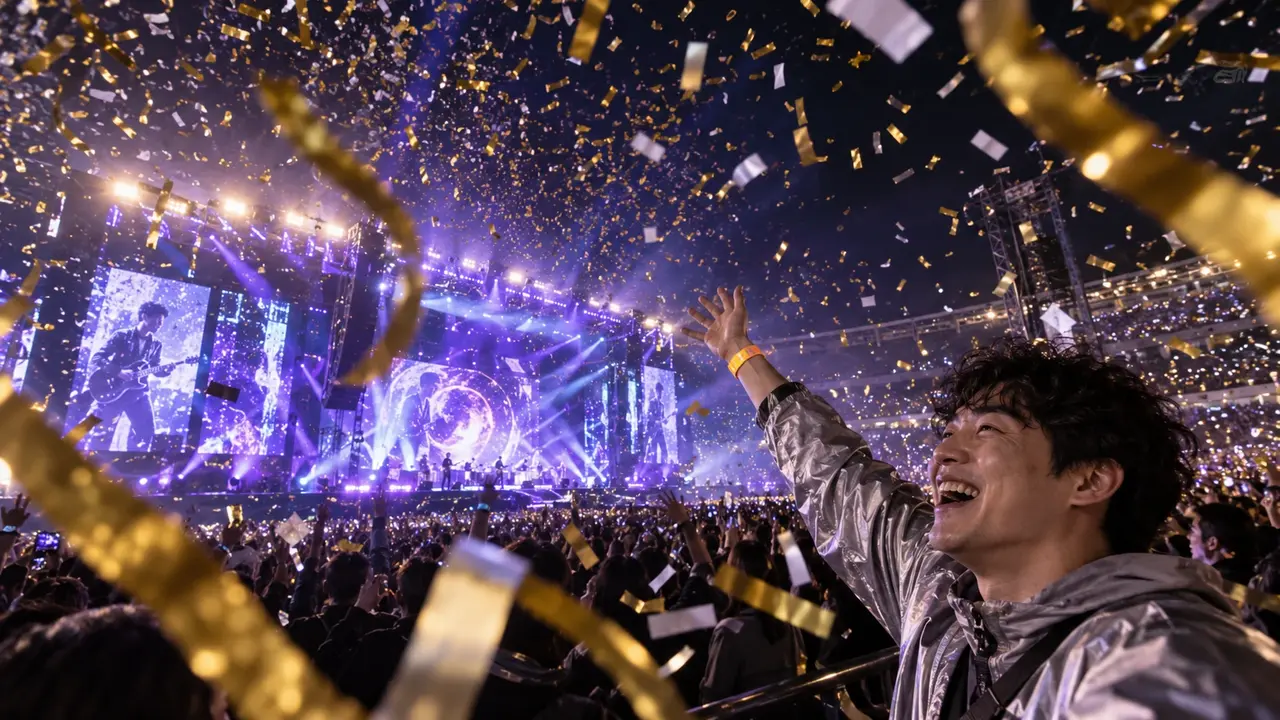
Blend the person into the reference concert scene. Use a wide side view, with the person at the lower right, raising an arm to reveal a glowing orange wristband and laughing toward the stage. Fill the air with gold and white confetti at different distances. Let purple-blue stage light illuminate the side of the face and clothing edges, keeping the lighting on the person consistent with the surroundings.
10. Make a food explosion
Turn a regular restaurant photo into a striking action shot: ingredients and droplets fly toward the camera while the person stays clear. Drinks, salads, and desserts can work too. Specify exactly what should fly out in the prompt.
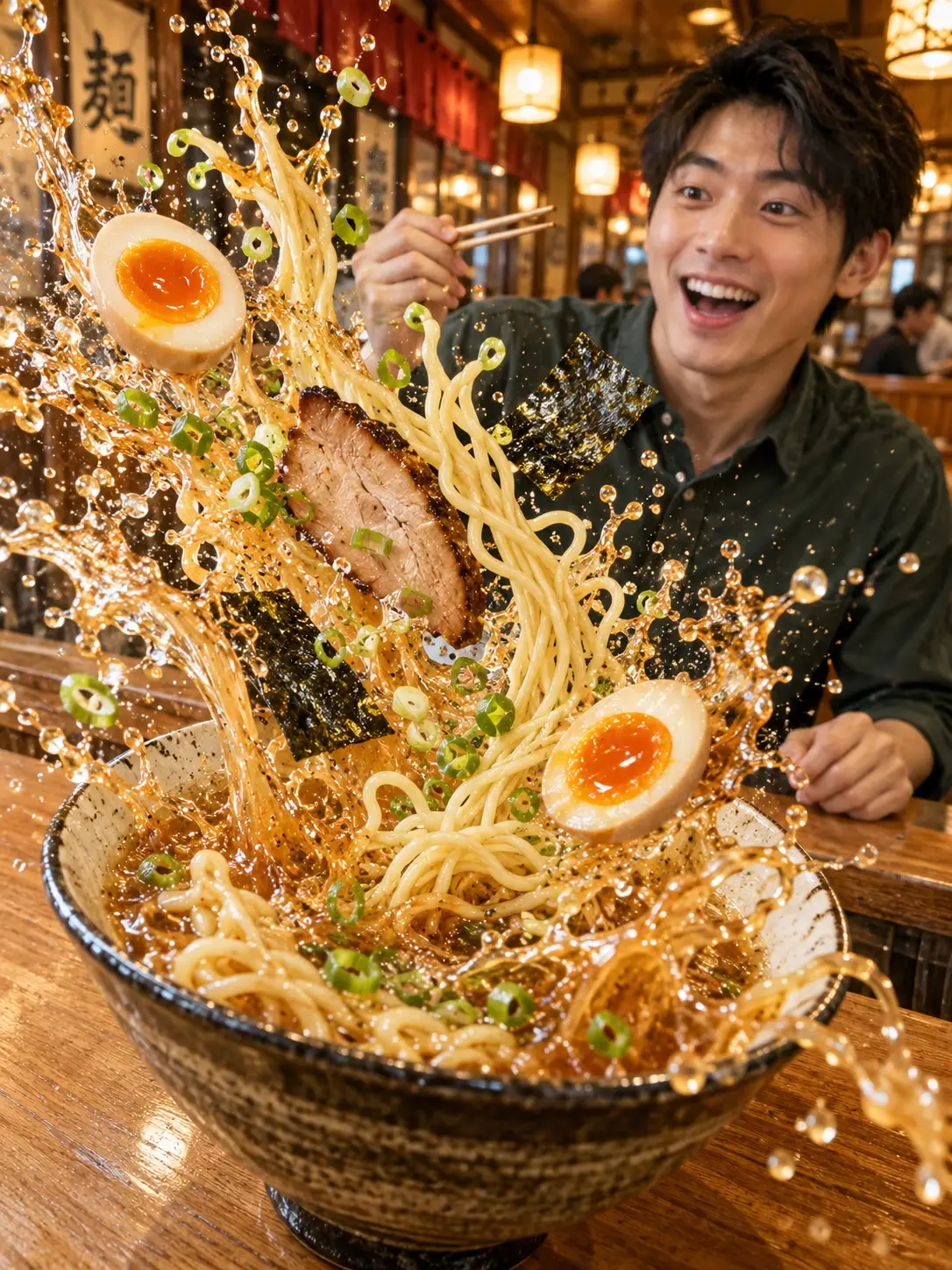
Preserve the person, counter, and ramen-shop setting. Give the foreground ramen an exaggerated “food explosion” effect: arcs of noodles, broth droplets, scallions, soft-boiled eggs, and seaweed burst forcefully from the bowl. Enlarge some elements close to the camera to create strong depth. Use a high-speed photographic freeze-frame look, with sharp details and consistent lighting. Keep the splashes away from the person’s face.
11. Rebuild an object with lettering
Let the letters themselves form the object. For example, shape “CAMERA” into a camera body, then draw in the lens and strap, leaving the surrounding photo intact.
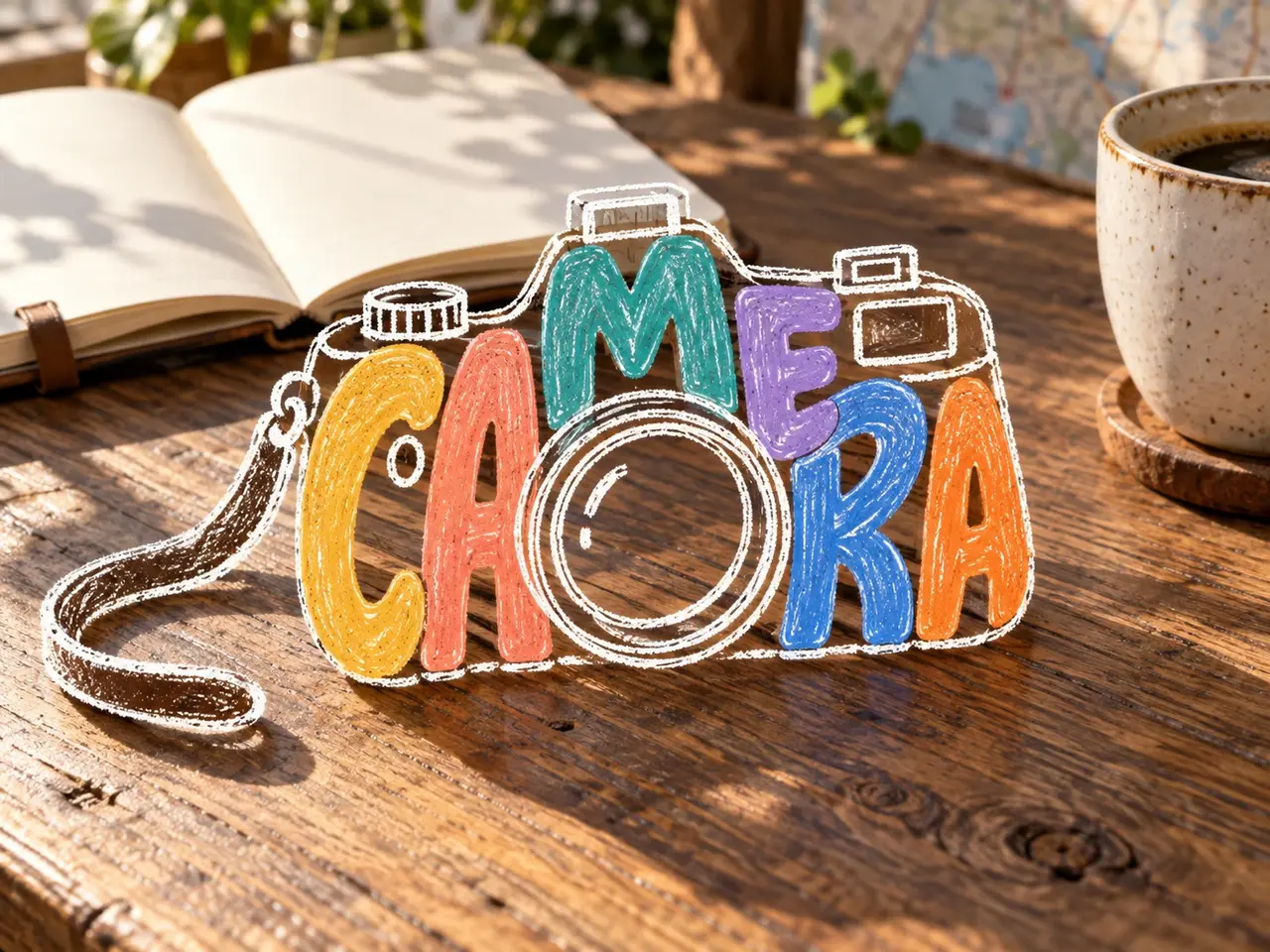
Change only the camera on the table into a lettering doodle made from the six letters in “CAMERA.” Stretch and interlock bold, rounded, colorful letters to form the camera body, then add the lens and strap with white hand-drawn lines. Leave gaps between letters so the wooden table shows through. Preserve the camera’s overall outline and perspective and leave the rest of the scene unchanged. Do not simply paste lettering onto a solid camera body.
12. Add Instagram-style handwritten notes
A handwritten title, a few arrows, and small doodles can capture the mood of a picnic photo. Place the text in open areas such as the sky or sand, keeping faces and the main food items clear.
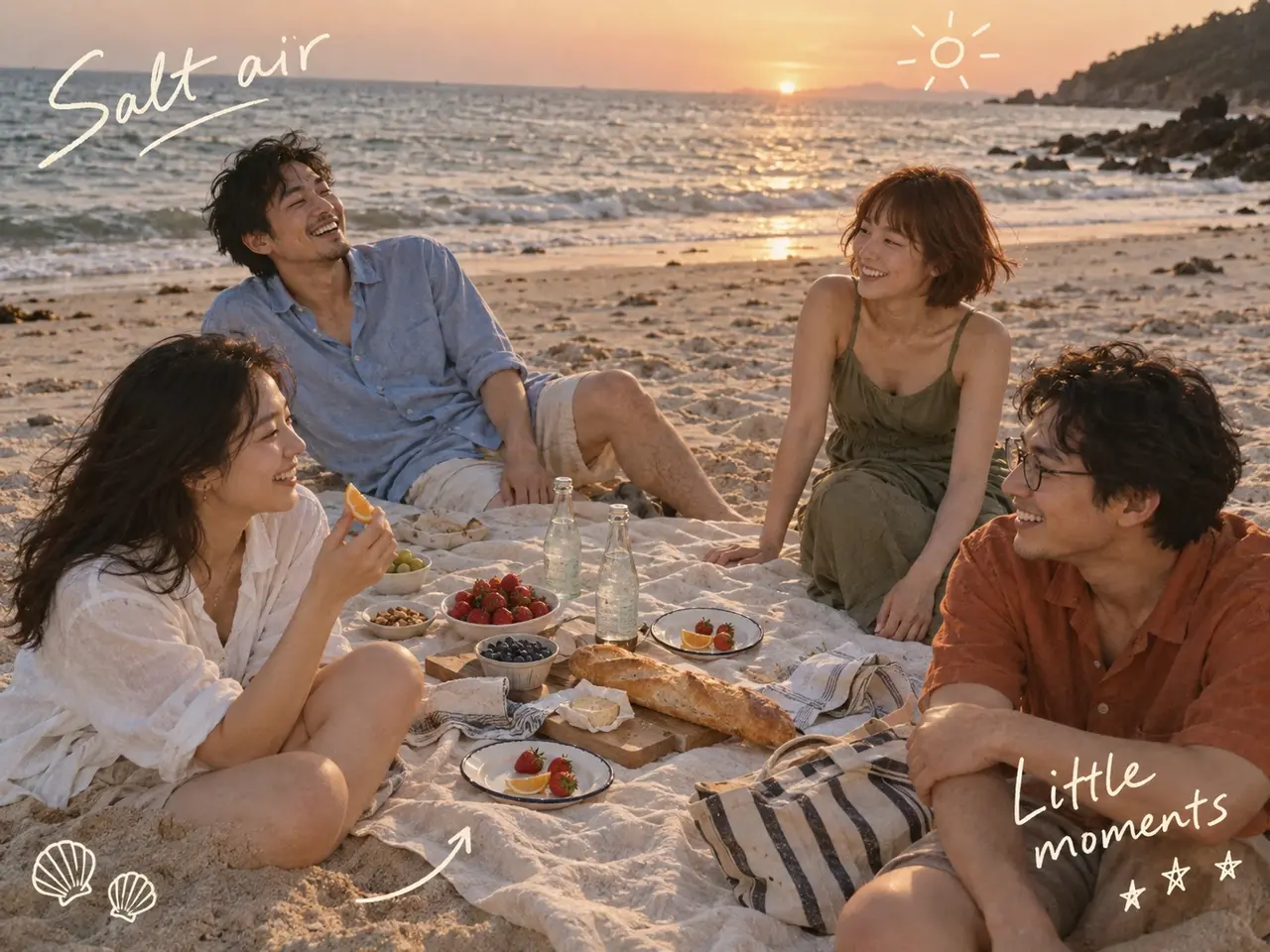
Preserve this beach picnic group photo. Add the cream-white handwritten phrases “Salt air” and “Little moments” in open areas of sky and sand, along with a few arrows and doodles of a sun, shells, and stars. Keep the handwriting relaxed and casual, with varied spacing. Do not cover people’s expressions or the picnic food, and preserve the texture of an everyday snapshot.
When using these Image 2.5 prompts, choose one effect first, then specify what to change and what to preserve. To try similar ideas with your own photos, you can also start at PagePop, upload your materials, describe the changes in natural language, and refine the result.