Recreate Datong’s first-snow mood: photo edits and snowfall video prompts
Take inspiration from Datong’s first snow and edit a street photo while preserving its architecture and perspective. Add light snow on the eaves, flakes at different depths, and wet reflections, then plan a steady shot of about six seconds. Includes complete prompts and checks.
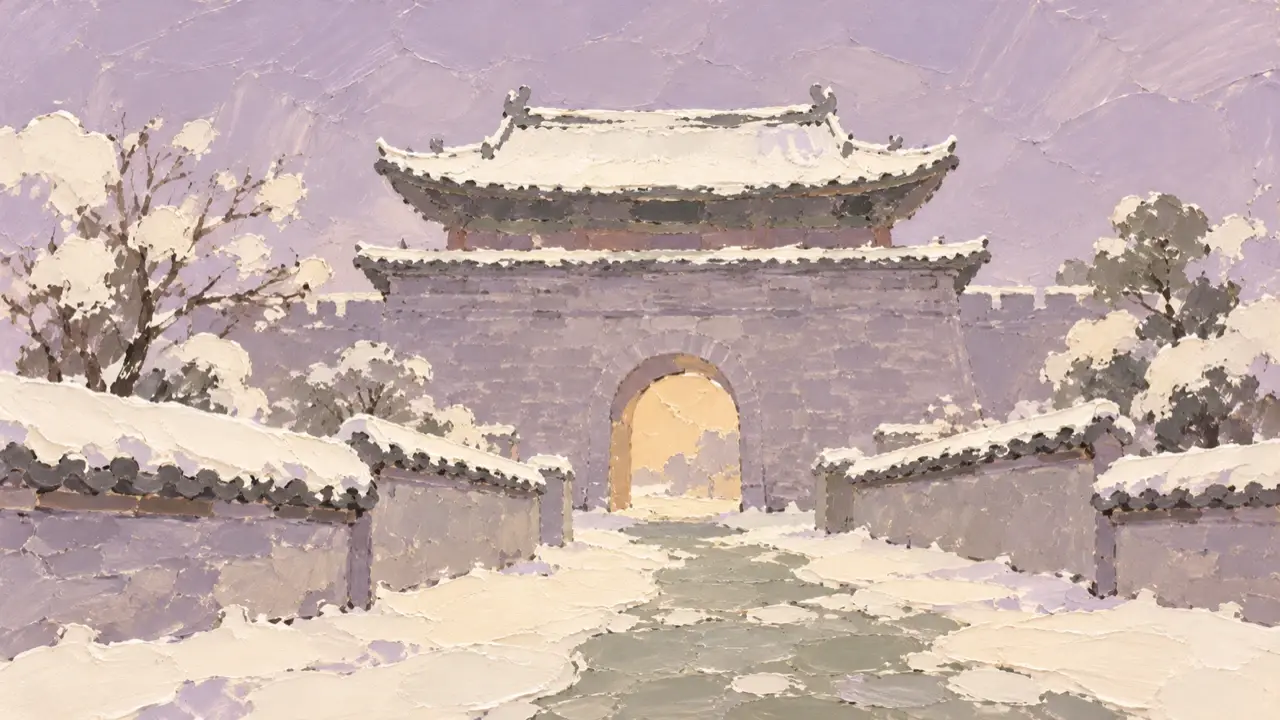
On October 20, Datong saw its first snow of the winter. To bring that first-snow mood to your own city travel photos, start with a street scene: keep the buildings, road, and camera position, and adjust the snow on the eaves, falling flakes, and reflections on wet ground together. Get the still image right first, then plan a snowfall shot lasting about six seconds.
Where the snow lands makes the scene convincing
Choose a photo with clear building outlines and a foreground and background. Upward-facing surfaces such as eaves, steps, and windowsills can hold a thin layer of snow; vertical walls should retain their original colors and textures. Snow on branches should sit along the branches, rather than turn into floating white clumps.
The street can still be wet when snow has just started to fall. Keep the paving joints, direction of the road, and reflected lights. A little snow along edges, in gaps, and on steps creates more depth than painting the whole street white. Give the falling snow a few larger flakes nearby and finer flakes farther away, rather than spreading them evenly across the frame.
Coordinate the light, too. The air and distant buildings can look slightly cooler, while shops and streetlamps retain their warm tones. Warm light should illuminate only the nearby snow and ground. Let the distance fade slightly while keeping the building outlines recognizable.
The two images below start from the same street scene, so you can compare the eaves, doors, windows, and paving before and after the weather changes.
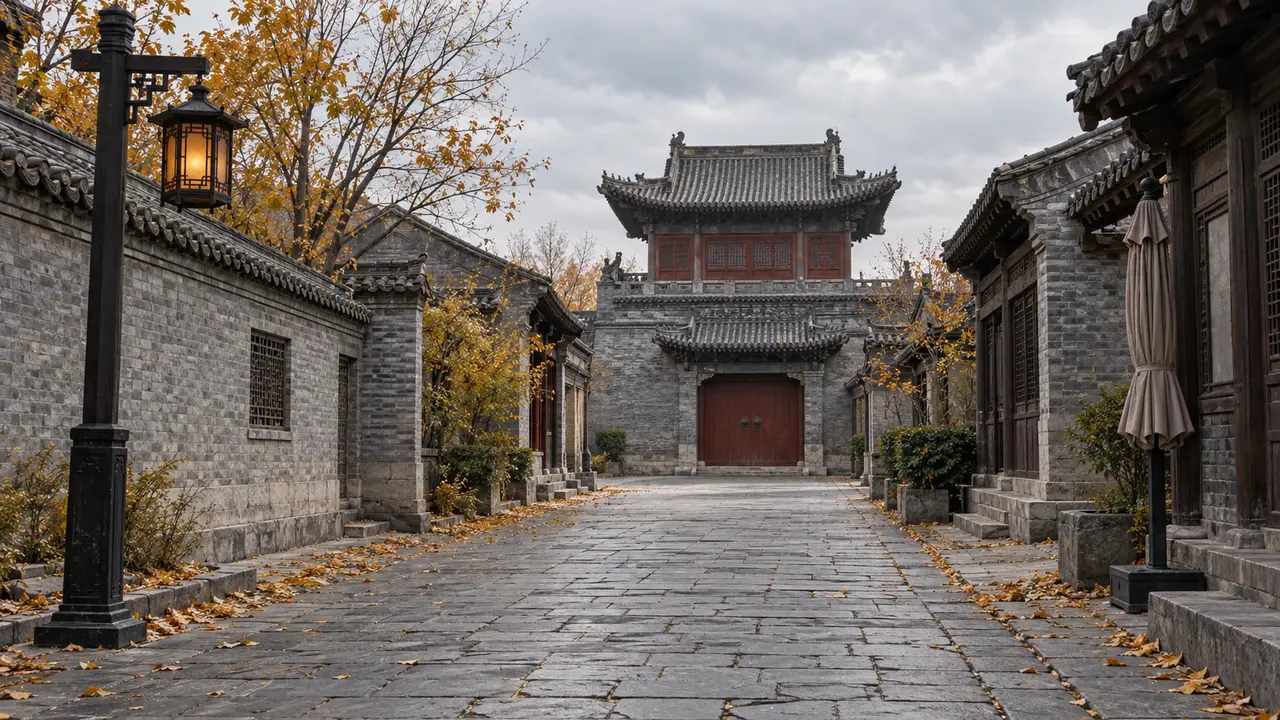
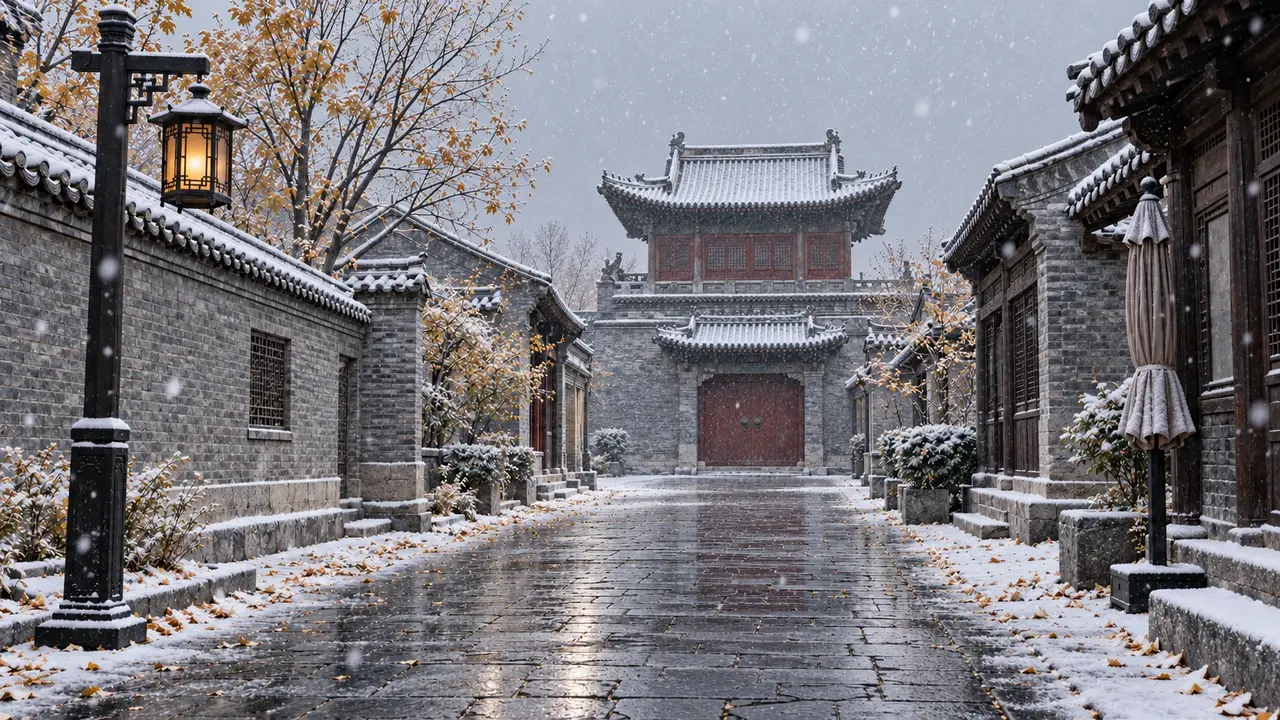
Put the architectural details to preserve first
Give your chosen photo to PagePop Image Editor. Explain what must stay unchanged before describing the weather. Adapt the prompt below to your own city photo.
Use my uploaded street photo as the base and change it to an early-winter evening when snow has just begun to fall.
Preserve the original camera position, framing, number of buildings, roof outlines, door and window positions, street width, and perspective of the stone paving. Do not change any building structure or add landmarks, people, vehicles, or text.
Add a thin layer of snow only to upward-facing surfaces such as eaves, windowsills, and steps. Keep the original wall colors and textures, and leave the roof tiles clearly visible.
Let snowflakes fall with naturally varied spacing: a few slightly larger, softly blurred flakes in the foreground, clear flakes in the middle distance, and fine flakes far away. Do not cover the image with neat, repeating white dots.
Keep the street mainly wet stone, with paving joints visible. Add soft reflections corresponding to the lights, and a little thin snow along the edges. Do not turn the whole ground white.
Make the air and distant buildings slightly cooler while preserving the warm light from the existing shops and streetlamps. Align reflections with the light positions. Add a little haze in the distance, keep foreground details clear, and maintain a realistic photographic look.
Compare the roof ridges, number of doors and windows, and vanishing point against the original. Once the structure matches, adjust the amount of snow and color temperature. If the snow hides details, add a specific instruction such as “Reduce the foreground snowflakes while preserving the buildings and lighting in this version.” There is no need to rewrite the entire request.
A roughly six-second clip: let the snow move and keep the street steady
Once you have a snow image you like, use it as the starting reference for a video. Begin with a locked-off camera and concentrate movement in the falling snow and small environmental changes, making the snow scene itself easy to see.
Use this approved snow image as the opening frame for a realistic street-scene clip lasting about six seconds.
Keep the camera fixed. Preserve the positions and proportions of the buildings, eaves, doors, windows, street, and all objects.
Let snowflakes fall continuously downward and slightly to the right in a light crosswind. A few nearby flakes pass across the lens, while fine distant snow descends slowly. Vary their size and sharpness with distance.
Preserve the thin snow on the eaves, wet stone paving, and warm lamp reflections. Keep the snow depth essentially unchanged during this short shot. The lights must not flicker, the buildings must not drift, and no new people, vehicles, or subtitles should appear.
Keep the movement gentle and leave a brief pause at the end. Use mainly soft wind for the ambient sound.
When you have a playable clip, watch the fixed elements as well as the snow. Do the eaves bend? Do the doors or windows jump? Do reflections drift across the ground? Protect those reference points first, so the winter atmosphere stays anchored to the same street.