How to make an autumn photo journal: photos, keepsakes, and notes on one page
Choose a main photo, a detail shot, and a keepsake to make an autumn photo journal page with PagePop. Arrange the focus and open space, add a personal note, and check the photos and words.
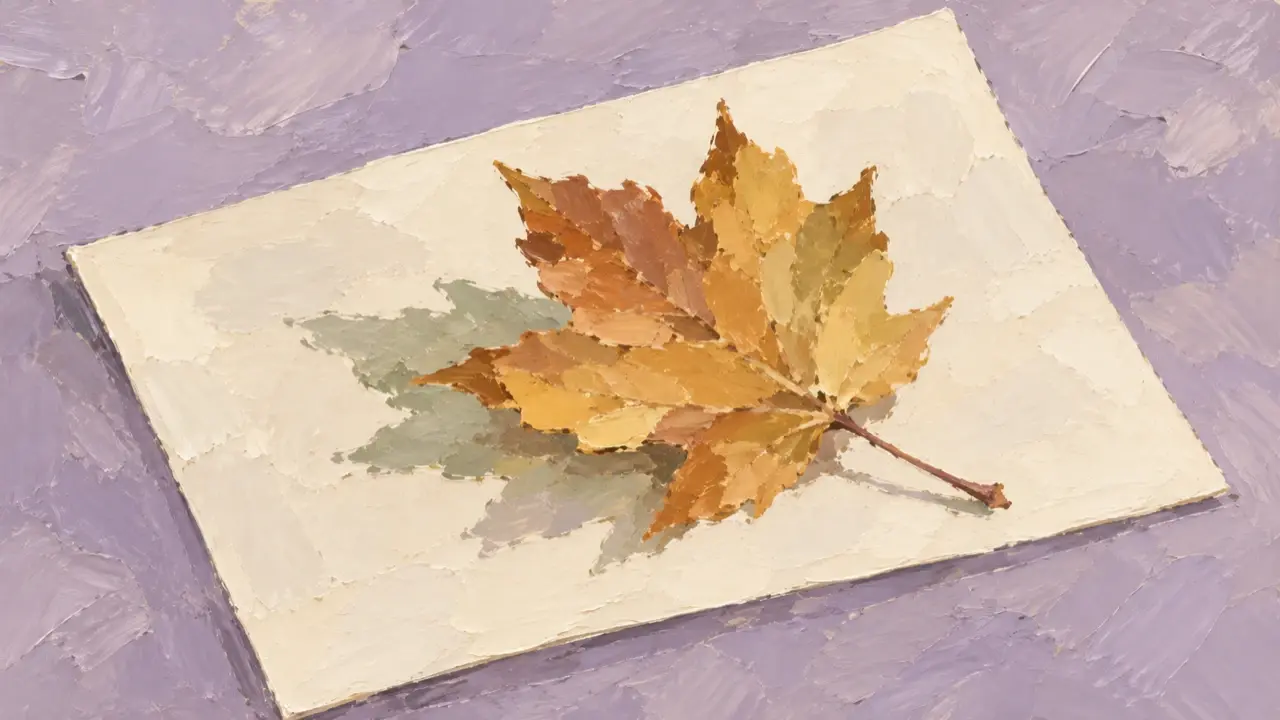
To make an autumn photo journal page, start with one landscape photo you most want to keep, then add a detail shot, a small object from that day, and a note in your own words. Let the photos show what happened, use the words to capture how it felt, and keep paper textures and decorations in supporting roles.
You don’t need to wait until your camera roll is full of red leaves. Shadows from trees on a walk, a cup of coffee beside a bench, or a leaf you picked up can all belong on the page. Choosing material from one outing or one afternoon is easier to arrange clearly than trying to fit an entire autumn into a single image.
Give each image a role when choosing your material
First, choose the photo that best brings that day back to you and make it the main image. Then find a photo that adds a detail: if the main image shows woodland, the detail could be leaves at your feet; if it shows a street corner, it could be the coffee you stopped to drink. If two wide shots are much alike, keeping your favorite is usually enough.
A ticket stub, a piece of wrapping paper, or a leaf can become a third image. Lay the object flat if possible, photograph its outline clearly, and keep unrelated items out of the frame. If you no longer have the object, a photo of something small from that day will work. There’s no need to fill the space with an attractive sticker unrelated to the experience.
| Material | Its role on the page | What you can leave out |
|---|---|---|
| One main scene photo | Shows which moment the page records | Other landscape shots from similar angles |
| One detail photo | Adds something that is hard to see in the main image | Repeated photos that add no new information |
| One photo of a ticket or small object | Keeps a specific trace of the day | Lots of material added purely for decoration |
| A short note in your own words | Records feelings the camera couldn’t capture | A long description of what the photos already show |
For a ticket stub, crop out irrelevant information such as QR codes or order numbers first, keeping the pattern or words you want to remember. If you want a date or place on the page, verify it yourself and provide it separately. Don’t rely on guesses from a blurry ticket or a sign in a photo.
Place the main photo before deciding where the words go
For a first layout, try a single portrait-oriented page. Give the main photo the largest area at the top or on the left. Place the detail photo and small object toward the bottom, with a nearby space for the note. Leave a little space between photos so their edges remain distinct.
If the main photo shows a path stretching into the distance, preserve its direction. If it shows someone sitting on a bench, keep the full pose. Don’t crop away what you most wanted to keep just to fit in tape or borders.
One or two sentences are enough for the note. For example: “I took the long way home and found a whole path of dry leaves underfoot.” This is only an example; a detail you actually experienced that day will be more personal than “a lovely autumn moment.” When the photos already show coffee, leaves, and sky, the words can explain why you stopped there.
A pale paper background can accommodate photos with different levels of brightness. Start with one kind of decoration, such as narrow paper tape or a small torn-paper edge, placed at a photo corner. If the leaf photo is already striking, keep its surroundings simple. Empty space gives your eyes somewhere to rest.
Explain where the photos, note, and layout elements belong
You can also try arranging a version with PagePop, an image creation tool. Start from the PagePop homepage, add your selected images, and explain which is the main photo, which shows a detail, and which is the keepsake. Then provide the final note and date. Clear roles for the material make later adjustments easier to describe.
Here’s an example request for a single-page journal made from three images. Before sending it, replace the image descriptions and bracketed text with your own content. If you don’t have a third image, remove the relevant sentences.
Use my uploaded material to design a portrait-oriented autumn photo journal page that is easy to view on a phone.
This page records one walk. Keep the real scenes in the photos rather than redrawing all the photos as illustrations.

Image A is the main scene photo. Place it at the top and give it the largest area.
Image B is a detail photo from the day. Place it below the main photo.
Image C is my photo of a keepsake. Place it beside image B as a smaller collage element.
Preserve the shapes of the main scenery, the people’s features, and the original color relationships in each photo.
Do not add red leaves, buildings, people, or objects that are absent from the originals.
Do not cover the subjects with decorations or merge the separate photos into a new scene.

Use a pale paper texture for the background with small lavender accents.
Leave space between the photos and add only a little paper-tape decoration at the corners.
Leave a clear area for text at the bottom.
Note: [one or two sentences I wrote about that day].
Date: [the date I verified; remove this line if not needed].
Do not add other wording, locations, color codes, or route maps on your own.
First establish the visual hierarchy and open space on this page.
For a warmer feel, you can replace the accent color with a light brown or deep red from your own photos. Set the placement and wording first, then adjust the colors. You don’t need a different texture in every corner from the start.
When revising, identify what is taking up too much space
When the first version arrives, check that the photos and note haven’t been mismatched, then see whether the main photo still stands out most. An oversized ticket, a thick border, or text squeezed into a photo can often be addressed with one specific request.
| What you notice | How to request a change |
|---|---|
| All three images are the same size, with no clear focus | “Enlarge image A, make image C smaller, and keep image B at its current size so the main photo is noticed first.” |
| The small object covers a person or scenery in the main photo | “Move image C into the open space below. Keep it off the main photo and leave the rest of the layout unchanged.” |
| Decorations dominate while the photos are small | “Reduce the paper tape and torn-paper edges. Give the freed space to the photos and keep the note area.” |
| The text sits over busy leaves and is hard to read | “Move this note to a pale, empty area so it no longer covers the photo.” |
| Trees, rooftops, or people have changed from the original | “Restore these features using the original image A. Keep the current layout and don’t add more decoration for now.” |
If words are misspelled, provide the current and intended wording, point out the location, and check the next result. Tiny text on a ticket can be made less prominent or cropped out if it isn’t important to the page. Put the sentence you really want to keep in its own note area so it is easier to check.
If the page is already too full, revisit your selection. Removing a repetitive detail photo is usually more effective than shrinking every image further. An image you love that has nothing to do with that day can wait for another page.
Before saving, read it at your usual phone-viewing size
First, reduce the page to the size you normally browse at. Make sure the main photo is immediately clear and the note is readable without zooming. Then compare it with the original material: have people, buildings, or leaf shapes changed, has anything important been cropped, and are the date and words correct?
If the photos bring back that afternoon and the note adds a little of how you felt, the page is complete. Save the result you like and keep the original photos too. For your next walk, you can reuse the photo sizes and note placement while letting each page keep its own weather and colors.