
O Sistema Solar explicado com animação em código
Uma animação em Canvas e WebGL com tempos definidos combina um shader de planeta, uma mascote astronauta, narração sincronizada palavra por palavra e renderização reproduzível quadro a quadro.
O resultado criativo
Prompt de referência
Uma referência editada a partir do exemplo, para adaptar ao seu tema. A publicação do criador está no painel de fontes.
“<inputs> Ask me for: one topic as a "what if" question (default: "What if the Sun vanished?"), the length (default 30 seconds), and whether I have an ElevenLabs key (if not, use a free local voice). </inputs> <direction> A Kurzgesagt-style animated explainer at 1920x1080, 30fps, drawn entirely in code: one 2D canvas plus one WebGL canvas for planets. Space: a vertical gradient #081d2c to #102348, five huge parallax nebula blobs (teal rgb 24,150,160 at 20%, blue 40,95,195 at 16%, coral 220,95,110 at 10%, indigo 60,70,175 at 15%), three star layers at parallax depths .12/.35/.6 that twinkle, 40% of the near stars drawn as 4-point sparkles. The Sun: radius 300px, half off the left edge. A radial gradient #fff7dc to #ffc857 to #ff8f4a with an offset highlight, additive halo rings at 1.23/1.48/1.76/2.1x the radius, 18 faint rotating ray wedges, 28 drifting glowing granules on its surface. Earth: an orthographic sphere in a fragment shader, 4x supersampled, from a 2048x1024 map painted from longitude/latitude polygons: land #5fc47a, forest #48ad6b, desert #f5c75f, rainforest #3a9d62, ice #f1f8ff, ocean gradient #4dc7eb to #1a66b8, white capsule clouds. Tilt .26 rad, spin .55 degrees per second. Day/night uses smoothstep(-.12, .24, N·L) with the light direction recomputed from Sun to Earth every frame. Navy night side with ~380 warm city lights, a coral band on the terminator, a cyan rim, ocean specular, an atmosphere halo that is stronger on the lit side. A small astronaut mascot (~180px) built from rounded rectangles: suit #f3f7fb, orange #ff8f4a boots, a visor gradient #1f5a73 to #0a1c2c with glowing cyan eyes that look at whatever matters, a blinking antenna light, an idle bob, squash and stretch on every pose. Type: Fredoka 600/700 only. Captions in caps with 3-6px letter spacing in teal #8fd8e6, gold #ffd98a or white, sitting in rounded pills of rgb(6,20,40) at 62%. Every line of text rises 1.3x its own height through a clip on an ease-out-quint. Finish: a vignette to rgba(4,4,20,.45) and a 6% film grain re-randomized 24 times per second. Banned: outlines, flares or loops on the Sun's edge, static infographic strips, full stops in on-screen text, text that fades in whole, AI images or AI video, Kurzgesagt's own characters, bird or music. </direction> <structure> 30 seconds, every line of narration gets a camera move or a transformation, nothing ever holds still. Tight on the Sun at 2.25x (0s) → on the word "vanished" it swells 6% for 0.22s, collapses in 0.33s, then a white flash and a shockwave ring (1s) → pull back to 1x revealing Earth still lit and the astronaut staring at the empty spot (1.6-3s) → on "eight" an 8:20 countdown slams in from 1.7x to 1x and starts ticking, a "LAST LIGHT" label rides the edge of the growing dark disc (3.2s) → dive to 2.3x on Earth with light streaks flowing in (5.6s) → on "you" a YOU pin drops (7s) → on "left" a photon lands on the pin with "THIS LIGHT LEFT THE SUN / 8 MIN 20 SEC AGO" (7.5s) → on "play" the pin morphs into a play button, "YOU PRESSED PLAY / 15 SEC AGO" (8.8s) → one pull-back from 2.4x to a 0.3x orbit view, "LAST LIGHT" and "GRAVITY" riding the ring (9.6-12.5s) → on "nothing" a dotted circle at the empty centre (13.4s) → on "hits" the darkness sweeps Earth in 0.7s, city lights pop on, the countdown turns gold at 0:00 (15.8s) → on "black" the background fades almost to black (17.4s) → Jupiter appears, "STILL SHINING FOR 1 HOUR+" (17.9s) → zoom out, a dashed tangent line, "30 KM/S" as Earth flies straight off (20.8s) → a thermometer counts 15 to -70°C while frost grows from the poles (22.8s) → a 0.8s rewind on a separate story clock (24.3s) → sunglasses drop onto the astronaut (25.2s) → a photon tagged "8:20 OLD", then the title (27.7s). For any other topic, keep the same shape: the event happens on its word, pull back to show scale, dive in to make it personal ("you"), pull back out, the consequence with a live counter, an escalation, a funny beat with the mascot, a callback and the title. </structure> <build> 1. One HTML file. Every frame is a pure function of time: window.seek(t) draws frame t. No timers, no CSS animation. 2. Camera moves on easeInOutCubic, zoom is interpolated in log space, every pop is a damped spring (damping .42-.5, frequency 12-16). 3. Voice: ElevenLabs eleven_v4 with a designed voice (calm, warm, curious male, late 30s, crisp, light neutral European English), stability .5, similarity .75, generated with timestamps. Without a key, use kokoro-onnx locally and get word times with faster-whisper. Every animation event fires on its word. About 165 words per minute, 0.24s between sentences, a 0.36s beat before the big reveal. 4. The darkness front: any pixel within the front's radius from the Sun turns to night with a 30px soft edge. The front moves at ~47px/s and ramps to 700px/s near Earth. 5. Keep two clocks: ambient time for twinkle, spin and bob, and a separate story clock for events, so a rewind stays consistent. 6. Render with Playwright in headless Edge with the GPU: seek every frame at 30fps and blend 2 subframes (shutter 0.6) for motion blur, then encode with libx264 at CRF 16 for the master and CRF 20 for delivery. 7. Sound: a calm royalty-free space music bed 7dB under the voice, timed so its natural ending lands on the title, swelling 5dB under the title. One downloaded royalty-free sound effect per event kind (collapse, impact, pull-back whoosh, countdown tick, dive, pin tap, photon land, play click, light hit, reveal, frost, rewind), each peak-aligned to its frame and 4-10dB under the voice. Master with gain plus a limiter to -14 LUFS, -2.2dB true peak. </build> <gotchas> Make the WebGL globe canvas at least 2 x radius x zoom x 1.18 pixels or the sphere clips flat in close-ups. Never draw prominences on the Sun's edge, they read as white hooks. Never pad the voice to fit the visuals, tighten the read instead. Speed the darkness front up near Earth or it takes 13 seconds to cross the planet. Show me a contact sheet of every beat before rendering. </gotchas> <start> Ask me the inputs, write the narration with the beat each word triggers, show it to me, then build and render the video. </start>”
Como criar no PagePop
Escolha um assistente, descreva o que precisa e crie com o PagePop. Ajuste o trabalho pela conversa e depois faça o download.
Escolha o assistente ideal
Explore assistentes especializados em diversos setores ou encontre inspiração na ampla coleção de exemplos.
Descreva o que precisa
Diga se quer imagens, vídeos, apresentações PPT, documentos ou páginas web. Adicione imagens ou materiais de referência conforme necessário.
O PagePop escolhe modelos e cria
O PagePop seleciona os modelos e ferramentas adequados ao seu objetivo para criar o trabalho.
Ajuste e baixe
Continue ajustando o conteúdo e o visual na mesma conversa. Baixe o trabalho quando estiver satisfeito.








Comece com suas próprias palavras
Use este prompt real como ponto de partida, mude o que quiser e deixe o PagePop escolher como criar.
Perguntas frequentes
Como adapto este exemplo de Vídeo ao meu projeto?
Use o prompt de referência de “O Sistema Solar explicado com animação em código” como ponto de partida. Substitua o tema, o estilo e a proporção e adicione suas imagens ou materiais de referência. Mantenha a estrutura que deseja explorar, remova requisitos que não se aplicam e ajuste o resultado.
É grátis navegar e copiar prompts?
Navegar pela coleção e copiar prompts é 100% grátis. Você também pode usar o PagePop gratuitamente. Confira os preços e as regras de créditos na página de preços.
O que é o PagePop e o que ele pode fazer?
O PagePop é uma plataforma de criação com IA conversacional. Descreva o que precisa em linguagem natural para criar imagens, vídeos, apresentações, documentos e páginas web. O PagePop seleciona os modelos e ferramentas adequados, e você pode continuar ajustando o trabalho na mesma conversa.
Mais exemplos reais de prompts
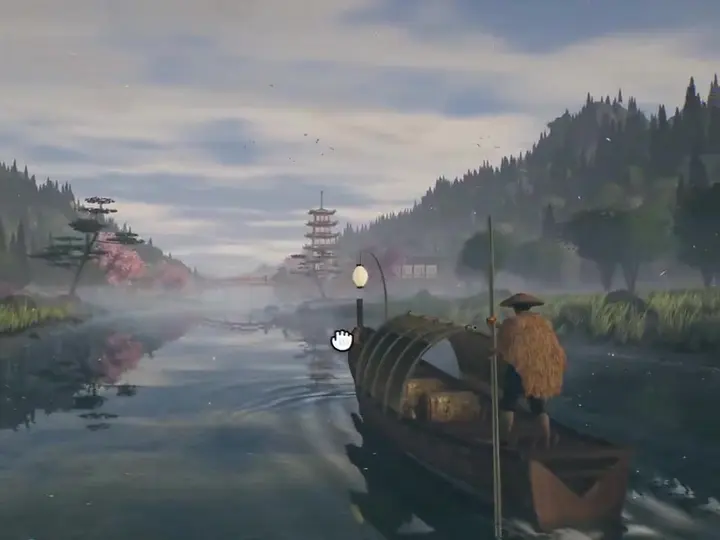
Cena Interativa de Barco com Opus 5.5
“Create an interactive Three.js boat scene traveling through Japanese natural scenery. Add changing weather and day-and-night lighting, water reflections and movement, architectural details, and 3D characters. Bring thos…”
Tipografia animada e um objeto 3D cromado
“Build a 20-second vertical motion piece (1080x1350) as one HTML file. Kinetic type with GSAP: every word slides up letter by letter on one master timeline. Scenes: "[line 1]", "[line 2]", "[line 3]", then a chrome 3D ob…”
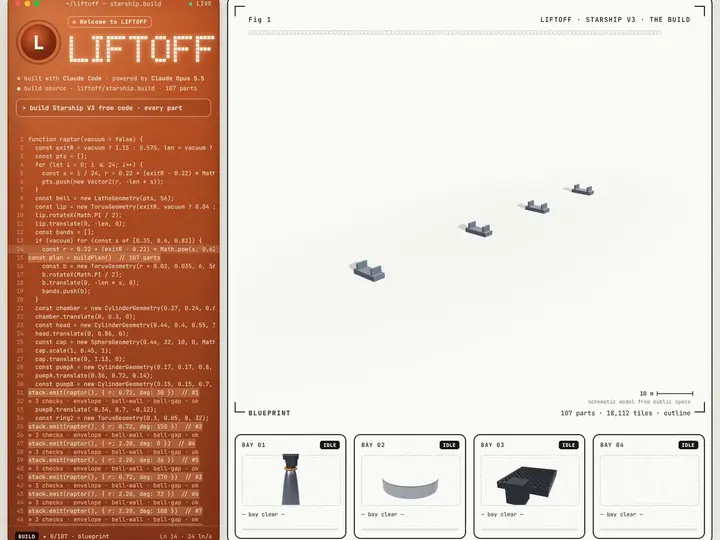
Reconstruir uma máquina e animar seu lançamento
“Rebuild [any machine] in code, part by part: 1. Write the parts list first, with real dimensions and a source for each. 2. Make every part its own function. Place them one at a time. 3. After each part, run the design r…”